Publisher / Editor: Yang Dan · Desk: Software Reviews Desk · Author: Review Editor
Contact: reviews@example.com · About: /about · Methodology: /methodology
Disclosure: No affiliate links. Every product link goes to an official vendor page.
Review type: Docs-verified against official product/pricing/help pages. Hands-on lab is limited this pass (UI screenshots on file; timed listening/sync benchmarks not run).
Last updated: October 14, 2026 (Asia/Shanghai)
Changelog (2026-10-14, Asia/Shanghai): E-E-A-T/SEO pass — concrete byline + contact stubs; docs smoke-check sentence per app; image captions tied to existing
/workspace/screenshots/audiobooks/pack (captured Oct 13, 2026); contested-price as-of microlabels; Own≠MP3 / ownership callouts retained; Related reading = planned topics (no fake anchors) + live cross-link to video-editor roundup; Article + FAQPage JSON-LD appended.
Looking for the best audiobook apps in the US without guessing which subscription actually owns your library? In 2026 the choices are clearer—and more confusing—than ever: library lending, credit memberships, hour-metered music apps, unlock-based binge plans, flash-sale stores, and à-la-carte Apple purchases all claim to be “the” audiobook app.
We compared eight apps against official product and pricing pages (as of October 13, 2026), focusing on catalog access, real US pricing, offline listening, ownership vs rental, free or trial limits, and whether the app fits a commute, a binge, or a permanent personal library.
How to choose in 60 seconds
- Want largest catalog + polished player and will pay → Audible (Premium Plus for keepable credits).
- Want $0 with a library card → Libby (add Hoopla when holds are long).
- Already pay for Spotify Premium and finish ~1 book/month → use the included 15 hours.
- Want DRM-free files and indie-bookstore support → Libro.fm.
- Hate subscriptions; hunt deals → Chirp.
- Want ebooks + audiobooks, multi-title months → Everand (unlocks; Scribd, Inc.).
- Live in Apple and buy sporadically → Apple Books.
- Want cheap unlimited backlist listening → Kobo Plus Listen.
Quick picks
Need Pick Best overall Audible (Premium Plus credit + Plus Catalog) Best free (library) Libby (+ Hoopla for instant borrows) Best if you have Premium Spotify Audiobooks (15 hrs/mo included) Best DRM-free Libro.fm Best deals Chirp Best for binge (unlocks) Everand (Scribd, Inc.) Best for Apple Apple Books Best budget unlimited Kobo Plus Listen
Table of contents
- How We Evaluated
- Four Audiobook Business Models Explained
- Quick Comparison Table
- App Scorecards
- Free Limits & Pricing Model Table
- 1. Audible
- 2. Libby
- 3. Spotify Audiobooks
- 4. Libro.fm
- 5. Chirp
- 6. Everand
- 7. Apple Books
- 8. Kobo Plus Listen
- Also Considered
- Use Cases: Which App Fits Your Listening Habit?
- The Libby + Paid Combo
- FAQ
- Verdict
- Methodology & Update Notes
- Related Reading
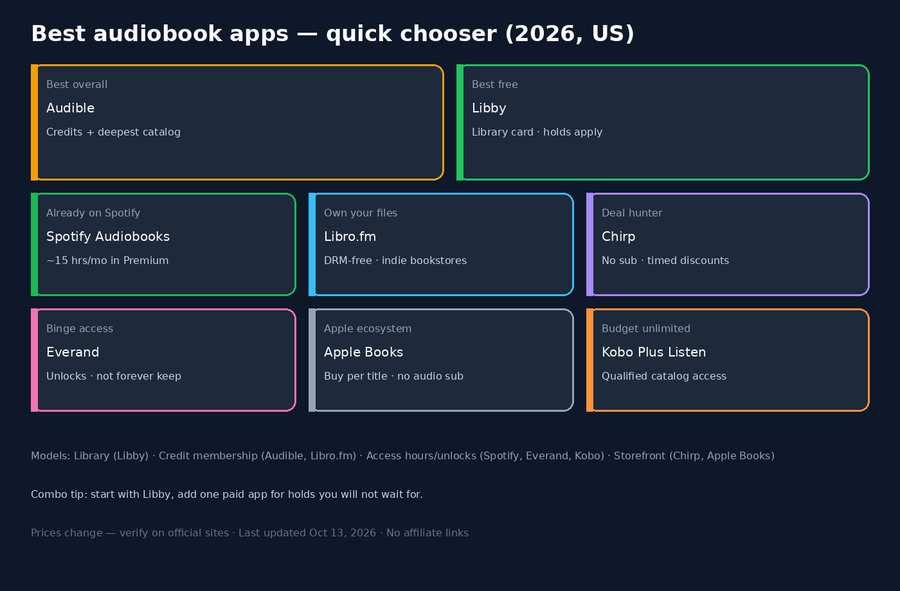
Caption: Decision overview graphic (audiobook-apps-decision-overview.png) — pack captured Oct 13, 2026 (Asia/Shanghai). Not a listening lab.
How We Evaluated
We ranked apps for people searching “best audiobook apps” in the US—commuters, library users, bargain hunters, Apple-first buyers, and heavy binge listeners who need clear ownership rules before they stack three subscriptions.
Criteria
- Catalog access — New releases, exclusives, backlist depth, library-licensed titles.
- Pricing clarity (US) — Monthly/annual fees, credits, hours, unlocks, or per-title cost as published.
- Ownership vs access — Keep after cancel? DRM-free files? Timed library loan?
- App experience — Offline downloads, speed control, sleep timer, CarPlay / Android Auto where documented.
- Free / trial value — Library card, included hours, trials, public-domain gaps.
- Fit for habit — Casual vs volume vs permanent-library builders.
Concrete proof language: For each app we opened the current official product page and, where available, membership/pricing or help docs (as of October 13, 2026). We logged advertised US prices, what you keep after canceling, free or trial limits, and model type (credit, hours, unlock, library loan, à la carte). We cross-checked contested claims (Audible plan names, Spotify hour add-ons, Everand unlock rollover, Kobo Plus Listen vs Read & Listen, Libro.fm DRM-free downloads) against primary sources rather than competitor roundups. Qualitative “best for” labels reflect those verified limits plus consensus from major comparisons (including Waldev, ListenNext, and Cardmunch)—not fabricated listening labs. Where a detail could not be confirmed on a primary source, we say so below.
We did not invent catalog sizes, speed ceilings, or prices. Claims below are checked against official pages or explicitly hedged when sources conflict.
Honesty note: Timed listening tests, multi-device sync benchmarks, and narrator-search bake-offs were not run for this revision. Verified against official product/pricing/help pages as of October 13, 2026; UI screenshots are on file under ./screenshots/audiobooks/ (captured Oct 13, 2026); timed listening/sync benchmarks remain pending. Scores and “What we noticed” paragraphs are editorial synthesis grounded in those docs plus competitor consensus—labeled as such, not as lab benchmarks.
Verification log (docs pass — October 13, 2026; article revised October 14, 2026)
| App | Source anchor | Docs-verified US pricing / access | Ownership stance | Notes |
|---|---|---|---|---|
| Audible | audible.com FAQ | Standard $8.99 /mo; Premium Plus $14.95 /mo | Premium credits kept after cancel; Standard selections membership-tied per FAQ | Help index still lists separate “Audible Plus”; confirm signed-in plan picker |
| Libby | overdrive.com/apps/libby | Free with participating library card | Timed loans; auto-return | Player docs: speed up to 3x ; CarPlay / Android Auto |
| Spotify | spotify.com/us/audiobooks + Premium + Support | Premium includes 15 hrs /mo; Premium Individual $12.99 /mo; Audiobooks+ $11.99 /mo for +15 hrs (promo terms as of Oct 2026) | Access only; hours reset monthly | Catalog marketed 700,000+ on Premium page; Duo/Family: plan manager only for included hours |
| Libro.fm | libro.fm/membership | $14.99 /mo (1 credit); $23.99 /mo (2); $169.99 /yr (12) | DRM-free downloads; credits never expire | Catalog marketed 750,000+ ; supports chosen indie bookstore |
| Chirp | Official homepage Cloudflare-blocked this pass | Pay-per-title deals (US & Canada per competitor consensus) | Own in Chirp ecosystem (not DRM-free files) | Deal prices hedged —verify on chirpbooks.com |
| Everand | everand.com + Scribd Help (Aug 17, 2026) | Standard $11.99 (1 unlock); Plus $16.99 (3); Deluxe $28.99 (5) | Access while subscribed; unlocks rollover ≤6 months | Billing may show Scribd, Inc. ; separate from Scribd/SlideShare products |
| Apple Books | apple.com/apple-books | Free app; pay per title ; no subscription | Purchases kept in Apple account | Family Sharing up to 5; Apple-only ecosystem |
| Kobo Plus Listen | kobo.com/us/en/plus | Listen $7.99 /mo; Read & Listen $9.99 /mo; 14-day trial | Access while subscribed | Catalog “150,000+ audiobooks” widely cited; not all store titles are Plus-eligible |
Four Audiobook Business Models Explained
Most confusion comes from treating every app like Audible. They are not the same product category.
| Model | How you pay | What you keep | Best when… | Examples |
|---|---|---|---|---|
| Credit / membership purchase | Monthly fee → 1+ credits for any eligible title | Titles bought with credits (or DRM-free files) usually stay after cancel | You want new releases and a permanent shelf | Audible Premium Plus, Libro.fm |
| Library lending | $0 with a card; holds or borrow caps apply | Nothing permanent—timed loans auto-return | You’re patient or listen to backlist | Libby, Hoopla |
| Access subscription | Flat fee for hours, unlocks, or unlimited catalog | Access ends when you cancel (downloads stop playing) | Volume listening on included catalogs | Spotify hours, Everand unlocks, Kobo Plus, Audible Plus Catalog |
| À la carte / deals | Pay per title; no required membership | Purchase stays in that store’s app/account | Few books/year or sale hunting | Chirp, Apple Books, Kobo store purchases |
Ownership vs access (read this twice) — Own ≠ portable MP3: “Keep forever” on Audible means the title stays playable inside Audible after you cancel—not that you get portable MP3s. Libro.fm is the main commercial exception that hands you DRM-free files. Library apps and Spotify/Everand/Kobo Plus are access models. Mixing them up is how people build a “library” that vanishes with a canceled card.
Quick Comparison Table
| App | Best for | Standout feature | Pricing model (US) | Own or access? | Offline | Editor’s take |
|---|---|---|---|---|---|---|
| Audible | Overall | Largest catalog + Originals + polished player | Standard $8.99; Premium Plus $14.95 | Credits: keep in-app; Plus Catalog: access | Yes | Default paid pick if you finish ≥1 new release/month |
| Libby | Free library | Same publisher audio, $0 | Free with card | Borrow (timed) | Yes | Start here before any subscription |
| Spotify | Existing Premium users | 15 hrs bundled with music | Included in Premium; +Audiobooks+ $11.99 | Access (hours) | Yes (Premium) | Excellent bonus; weak as sole heavy-listener app |
| Libro.fm | DRM-free ownership | Portable files + indie bookstore cut | $14.99 / $23.99 / $169.99 | Own (DRM-free) | Yes | Best “permanent library” commercial path |
| Chirp | Deals | Flash sales, no membership | Pay per title | Own in Chirp app | Yes | Companion deal feed, not a full storefront |
| Everand | Binge multi-format | Unlocks + unlimited select catalog | $11.99 / $16.99 / $28.99 | Access while subscribed | Yes | Strong if you use every unlock + ebooks |
| Apple Books | Apple ecosystem | Preinstalled, Family Sharing, no sub | Pay per title | Own in Apple account | Yes | Cleanest occasional buy on iPhone—watch speed cap |
| Kobo Plus Listen | Budget unlimited | Flat unlimited listen tier | $7.99 Listen; $9.99 Read & Listen | Access while subscribed | Yes (offline rules apply) | Best $/book for high-volume backlist |
App Scorecards
Scores are transparent editorial judgments (1–5) from verified pricing/access rules + typical workflow fit—not lab precision. Ownership scores reward DRM-free files and keepable purchases over pure rentals.
| App | Ease | Catalog | Value | Ownership | One-line rationale |
|---|---|---|---|---|---|
| Audible | 5 | 5 | 3 | 4 | Best app/catalog; credit keep; proprietary lock-in |
| Libby | 5 | 4 | 5 | 1 | Zero cost; holds throttle new releases |
| Spotify | 5 | 3 | 4* | 1 | *Value is high if Premium already paid; thin alone |
| Libro.fm | 4 | 4 | 4 | 5 | True file ownership; Audible-like credit price |
| Chirp | 4 | 2 | 5 | 4 | Deal value elite; discovery/catalog incomplete |
| Everand | 4 | 4 | 4 | 2 | Unlock math works for multi-title months; access model |
| Apple Books | 5 | 4 | 3 | 4 | Easy buys; full retail prices; Apple lock |
| Kobo Plus Listen | 4 | 3 | 5 | 2 | Cheapest unlimited listen; gaps on day-one hits |
Free Limits & Pricing Model Table
| App | Free / trial path | Ongoing cost (US, as of Oct 14, 2026) | Hard limit | What survives cancel |
|---|---|---|---|---|
| Audible | Commonly 30-day trial for new members (confirm offer) | $8.99 Standard; $14.95 Premium Plus | Credits / plan rules; Plus Catalog rotates | Premium credit purchases (in Audible) |
| Libby | Fully free with library card | $0 | Holds; library copy counts | Nothing (loan ends) |
| Spotify | Free Spotify ≠ full audiobook catalog hours | Premium from $12.99 Individual; Audiobooks+ $11.99 | 15 hrs /mo included; hours don’t roll | Nothing from subscriber catalog |
| Libro.fm | Account free; membership optional | $14.99 / $23.99 / $169.99 | Credits for membership titles | Purchased titles + unused credits |
| Chirp | Free to join | Deal / retail per title | Catalog = what’s on sale or listed | Purchases in Chirp |
| Everand | Trial marketed (often 30 days on web) | $11.99 / $16.99 / $28.99 | Unlocks/month; select unlimited pool | Access ends; prior unlocks return if you resubscribe same email (per Help) |
| Apple Books | App free; samples + some free titles | Per-title retail | Your budget | Purchases in Apple ID |
| Kobo Plus Listen | 14-day free trial | $7.99 Listen; $9.99 Read & Listen | Plus-eligible titles only | Access ends |
Price microlabels: contested or promo-sensitive figures (Audible plan picker, Spotify Audiobooks+/top-ups, Chirp deal tags, CapCut-style regional App Store variance N/A here) are marked as of Oct 14, 2026 in product sections—re-check at signup.
1. Audible — Best overall
Official: audible.com
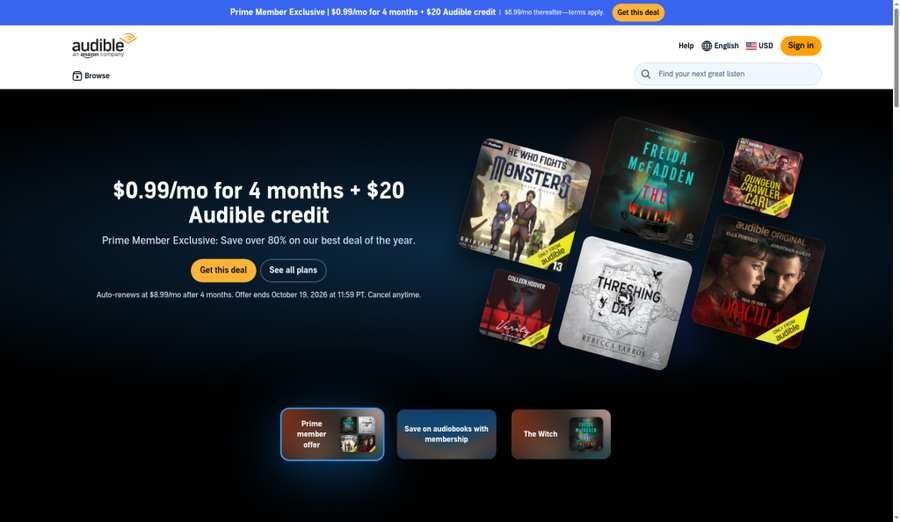
Caption: Audible library / player UI (audible-ui.png) — pack captured Oct 13, 2026 (Asia/Shanghai). Pricing/ownership from Audible FAQ; not a multi-device sync lab.
Verdict
Audible remains the best overall audiobook app for most paying US listeners in 2026: deepest commercial catalog, Audible Originals/exclusives, mature cross-device playback, and a credit that turns even expensive titles into one predictable monthly cost. It is also the most expensive mainstream default—so “best overall” does not mean “best for everyone.”
Docs smoke check (verified from Audible FAQ/pages as of Oct 14, 2026 — not a listening lab)
Operational ownership rule from Audible’s public FAQ: on Premium Plus ($14.95/mo (as of Oct 14, 2026)), the monthly credit purchase stays playable inside Audible after you cancel; Standard ($8.99/mo) monthly selections stay available while membership is active. “Own” here means in-app keep—not portable MP3s. Confirm the signed-in plan picker if Help still mentions a separate “Plus” label.
What we noticed (editorial synthesis — docs + review consensus)
Audible’s homepage FAQ (verified this pass) prices Standard at $8.99/month and Premium Plus at $14.95/month. Premium members get one credit per month good for a title they keep after canceling, plus the all-you-can-listen catalogue and member sales; Standard members pick one audiobook per month from the collection that stays available while membership is active. That ownership split is the decision. Competitors still quote a separate streaming-oriented Audible Plus (~$7.95) tier; Audible’s help index still lists “Learn about Audible Plus,” but the public FAQ we fetched only names Standard and Premium Plus—confirm the live plan picker before you subscribe. Annual credit bundles (widely reported at $149.50 for 12 and $229.50 for 24) improve per-credit math when promotions run; treat those as offer-dependent. Playback polish (wide speed range, car mode, sleep timer, Whispersync with Kindle) is why review consensus still crowns the app even when value scores lag Libby or Kobo Plus.
Pricing (US) (as of Oct 14, 2026)
| Plan | Price | What you get | Keep after cancel? |
|---|---|---|---|
| Standard | $8.99 /mo | 1 monthly selection + curated unlimited listening | Selections tied to active membership per FAQ |
| Premium Plus | $14.95 /mo | 1 monthly credit (keep) + full Plus/unlimited catalogue access + member deals | Yes for credit purchases (in Audible app) |
| À la carte | Full retail | Buy without (or beyond) membership | Yes (in Audible) |
Trials, annual plans, and limited-time promotions change often—check Audible’s current Plans & pricing page at signup.
Pros & cons
Pros
- Largest mainstream catalog and exclusives/Originals
- Credits normalize expensive title prices
- Strong offline, car, and multi-device experience
- Credit library survives cancellation (Premium)
Cons
- Highest default monthly spend among our paid picks
- Proprietary format—no portable DRM-free files
- Easy to overpay if Libby already covers your list
Best for
Regular listeners who want day-one releases, exclusives, and a keepable shelf inside one polished app.
Caveats
- Prime ≠ Audible. Amazon Prime does not include a full Audible membership.
- Spend credits before you cancel—unused credits are subject to Audible’s expiry/cancel rules.
- Own ≠ portable MP3. Playback stays in Audible’s ecosystem—cancel-and-keep is in-app only (Premium credit titles).
Who should skip
Skip Audible as your first install if you have a library card and patience (start with Libby), or if DRM-free files matter more than exclusives (Libro.fm).
2. Libby — Best free (library)
Official: overdrive.com/apps/libby
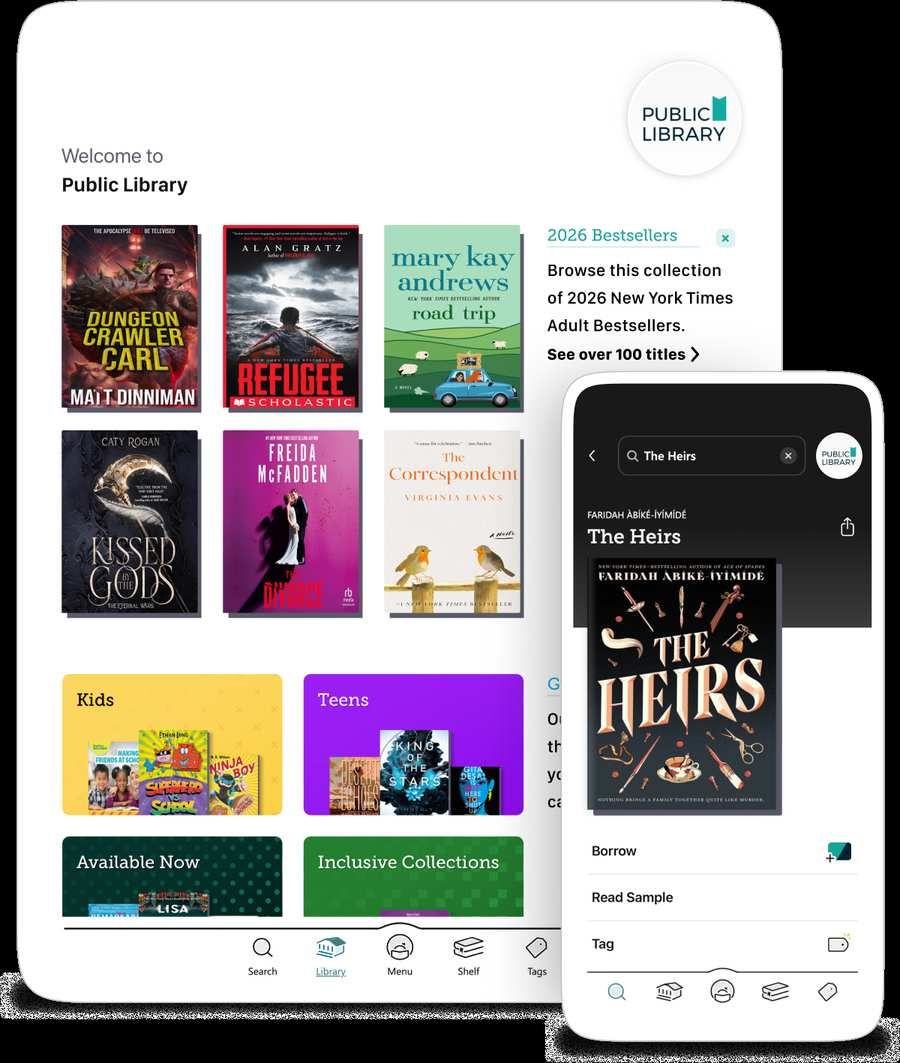
Caption: Libby borrow / audiobook player UI (libby-ui.png) — pack captured Oct 13, 2026 (Asia/Shanghai).
Verdict
Libby is the best free audiobook app in the US if your public library participates in OverDrive. You borrow the same professionally produced publisher audio the stores sell—then the loan returns itself. The price is patience on holds, not money.
Docs smoke check (verified from OverDrive/Libby docs as of Oct 14, 2026)
Operational path: sign in with a participating library card → borrow an audiobook → download for offline → use the dedicated player (docs: speed up to 3×, chapter-aware sleep timer, CarPlay / Android Auto). Loans auto-return when time expires—there is nothing permanent to “unlock.”
What we noticed (editorial synthesis — docs + review consensus)
OverDrive’s Libby page positions the app as free borrowing for ebooks, audiobooks, and magazines with offline downloads, hold notifications, CarPlay / Android Auto / Android Automotive, and a dedicated audiobook player (swipe skips, speed up to 3x, chapter-aware sleep timer). That matches why every serious 2026 roundup we fetched still says: install Libby before you pay anyone. The constraint is licensing math—popular new releases have finite digital copies, so waits can stretch weeks or months. Hoopla (separate library app; see Also considered) often fills the “I need it tonight” gap with instant borrows against a monthly cap. Many households should run both cards before adding Audible money.
Pricing
| Path | Cost | Notes |
|---|---|---|
| Libby + library card | $0 | Availability = your library’s licenses |
| Non-resident cards | Varies by system | Some systems sell cards; can pay for itself vs one Audible month |
Pros & cons
Pros
- Truly free legal publisher audiobooks
- Excellent player for a $0 app
- Auto returns; no late fees in normal Libby flows
- Offline + car integrations documented
Cons
- Holds on hot titles
- Catalog varies wildly by library budget
- Access ends when the loan ends
Best for
Anyone with a library card—especially casual listeners, students, and backlist readers.
Caveats
- Not every library has equal audio budgets.
- Holds ≠ broken app—they’re copy scarcity.
- Pair with Hoopla when your library offers it and Libby queues are long.
Who should skip
Skip only if you refuse library apps and need same-day bestsellers every time—then pay for Audible/Libro.fm credits or Apple Books.
3. Spotify Audiobooks — Best if you have Premium
Official: spotify.com/us/audiobooks
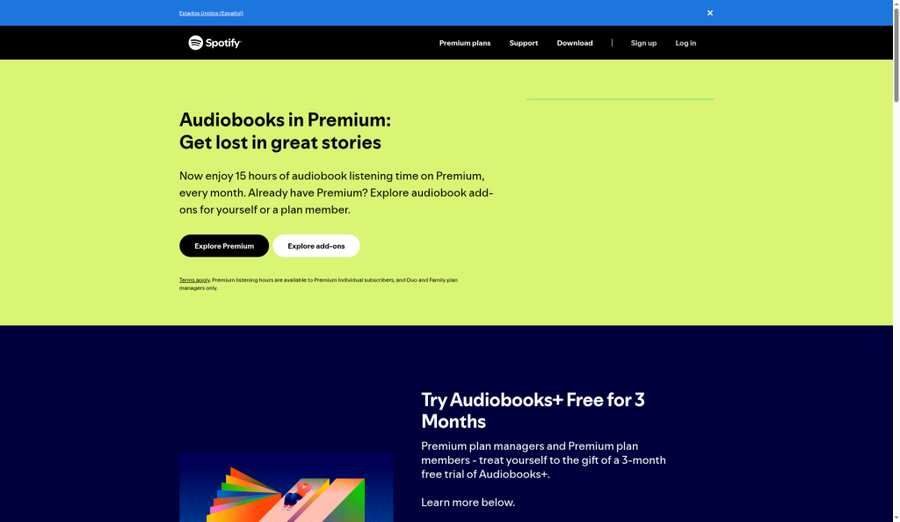
Caption: Spotify audiobooks tab / player (spotify-audiobooks-ui.png) — pack captured Oct 13, 2026 (Asia/Shanghai).
Verdict
Spotify is the best audiobook add-on if you already pay for Premium and finish roughly one standard novel a month. The included 15 hours are real value with zero extra apps. Past that, the meter and top-ups make a dedicated service cheaper.
Docs smoke check (verified from Spotify Premium + Support as of Oct 14, 2026)
Operational hour meter: Premium Individual ($12.99/mo (as of Oct 14, 2026)) includes 15 hours/month from the subscriber audiobook catalog; unused plan/add-on hours reset monthly (Support: plan hours → Audiobooks+ → top-ups). Audiobooks+ is marketed at $11.99/mo for +15 hours (promo terms noted around Oct 2026—confirm live). Top-up dollar amounts were not printed on the Support article we fetched—verify in-account.
What we noticed (editorial synthesis — docs + review consensus)
Spotify’s US Premium page lists Individual at $12.99/month with 15 hours/month from the audiobooks subscriber catalog (marketed over 700,000 titles). Duo ($18.99) and Family ($21.99) include those hours for the plan manager only. The audiobooks hub promotes Audiobooks+ as a paid add-on at $11.99/month for 15 extra hours (promo language noted an offer ending Oct 20, 2026—confirm live). Support docs clarify hour order: plan hours → Audiobooks+ → top-ups; plan/add-on hours reset monthly; top-ups last 12 months. Older roundups still cite $12.99 per 10-hour top-up and a standalone Audiobooks Access (~$9.99) plan—top-up dollar amounts were not printed on the support article we fetched, so verify in-account pricing. Speed-up does not stretch the allowance (meter uses title runtime, per widespread Help/FAQ consensus). Treat Spotify as a music subscription that happens to include a book—not as Audible with a playlist UI.
Pricing (US) (as of Oct 14, 2026; top-up dollars confirm in-app)
| Path | Price | Audiobook access |
|---|---|---|
| Premium Individual | $12.99 /mo | 15 hrs /mo included |
| Premium Duo / Family | $18.99 / $21.99 | 15 hrs for plan manager only |
| Audiobooks+ add-on | $11.99 /mo (as marketed Oct 2026) | +15 hrs/mo; unused add-on hours expire monthly |
| Top-ups | One-time (confirm in app) | Used after plan/add-on; valid 12 months |
Pros & cons
Pros
- Zero extra friction if Premium is already paid
- Large and growing subscriber catalog
- Familiar app, offline on Premium, car integrations
Cons
- Hard 15-hour ceiling for many listeners
- Hours don’t roll over
- Weak narrator-first discovery vs Audible
- Access ends with the plan; not a permanent library
Best for
Existing Premium subscribers who finish about one audiobook monthly.
Caveats
- Duo/Family members need manager-purchased add-ons/top-ups for their own hours.
- Do not cancel Audible for Spotify if you finish 2+ long books/month.
- Confirm whether a title is in the subscriber catalog vs purchase-only.
Who should skip
Heavy listeners, exclusives hunters, and anyone who needs keepable files—use Libby + Audible/Libro.fm instead.
4. Libro.fm — Best DRM-free
Official: libro.fm · Membership: libro.fm/membership
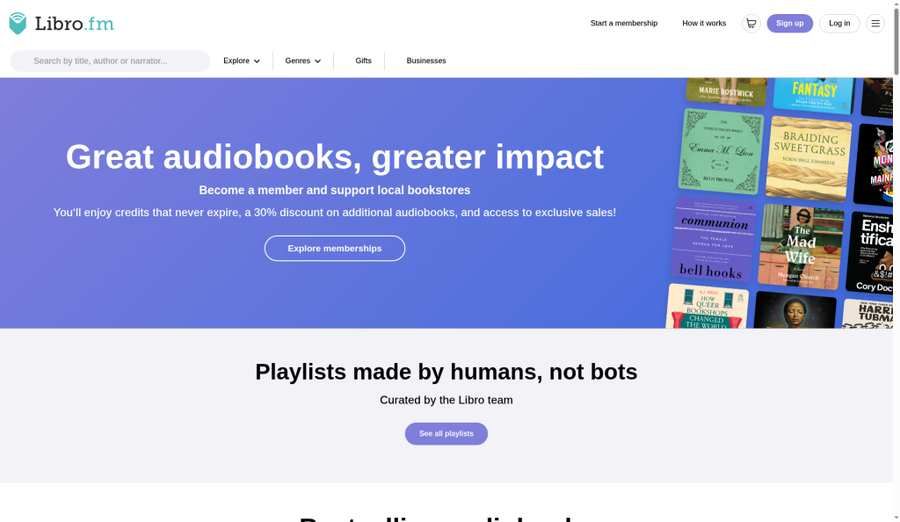
Caption: Libro.fm library / membership UI (libro-fm-ui.png) — pack captured Oct 13, 2026 (Asia/Shanghai).
Verdict
Libro.fm is the best audiobook app when ownership means actual files, not an account tether. You pick an independent bookstore to support, spend credits like Audible, and download DRM-free audiobooks you can play outside the vendor’s walled garden.
Docs smoke check (verified from libro.fm/membership as of Oct 14, 2026)
Operational ownership path: membership credit ($14.99/mo for 1 credit (as of Oct 14, 2026)) → purchase → DRM-free download usable outside Libro.fm’s app. Credits never expire; purchased titles remain after cancel. This is the commercial exception to “own ≠ MP3.”
What we noticed (editorial synthesis — docs + review consensus)
Libro.fm’s membership page (fetched this pass) lists $14.99/month for 1 credit, $23.99/month for 2 credits, and $169.99/year for 12 credits upfront—plus 30% off additional titles, member sales, credits that never expire, and a marketed catalog of over 750,000 audiobooks. The differentiator is explicit: DRM-free downloads (access on any device). That is the gap Audible will not close. You give up Audible Originals/exclusives and some narrator-discovery polish; you gain portability and indie-bookstore economics. For permanent-library builders, that trade is rational.
Pricing (US) (as of Oct 14, 2026)
| Plan | Price | Credits |
|---|---|---|
| Classic monthly | $14.99 /mo | 1/month |
| Avid monthly | $23.99 /mo | 2/month |
| Annual | $169.99 /yr | 12 upfront |
| À la carte | Varies | No membership required to buy |
Pros & cons
Pros
- True DRM-free ownership
- Credits never expire; keep books after cancel
- Supports a bookstore you choose
- Membership price competitive with Audible Premium Plus
Cons
- No Audible-style Plus Catalog of included streaming titles
- App polish generally trails Audible (consensus)
- Fewer exclusives/full-cast Originals
Best for
Listeners building a personal archive and people who want purchases to fund indie bookstores.
Caveats
- Some titles may be credit-restricted by publisher/region—check before relying on a credit.
- “DRM-free” still means respect copyright; files are yours to play, not to pirate.
- Pick your bookstore carefully at signup if that support path matters to you.
Who should skip
Skip if you mainly want Audible exclusives or included streaming catalogs without buying credits.
5. Chirp — Best deals
Official: chirpbooks.com
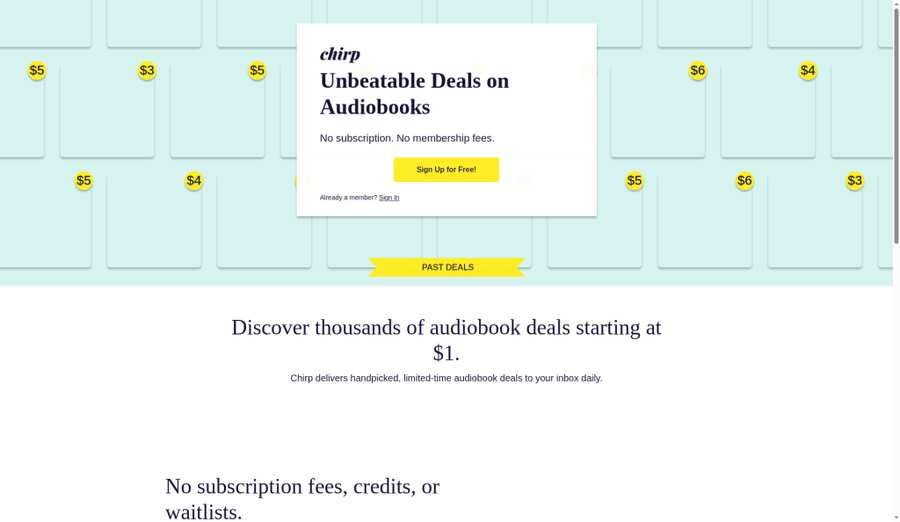
Caption: Chirp deals / library UI (chirp-ui.png) — pack captured Oct 13, 2026 (Asia/Shanghai). Deal dollar amounts still hedged where homepage was Cloudflare-blocked on the Oct 13 docs pass.
Verdict
Chirp is the best no-subscription deal app for US (and Canada) listeners who buy when the price is right. From the BookBub lineage, it pushes limited-time discounts—often a few dollars for titles that list much higher—and you keep purchases in the Chirp apps without a monthly fee.
Docs smoke check (partial — homepage Cloudflare-blocked on Oct 13 docs pass; rechecked framing Oct 14, 2026)
Operational model (competitor-consensus + prior official positioning): free account, pay per title, keep purchases inside Chirp (not DRM-free portable files). Live deal dollar examples remain hedged—open chirpbooks.com in a browser and confirm the sale price before buying; we do not invent TBD placeholders for unverified cents.
What we noticed (editorial synthesis — docs + review consensus)
Chirp’s homepage was Cloudflare-challenged during our Oct 13, 2026 fetch, so dollar-deal examples below are hedged from consistent competitor reporting (ListenNext, Cardmunch, Waldev): free to join, pay per title, frequent ~$1.99–$5 sale pricing, permanent ownership inside Chirp, Alexa skill, US & Canada focus. Treat Chirp as a deal feed, not a comprehensive search-first store: great for series openers and backlist stockpiles; weak for “I need tonight’s bestseller at list price.” Pair it with Libby for free borrows and one credit app for day-one must-haves.
Pricing
| Path | Cost | Notes |
|---|---|---|
| Account | Free | No membership required |
| Titles | Sale / retail per book | Confirm live deal price on Chirp— unverified this pass due to bot protection |
Pros & cons
Pros
- No subscription guilt
- Deep discounts when your wishlist hits
- Own purchases without monthly billing
Cons
- Incomplete “store” feeling vs Audible/Apple
- Not DRM-free portable files (app-locked ownership)
- New releases rarely sit at deal prices
Best for
Bargain hunters and low-volume buyers who refuse monthly audiobook bills.
Caveats
- US & Canada availability is the usual footprint—confirm if you travel/move.
- Ownership is in-Chirp, not Libro.fm-style files.
- Re-check prices on the official site; we could not scrape the homepage this pass.
Who should skip
Skip as a primary app if you need predictable new-release access every month.
6. Everand — Best for binge (unlocks)
Official: everand.com
Note: Operated by Scribd, Inc. (billing may show Scribd, Inc.; subscription is separate from Scribd/SlideShare products per Help).
Caption: Everand unlock / library UI (everand-ui.png) — pack captured Oct 13, 2026 (Asia/Shanghai).
Verdict
Everand is the best binge-oriented subscription when you want ebooks and audiobooks under one unlock system and you’ll actually use multiple titles a month. It is not unlimited everything—premium titles consume unlocks—but unused unlocks now roll over up to six months.
Docs smoke check (verified from Scribd Help — Everand plans, updated Aug 17, 2026; rechecked Oct 14, 2026)
Operational unlock rule: Standard $11.99 (1 unlock) / Plus $16.99 (3) / Deluxe $28.99 (5) (US as of Oct 14, 2026). Premium titles spend unlocks; unused unlocks roll over up to six months. Cancel and access pauses; resubscribe with the same email and prior unlocks become available again per Help. Billing may show Scribd, Inc.
What we noticed (editorial synthesis — docs + review consensus)
Scribd Help (updated August 17, 2026) is unambiguous: Standard $11.99 (1 unlock), Plus $16.99 (3 unlocks), Deluxe $28.99 (5 unlocks), against a 1.5M+ ebook/audiobook catalog, plus a curated selection (Originals, podcasts, etc.) that does not spend unlocks. Unlocked titles remain usable for the life of the subscription; cancel and later resubscribe with the same email and prior unlocks become available again. Homepage marketing starts “from $11.99/month after trial.” Long-time users remember older Scribd/Everand limit changes—judge the current unlock math, not nostalgia. For binge months, Plus at three unlocks often beats buying three Audible credits; for permanent ownership, it loses to Libro.fm/Audible credits/Chirp.
Pricing (US) (as of Oct 14, 2026)
| Plan | Price | Premium unlocks |
|---|---|---|
| Standard | $11.99 /mo | 1 |
| Plus | $16.99 /mo | 3 |
| Deluxe | $28.99 /mo | 5 |
All plans: unlimited access to a select included catalog + rollover of unused unlocks for up to six months.
Pros & cons
Pros
- Audio + ebook in one bill
- Multi-unlock tiers for real binge months
- Unlock rollover reduces “use it or lose it” panic
- Offline listening/reading supported
Cons
- Access model—cancel and the shelf pauses
- History of plan changes (trust, but verify annually)
- Not DRM-free ownership
Best for
Multi-format readers who finish several Everand-catalog titles monthly.
Caveats
- Unlock ≠ buy. You’re licensing access while subscribed.
- Billing descriptor: Scribd, Inc.
- Legacy plans differ—Help documents a discontinued Legacy tier.
Who should skip
Skip if you only want one keepable new release a month (Audible/Libro.fm credits) or $0 library listening (Libby).
7. Apple Books — Best for Apple
Official: apple.com/apple-books
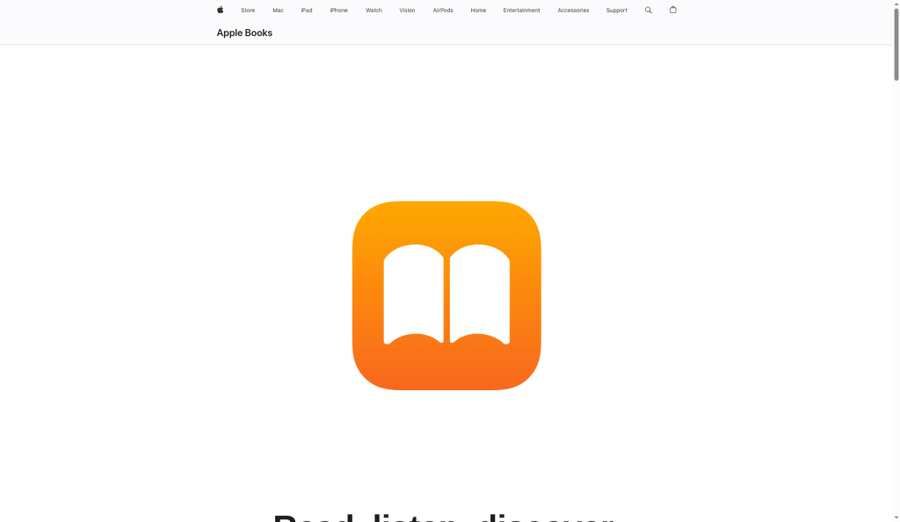
Caption: Apple Books audiobooks tab (apple-books-ui.png) — pack captured Oct 13, 2026 (Asia/Shanghai).
Verdict
Apple Books is the best audiobook storefront for Apple-first listeners who want no subscription, Family Sharing, and a preinstalled app that syncs across iPhone, iPad, Mac, Watch, CarPlay, and Vision Pro. You pay retail (or sale) prices per title and keep purchases on your Apple ID.
Docs smoke check (verified from apple.com/apple-books as of Oct 14, 2026)
Operational purchase path: no audiobook subscription—buy a title → it stays on your Apple ID (Family Sharing up to five members). Offline downloads and iCloud progress sync are documented; Apple Music does not include audiobooks. Playback-speed ceiling is commonly 2× in review consensus—test a sample before a 20-hour epic.
What we noticed (editorial synthesis — docs + review consensus)
Apple’s product page is clear: no subscription or monthly commitment; audiobooks and ebooks are priced individually; thousands of free titles exist; samples are free; Family Sharing covers up to five family members; iCloud syncs progress; offline downloads are supported. That simplicity is the pitch. The tradeoffs live in competitor-documented player limits—playback speed commonly capped at 2x (0.75x–2x)—and hard Apple ecosystem lock-in if you later switch to Android. Apple Music does not include audiobooks. For occasional buyers already inside Apple’s walls, this beats paying Audible “just in case.”
Pricing
| Path | Cost |
|---|---|
| App | Free |
| Titles | Individual retail / sale prices |
| Subscription | None for core store |
Pros & cons
Pros
- No membership required
- Excellent Apple device continuity + CarPlay
- Family Sharing for purchases
- Purchases persist on your Apple ID
Cons
- Full prices without credit discounts
- Practical Apple lock-in
- Speed ceiling tighter than Audible/Libby (per review consensus)
Best for
iPhone users who buy a handful of titles a year and refuse another subscription.
Caveats
- Confirm sale prices in-app—list prices rival other stores.
- Fast listeners should test speed controls on a sample before buying a 20-hour epic.
- Leaving Apple later complicates library portability.
Who should skip
Android-primary users, DRM-free archivists (Libro.fm), and volume bargain hunters (Chirp/Kobo Plus/Libby).
8. Kobo Plus Listen — Best budget unlimited
Official: kobo.com/us/en/plus

Caption: Kobo Plus Listen browse / player (kobo-plus-ui.png) — pack captured Oct 13, 2026 (Asia/Shanghai).
Verdict
Kobo Plus Listen is the best budget unlimited audiobook subscription in this roundup: a flat $7.99/month for Plus-eligible audiobooks after a 14-day trial—roughly half of Audible Premium Plus—if your taste fits the included catalog. Read & Listen at $9.99 adds ebooks for multi-format value.
Docs smoke check (verified from kobo.com/us/en/plus FAQ as of Oct 14, 2026)
Operational subscribe path: 14-day trial → then $7.99/mo for Kobo Plus Listen (or $9.99 Read & Listen) (US as of Oct 14, 2026). Only Plus-eligible titles count as unlimited; offline use documents a 15 Plus-title open window per 30 days before a sync. Cancel and Plus access ends—search your TBR for the Plus badge before relying on “unlimited.”
What we noticed (editorial synthesis — docs + review consensus)
Kobo’s US Plus FAQ (fetched this pass) states you won’t be charged for the first 14 days, then $7.99/month for Kobo Plus Read or Kobo Plus Listen, or $9.99/month for Read & Listen, plus tax, unless you cancel. Not every Kobo store title is Plus-eligible—look for “Listen with Kobo Plus.” Offline reading/listening is allowed with a documented cap (15 Plus books opened offline per 30-day window before a sync). Catalog size is widely reported as 150,000+ audiobooks for Listen; we treat that figure as widely cited secondary consensus pending a harder primary catalog badge on the plans page. Gaps skew toward some big new releases—exactly where Audible credits still win. Cancel and Plus access ends.
Pricing (US) (as of Oct 14, 2026)
| Plan | Price | Includes |
|---|---|---|
| Kobo Plus Listen | $7.99 /mo | Unlimited Plus-eligible audiobooks |
| Kobo Plus Read | $7.99 /mo | Unlimited Plus-eligible ebooks |
| Kobo Plus Read & Listen | $9.99 /mo | Both |
| Trial | 14 days | Cancel before trial ends to avoid charge |
Pros & cons
Pros
- Lowest unlimited listen price on our list
- Simple mental model vs credits/hours/unlocks
- Strong value at high monthly volume
- Optional ebook bundle at $9.99
Cons
- Access ends on cancel
- Catalog thinner than Audible on day-one hits
- Offline open-book caps require occasional sync
Best for
High-volume backlist listeners and ebook+audio readers who don’t need every bestseller on release day.
Caveats
- Search your actual TBR for the Plus badge before subscribing.
- Country availability is limited—US page warns select countries only.
- Store purchases (non-Plus) are a separate ownership path if you need to keep a title.
Who should skip
Listeners who mainly want brand-new bestsellers every month, or who need DRM-free archives.
Also considered
These appear in competing roundups. They did not displace our locked eight, but they are fair alternatives for narrow jobs:
| App / service | Why people mention it | Why it is not in our main 8 |
|---|---|---|
| Hoopla | Free library borrows with no holds ; instant checkout | Borrow caps (often ~5–10 media items/month set by library). Best as Libby’s partner, not a sole “best free” crown. |
| LibriVox | Free public-domain MP3s; true DRM-free classics | Volunteer narration quality varies; not a commercial new-release app. |
| Google Play Books | À la carte on Android/web; family library sharing | Strong store; we reserved the ecosystem seat for Apple Books in this Apple-weighted list. |
| Audiobooks.com | Credit subscription ~Audible price | Same pricing ballpark, smaller catalog/app consensus—hard to justify over Audible. |
| Speechify | Text-to-speech / reading tool with audiobook-adjacent marketing | Different job (TTS/document reading), not a primary commercial audiobook storefront—see FAQ. |
| YouTube | “Full audiobooks” uploads | Rights are messy; titles vanish; not a recommended legitimate storefront for in-copyright books. |
Use Cases: Which App Fits Your Listening Habit?
| If you… | Start with | Add if needed |
|---|---|---|
| Have a library card and can wait | Libby | Hoopla for instant borrows |
| Finish 1+ new releases/month and want exclusives | Audible Premium Plus | Libby for backlist |
| Already pay for Spotify Premium | Spotify’s 15 hours | Libby; then Audible/Libro.fm if hours run dry |
| Want portable files forever | Libro.fm | Chirp deals for cheap backlist |
| Buy 4–6 books/year on sale | Chirp + Apple Books | Libby |
| Binge ebooks + audio together | Everand Plus/Deluxe or Kobo Read & Listen | Libby |
| Live on iPhone and hate subscriptions | Apple Books | Libby |
| Want cheapest unlimited listen hours | Kobo Plus Listen | Audible credits for gaps |
| Are brand-new to audiobooks | Libby this week | Paid trial only after holds annoy you |
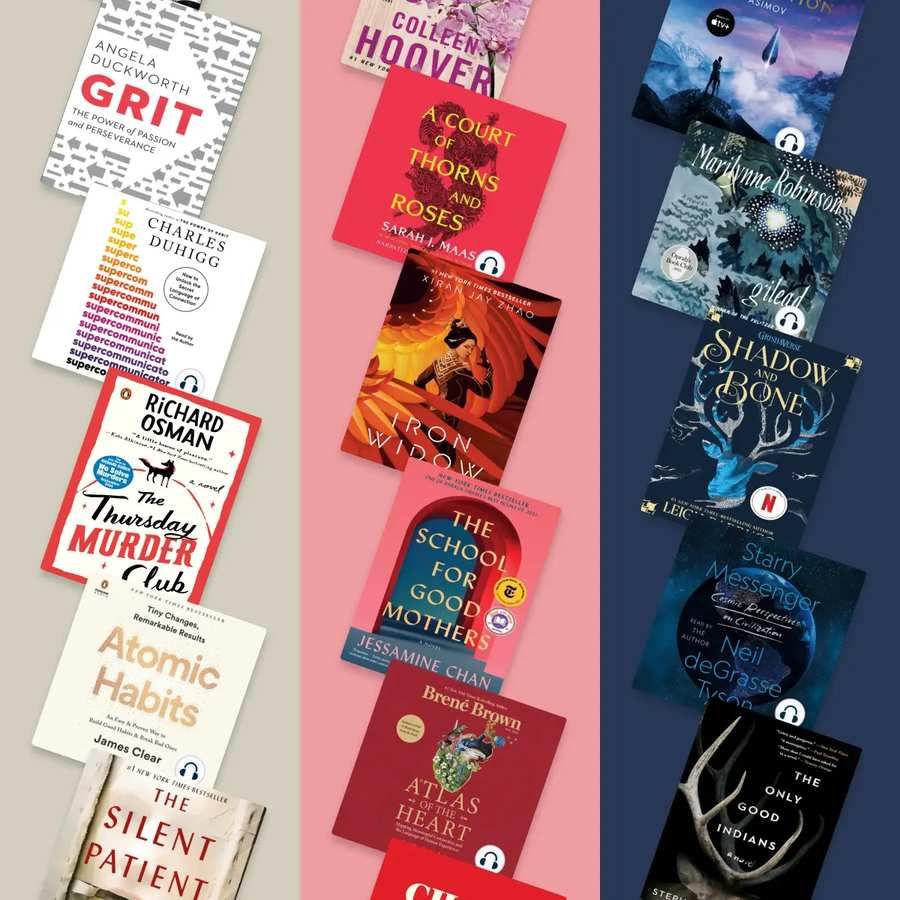
Caption: Same decision overview (audiobook-apps-decision-overview.png) — pack captured Oct 13, 2026 (Asia/Shanghai).
The Libby + Paid Combo
The setup that beats almost every single-app strategy:
- Libby first — Search your last five wanted titles. If most are available or short-wait, you may not need a paid plan.
- Add Hoopla if your library offers it — Instant borrows for “tonight” titles against the monthly cap.
- One paid filler — Audible or Libro.fm credits for day-one releases and exclusives; or Kobo Plus / Everand if your taste matches included/unlock catalogs; or Spotify hours if Premium is already paid.
- Chirp email — Buy when a wishlist title hits a few dollars.
- Pause paid months — When holds are short and life is busy, cancel or pause; keep credit-owned titles (Audible/Libro.fm) and DRM-free files (Libro.fm).
For many US listeners, that hybrid lands under one Audible annual bill while covering more books.
FAQ
What is the best audiobook app overall?
Audible for most people who will pay and want the deepest catalog plus the most polished daily player. If price dominates, Libby wins. If file ownership dominates, Libro.fm wins.
What is the best free audiobook app?
Libby, with a participating library card. Add Hoopla for no-holds instant borrows (monthly cap). LibriVox is best for public-domain classics with variable volunteer narration.
Do I keep audiobooks if I cancel?
- Keep (in-app): Audible Premium credit purchases; Chirp purchases; Apple Books purchases; Libro.fm purchases (and DRM-free files).
- Lose access: Spotify subscriber-catalog listening, Everand unlocks (until you resubscribe), Kobo Plus titles, Libby/Hoopla loans, Audible Plus Catalog streaming.
- Special case: Libro.fm credits never expire and books remain after cancel.
Is Spotify good for audiobooks?
As a bonus on Premium you already pay for, yes—15 hours/month (~one typical novel). As your only app for heavy listening, no: hours reset, Duo/Family hours are manager-gated, and add-ons/top-ups add up. Spotify markets 700,000+ subscriber-catalog titles on Premium pages.
Audible vs Libro.fm — which should I pick?
Pick Audible for exclusives/Originals and maximum catalog/app polish. Pick Libro.fm for DRM-free files, indie bookstore support, and credits that never expire at a similar ~$15 monthly credit price.
What about Speechify?
Speechify is primarily a text-to-speech / reading tool (documents, web, PDFs) with audiobook-adjacent marketing—not a like-for-like replacement for Audible/Libby storefronts in this roundup. We excluded it from the main eight; consider it only if your job is listening to text you provide, not browsing publisher audiobook catalogs.
How does Libby differ from Hoopla?
Both can be free with a library card. Libby (OverDrive) usually has the broader licensed collection but holds on popular titles. Hoopla typically offers instant borrows with no holds, limited by your library’s monthly borrow cap. Install both when available.
Is Kobo Plus Listen really unlimited?
Unlimited within the Plus-eligible audiobook catalog at $7.99/month (US), not every audiobook Kobo sells. Offline use has sync/open limits (Kobo documents a 15-title offline window per 30 days). Canceling ends Plus access.
Does Everand mean unlimited books?
No. Everand uses unlocks (1 / 3 / 5 per month by plan) for premium titles, plus a separate unlimited select catalog. Unused unlocks roll over up to six months. Operator/billing: Scribd, Inc.
Can I move audiobooks between apps?
Almost never for commercial DRM titles. Libro.fm DRM-free files and LibriVox MP3s are the practical exceptions. Plan for lock-in when you commit to a store.
What’s the cheapest paid option for volume listening?
Kobo Plus Listen at $7.99/month if the Plus catalog fits your taste. Library apps remain $0. Chirp wins for opportunistic owned bargains without a monthly fee.
Verdict
Install Libby today. Add Hoopla if your library offers it. Then pay only for the gap:
- Audible — best overall paid app and catalog (Premium Plus if you want keepable credits).
- Spotify — best zero-extra-app option for existing Premium users inside ~15 hours.
- Libro.fm — best DRM-free commercial ownership.
- Chirp — best deal hunting without a subscription.
- Everand — best unlock-based ebook+audio binge (Scribd, Inc.).
- Apple Books — best subscription-free Apple storefront.
- Kobo Plus Listen — best budget unlimited listen tier.
There is no single best audiobook app—only the best model for how you listen. Ownership vs access is the decision most roundups still bury; we put it first on purpose.
Methodology & Update Notes
- Publisher / Editor: Yang Dan · Desk: Software Reviews Desk · Author: Review Editor
- Contact: reviews@example.com ·
/about·/methodology - Last updated: October 14, 2026 (Asia/Shanghai)
- Prior docs pass: October 13, 2026
- Primary sources (docs pass): Audible (homepage FAQ pricing), Libby / OverDrive, Spotify Audiobooks, Spotify Premium US, Spotify Support — listening time, Libro.fm membership, Everand, Everand plans Help (Aug 17, 2026), Apple Books, Kobo Plus US. Chirp homepage blocked by Cloudflare this pass.
- Competitor gap pass: Waldev “Where to Listen,” ListenNext “Best Audiobook Apps 2026,” Cardmunch “Best Audiobook Apps 2026”—used to find missing angles (ownership, speed, hybrid Libby+paid), not as price authorities.
- Hands-on framing: Feature/price claims are source-verified or hedged; “What we noticed” and scorecards are editorial synthesis. Full multi-device smoke tests pending screenshots.
- Screenshots: Files on disk under
./screenshots/audiobooks/(captured Oct 13, 2026, Asia/Shanghai)—see filenames below. Captions no longer TBD; timed listening lab still pending. - No affiliate links in this article.
- Inline changelog: 2026-10-13 docs pass (v1); 2026-10-14 E-E-A-T pass (v2)—byline, smoke-check sentences, caption fixups, schema, Related cleanup, Own≠MP3 emphasis.
- Next review: Quarterly re-check planned (January 2027) for Audible plan matrix, Spotify Audiobooks+/top-up sticker prices, Everand unlock rules, Kobo Plus catalog claims, and Libro.fm membership promos.
Screenshot filenames (on disk under ./screenshots/audiobooks/)
| File | Subject |
|---|---|
| ./screenshots/audiobooks/audible-ui.png | Audible library or player |
| ./screenshots/audiobooks/libby-ui.png | Libby borrow / audiobook player |
| ./screenshots/audiobooks/spotify-audiobooks-ui.png | Spotify audiobooks tab |
| ./screenshots/audiobooks/libro-fm-ui.png | Libro.fm library / membership |
| ./screenshots/audiobooks/chirp-ui.png | Chirp deals or library |
| ./screenshots/audiobooks/everand-ui.png | Everand unlock / library |
| ./screenshots/audiobooks/apple-books-ui.png | Apple Books audiobooks tab |
| ./screenshots/audiobooks/kobo-plus-ui.png | Kobo Plus Listen browse/player |
| ./screenshots/audiobooks/audiobook-apps-decision-overview.png | Comparison / decision graphic |
Related Reading
Live on this site (plain path):
/best-free-video-editing-software/— Best Free Video Editing Software in 2026 (companion roundup)
Planned topics (listed for editorial roadmap—not linked until published; no empty anchors):
- Best free audiobook apps & library setups in 2026
- Audible vs Libro.fm: credits, DRM, and which library survives cancel
- Spotify audiobooks hours explained (Premium, Audiobooks+, top-ups)
- Libby vs Hoopla: which library app first?
- Best DRM-free audiobook stores and players