
Newsletter
Join the Community
Subscribe to our newsletter for the latest news and updates
Compare 7 best free drawing apps for 2026—Krita, FireAlpaca, MediBang, Inkscape, GIMP, Fresco, ibisPaint. Real free limits, platforms, and who should skip.
Yang DanReview Editor
Editor at the Software Reviews Desk. Writes docs-verified comparisons of consumer software, with a focus on real free-tier limits, pricing and ownership rules.
Expertise: Software reviews · Consumer subscriptions · Video editing
2026/10/19
Author / Publisher: Yang Dan · Desk: Software Reviews Desk · Brand: DirHunt AI
Contact: reviews@dirhuntai.com · About: /about · Methodology: /methodology
Disclosure: No affiliate links. Every product link goes to an official vendor page.
Review type: Docs-verified against official download, pricing, FAQ, and help pages. Hands-on lab is limited this pass (screenshot plan prepared; timed brush-latency benchmarks not run).
Last updated: October 19, 2026 (Asia/Shanghai)
Looking for the best free drawing software that actually lets you finish illustrations, comics, or vector logos without a subscription trap? In 2026 the free painting and illustration stack is unusually strong—especially if you are willing to install a desktop app—but “free” still means very different things depending on whether you pick open source, ad-supported freeware, or a freemium cloud app.
We compared seven contenders for the best free drawing software against official product pages, download notes, and plan FAQs as of October 19, 2026, focusing on brush/painting depth, honest free-plan limits, platform coverage, commercial-use clarity, and whether you can grow without rewriting your entire workflow.
How to choose in 60 seconds
- Need serious digital painting / concept art / comics on a desktop with a pen tablet → Krita. - Want a lightweight free desktop painter that starts fast → FireAlpaca (standard edition). - Making manga / webcomics across phone and PC → MediBang Paint. - Need logos, icons, scalable line art → Inkscape (vector—not a paint app). - Mixing drawing with photo retouch / composites → GIMP (honest: not a paint-first app). - Prefer iPad / Surface-style live brushes and a free Adobe app → Adobe Fresco. - Drawing mostly on phone or tablet with a huge mobile feature set → ibisPaint X (label: freemium; Windows demo is time-capped).
Quick picks
| Need | Pick |
|---|---|
| Best overall free painting | Krita (GPL; no account required for core use) |
| Best lightweight desktop | FireAlpaca (standard free; SE is separate $39.99) |
| Best for manga / cross-device | MediBang Paint (free + optional Premium) |
| Best free vector | Inkscape |
| Best free photo + draw hybrid | GIMP |
| Best free touch / live brushes | Adobe Fresco (iPad, iPhone, Windows) |
| Best free mobile illustration | ibisPaint X (mobile unlimited time; Windows Demo = 1 hour/day) |
Table of contents
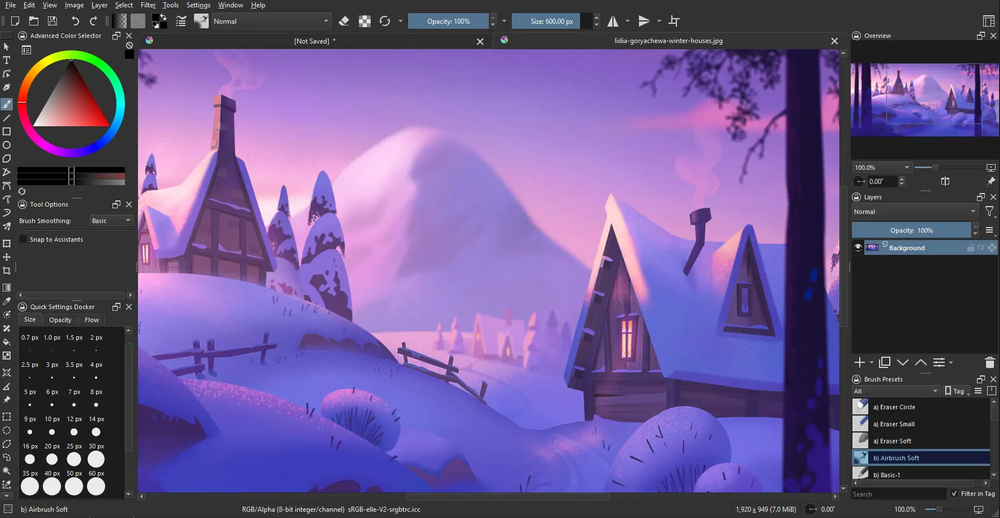
Caption: Suggested hero — real Krita (or FireAlpaca) UI with finished artwork on canvas. Capture plan: /workspace/outputs/drawing-screenshot-plan.md. Not a diagram.
We ranked tools for people searching the best free drawing software in the US—hobby illustrators, student comic artists, concept-art beginners, logo makers who need vectors, and anyone replacing a paid paint app without lighting money on fire.
Criteria
Concrete proof language: For each app we opened the current official homepage or download page, pricing/FAQ where it exists, and (when relevant) store tier tables as of October 19, 2026 (Asia/Shanghai). We logged free vs paid splits, version strings advertised on those pages, and contested claims (Sketchbook desktop pricing, FireAlpaca vs SE, MediBang Premium cloud caps, ibisPaint Windows Demo time, Fresco free storage). Qualitative “best for” labels are editorial synthesis from those docs plus consensus from major roundups (TechRadar and independent 2026 comparisons)—not fabricated brush-latency lab charts.
We did not invent features or limits. Where a detail could not be confirmed on a primary source, we flag it.
Desktop installs and timed pen-latency benchmarks were not run for this revision. Verification is a docs + smoke-check pass against official pages dated around October 19, 2026. “What we noticed” sections are editorial synthesis grounded in those docs and public review consensus—labeled as such, not as lab FPS or brush-feel benchmarks. A screenshot capture plan for real product UIs is published beside this article.
These seven titles are the practical shortlist when someone Googles best free drawing software and needs a real export path—not a 15-minute demo wallpapered with ads.
| App | Official anchor verified | Free status (as advertised) | Contested fact noted |
|---|---|---|---|
| Krita | krita.org download — 5.3.4.1 released 7 Oct 2026 | GPL free download; store builds are optional supporter purchases | Steam/Mac App Store paid listings ≠ different software; they fund development |
| FireAlpaca | firealpaca.com download — 2.16.3 (Sep 2026); FAQ | Standard edition free for personal & commercial use; SE = separate $39.99 one-time | Free FAQ acknowledges ads contrast with SE’s ad-free pitch |
| MediBang Paint | medibangpaint.com Premium overview + FAQ | App free; free cloud ~3GB, teams ≤3, recall latest 3 versions; Premium unlocks storage/brushes/ad block | Mobile ads and Premium brush libraries vary by platform |
| Inkscape | inkscape.org release 1.4.4 (May 6, 2026 per release pages) | Fully free / GPL | Not a raster paint app |
| GIMP | gimp.org downloads — 3.2.6 (2026-09-10) | Fully free / GPL | Strong raster editor; brush feel trails dedicated painters |
| Adobe Fresco | adobe.com/products/fresco + Help storage page | Marketed free for all; free cloud 5 GB; paid path for 100 GB + premium fonts | Requires compatible iPad/iPhone/Windows stylus-class device |
| ibisPaint | ibispaint.com productWin + Premium lecture (features as of Aug 2026) | Mobile X: unlimited usage time, ads, 64MB cloud; Windows Demo = 1 hour/day | Do not confuse mobile free with Windows Demo |
Use this table as a one-screen filter before reading scorecards. If two rows both look right, prefer the tool whose “what free means” column matches how you define the best free drawing software for your workflow (forever OSS vs freemium cloud).
| Software | Best for | Type | Platforms | What “free” means | Main drawback | Editor’s take |
|---|---|---|---|---|---|---|
| Krita | Painting, concept art, comics, basic animation | Raster-first | Win, macOS, Linux, Android | Fully free OSS | Heavier than beginner sketch apps; no iPad | Default pick for most desktop illustrators |
| FireAlpaca | Lightweight desktop painting / comics | Raster | Win, macOS, Linux | Freeware; SE is paid sibling | Free vs SE feature split; ads on free (per FAQ contrast) | Best “just open and draw” desktop freeware |
| MediBang Paint | Manga, screentones, cross-device | Raster | Win, macOS, iOS, Android | Free + Premium | Cloud/account/Premium brush gates | Best free comic stack if you live on phone + PC |
| Inkscape | Logos, icons, scalable line art | Vector | Win, macOS, Linux | Fully free OSS | Not a pressure-paint app | Best free Illustrator-class vector tool |
| GIMP | Draw + photo edit / composite | Raster hybrid | Win, macOS, Linux | Fully free OSS | UI + brush feel not paint-first | Keep it when drawing sits next to photos |
| Adobe Fresco | Touch painting, live oil/watercolor | Raster + vector brushes | iPad, iPhone, Windows | Free app; 5 GB cloud | Not a classic desktop mouse painter | Best free “feels like paint” Adobe option |
| ibisPaint X | Mobile illustration / manga | Raster | iOS, Android (+ Win/Mac paid paths) | Strong mobile free; Win Demo timed | Ads; Premium & Windows Demo limits | Best free phone/tablet illustrator—read platform rules |
Official: krita.org · Download: krita.org/en/download/
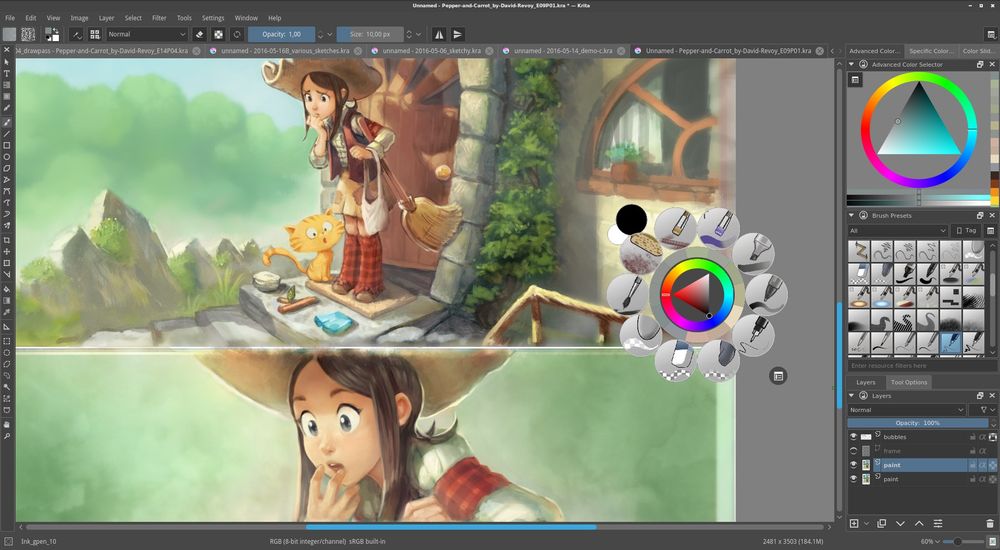
Caption: Capture a real Krita canvas with finished illustration + brush docker visible. Suggested file: krita-canvas-artwork.png.
If you only install one piece of best free drawing software for desktop illustration in 2026, install Krita. It is a painting-first, open-source application (GNU GPL) with professional brush engines, assistants, comic tools, and a basic animation timeline—without a subscription meter on the canvas. The direct download from krita.org is free; paid store listings are optional supporter builds of the same software.
As of October 19, 2026: No trial countdown and no subscription required for the krita.org download. Krita 5.3.4.1 is listed on the download page (released 7 October 2026). Optional Microsoft Store / Mac App Store / Steam purchases exist to fund development and get store auto-updates—they are not a “Pro unlock” of locked brushes. Confirm current store pricing on each storefront if you choose that route.
Best for: Anyone who wants the best free drawing software default on Windows, macOS, or Linux—digital painters, concept artists, comic illustrators, and students who want a long-term free desktop home.
Skip if: You only need vector logos (use Inkscape), you want the lightest possible UI on an old laptop (try FireAlpaca), or you draw exclusively on iPad.
Official messaging still centers on “digital painting” rather than photo retouching, and that shows in how reviewers consistently rank Krita first among free painters. The October 2026 download stamp (5.3.4.1) and monthly development reports signal an alive project, not abandonware. The practical catch is hardware and patience: treat it like a real paint app—give it RAM, a pen tablet, and an afternoon for dockers and brush presets—not like a notepad doodle tool.
Official: firealpaca.com · Download: firealpaca.com/download/
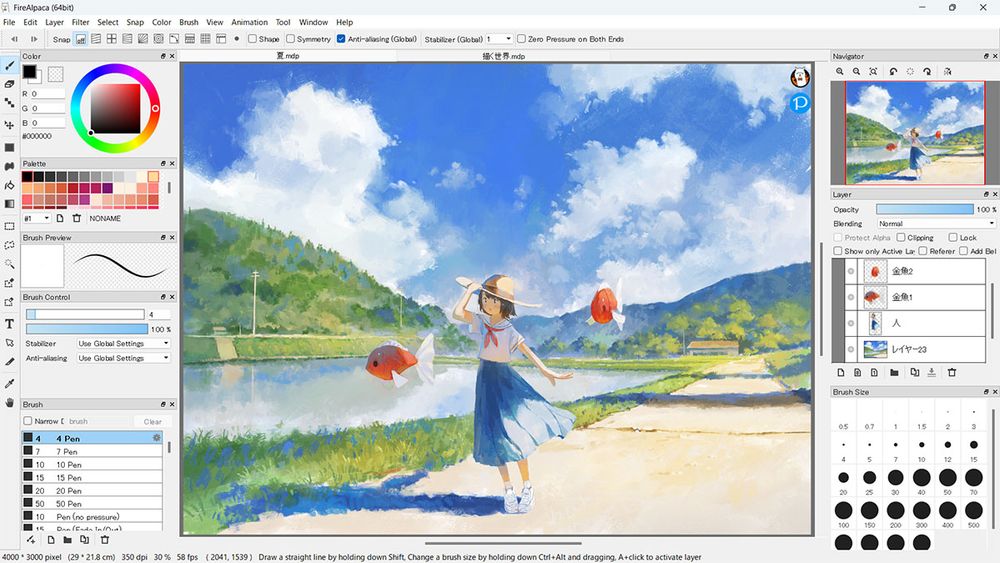
Caption: Capture FireAlpaca with a colorful illustration and brush list visible. Suggested file: firealpaca-canvas-artwork.png.
FireAlpaca is the free desktop painter you open when Krita feels like too much airplane cockpit. The standard edition is freeware for Windows, macOS, and Linux, explicitly allowed for personal and commercial use of your artwork per the official download FAQ. A separate product, FireAlpaca SE ($39.99 one-time as listed on the SE page), adds an ad-free experience, a newer brush engine, 16-bit channels, layer masks, Projects, and other SE-only tools—it is not a forced subscription on the free app.
As of October 19, 2026: Standard FireAlpaca 2.16.3 is free from the official download page. The FAQ states the standard version is free; SE is US$39.99 one-time and markets an ad-free experience plus exclusive brushes/features (layer masks, Projects, SE 3.0 brush engine, 16-bit). Free users should expect the free/SE split—do not assume every SE screenshot feature ships in the free build.
Best for: Beginners, students, comic hobbyists, anyone who wants free desktop drawing without learning Krita’s full docker layout.
Skip if: You need 16-bit painting, layer masks as a daily driver, or a single professional paint suite—evaluate Krita (free) or FireAlpaca SE (paid) instead.
The official FAQ is unusually clear for freeware: free for commercial illustration use, SE priced as a one-time sibling, and “how much does it cost?” answered in plain language. That clarity matters more than buzzwords. If you are hunting lightweight best free drawing software for a school or older Windows laptop, FireAlpaca is often the pragmatic first install—even if power users eventually graduate to Krita.
Official: medibangpaint.com/en/ · Desktop: medibangpaint.com/en/pc/ · Premium overview: medibangpaint.com/en/medibangpremium/overview/
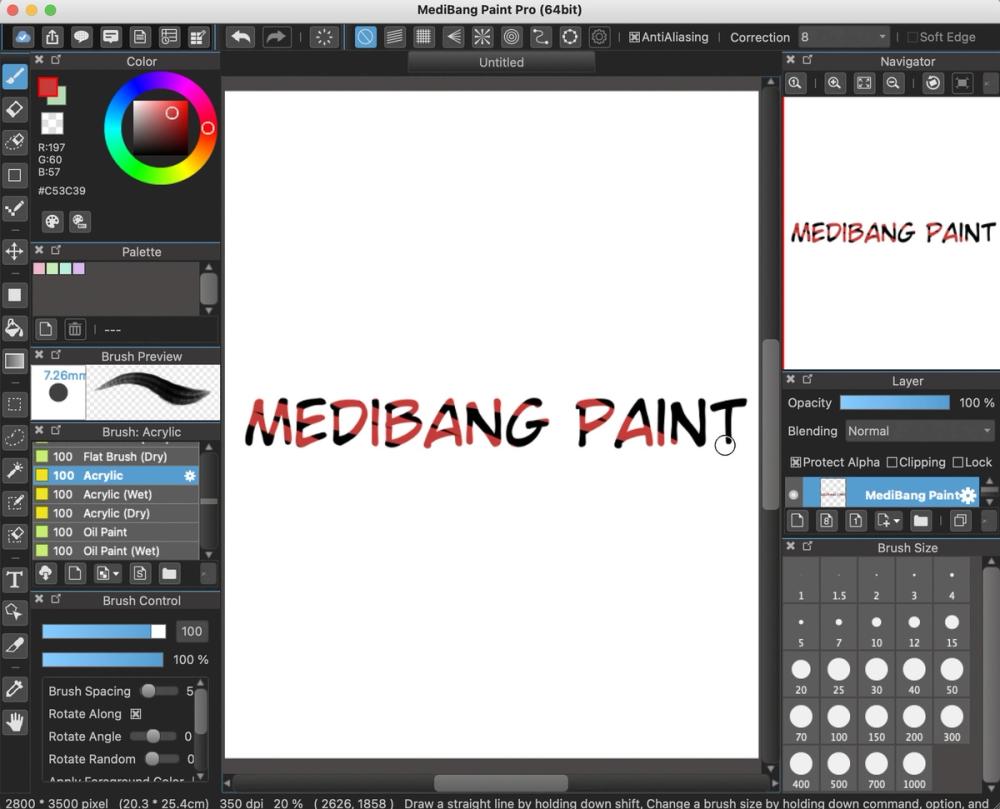
Caption: Capture MediBang with comic panels / screentones visible. Suggested file: medibang-canvas-manga.png.
MediBang Paint is the freemium comic workstation: free painting on desktop and mobile, with panel tools, screentones, fonts, and cloud sync that make webcomics and manga across devices realistic without buying Clip Studio on day one. The free tier is genuinely usable for drawing; Premium removes ads, expands cloud storage, unlocks extra brushes/materials, and lifts collaboration/version limits.
As of October 19, 2026 (official Premium FAQ / overview):
Best for: Manga/webcomic creators, students flipping between phone and desktop, artists who want free screentones and panels.
Skip if: You refuse accounts/cloud, you need offline-only OSS, or you want maximum painterly brush science (Krita).
MediBang’s homepage increasingly highlights newer products (for example Paletta on iPad), but the classic MediBang Paint desktop/mobile line remains the cross-device free comic pick in 2026 roundups. The free cloud numbers (3GB / 3 teams / 3 recalls) are concrete enough to plan around—export local backups if you live near the cap.
Official: inkscape.org · Current release pages: inkscape.org/release/1.4.4/
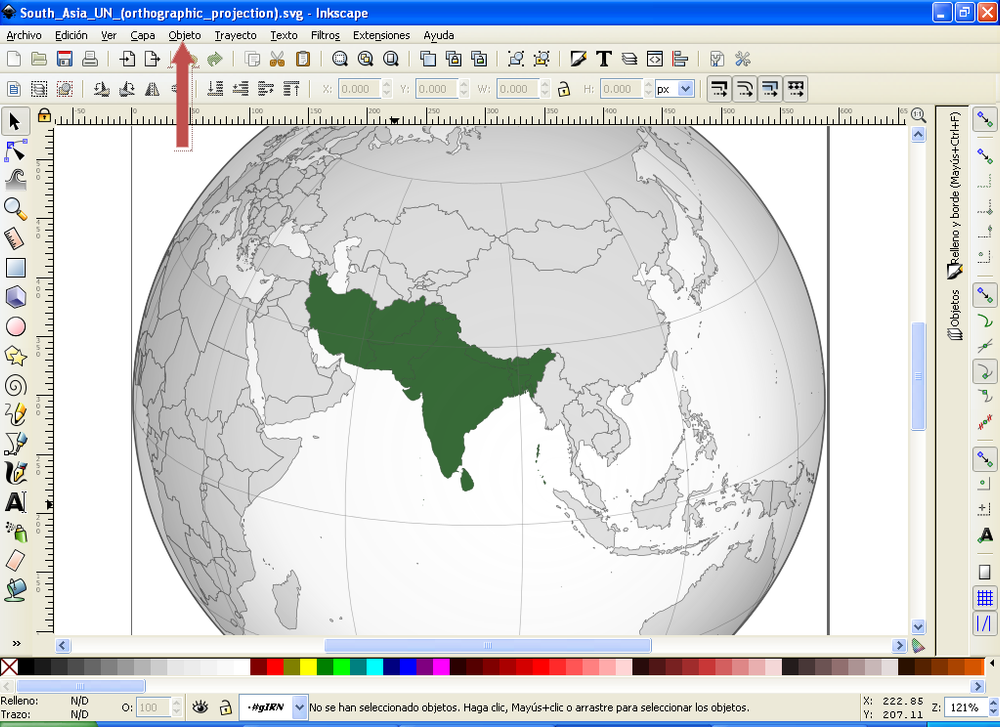
Caption: Capture Inkscape with a polished logo or vector illustration and node tools visible. Suggested file: inkscape-vector-artwork.png.
Inkscape is not “painting software,” and that honesty is why it belongs in a best free drawing software shortlist. When the job is logos, icons, stickers, clean comic linework that must scale, or print-ready vector art, Inkscape is the default free Illustrator-class tool: GPL-licensed, SVG-native, and actively maintained (1.4.4 release pages cite May 6, 2026).
Fully free. No freemium canvas meter. Optional donations support the project. Confirm the exact installer for your OS on the official release page.
Best for: Logo designers, icon makers, print-on-demand sellers, comic inkers who want editable vectors.
Skip if: You want to digitally oil-paint a portrait—use Krita or Fresco instead (or use both: paint in Krita, logo in Inkscape).
Every serious 2026 roundup of the best free drawing software still splits raster vs vector for a reason. Bundling Inkscape here prevents the common beginner mistake of forcing Krita to do billboard logos. Pairing Krita + Inkscape remains one of the strongest fully free creative dual-stacks you can build.
Official: gimp.org · Downloads: gimp.org/downloads/
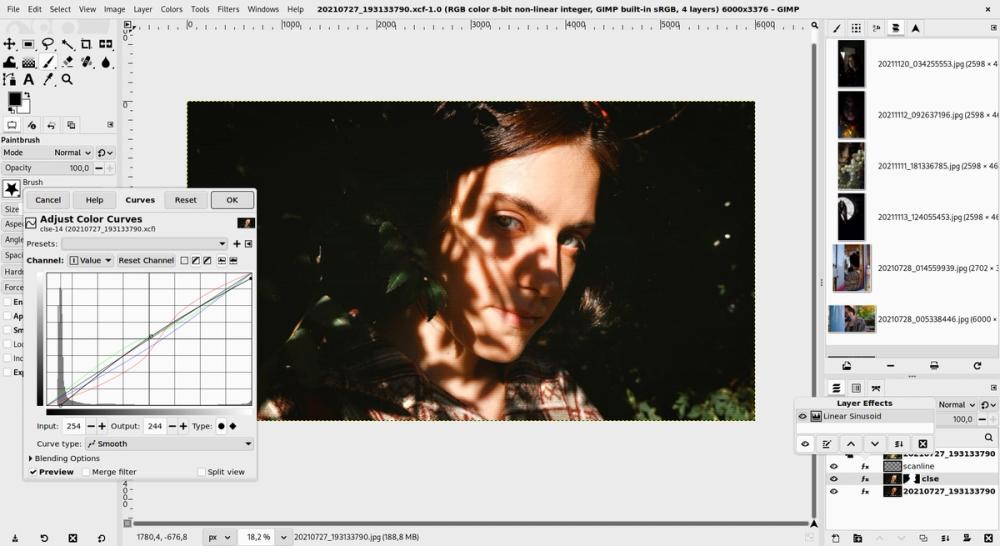
Caption: Capture GIMP with a painted overlay on a photo or textured illustration. Suggested file: gimp-canvas-composite.png.
GIMP is free, open source, and excellent—but calling it the best drawing app without caveats would be dishonest. GIMP 3.2.x is a deep raster editor (layers, masks, channels, GEGL-based non-destructive direction) that can paint. Artists who also retouch photos, composite scans, or batch-process images will love it. Artists who sit down only to paint will usually prefer Krita’s stabilizers and brush engines.
Fully free (GPLv3+). Current stable listed on gimp.org downloads: 3.2.6 (2026-09-10). No account. Beware unofficial App Store mirrors—the GIMP team warns that Apple App Store packages are third-party and not provided by the GIMP team.
Best for: Hybrid creators (scan → clean → paint lightly → export), texture painters, photo composite illustrators.
Skip if: Your primary need is pressure-sensitive digital painting—start with Krita and keep GIMP as the photo utility.
Including GIMP protects readers from roundups that treat “free Photoshop” and “free drawing” as identical. In any honest best free drawing software guide, GIMP earns a slot as the hybrid—not as the default painter.
Official: adobe.com/products/fresco · Storage help: helpx.adobe.com/fresco/using/upgrade-storage-limit.html
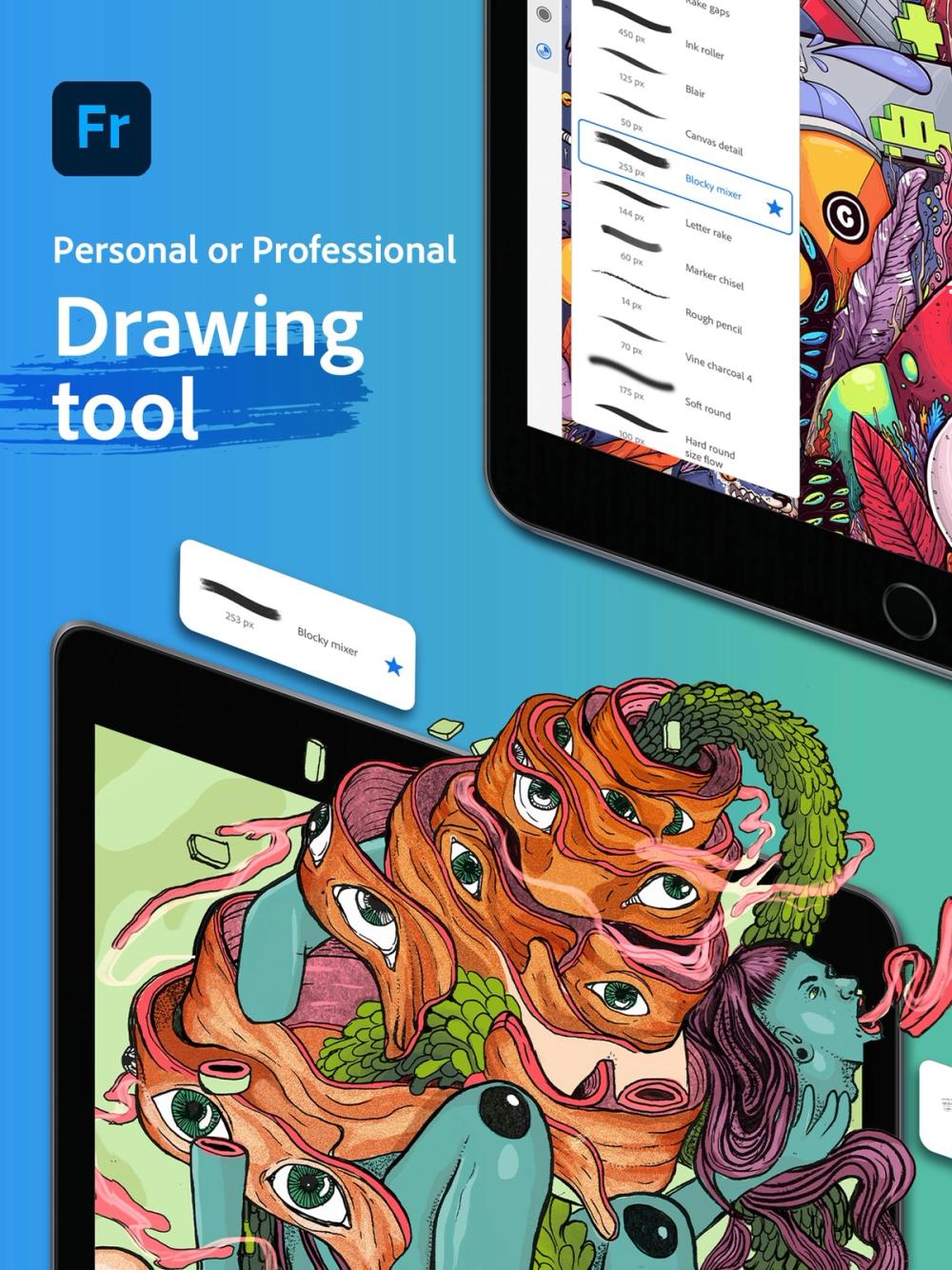
Caption: Capture Fresco on iPad/Windows with live watercolor/oil brushes and a finished piece. Suggested file: fresco-live-brushes-artwork.png.
Adobe Fresco is Adobe’s free drawing and painting app for iPad, iPhone, and supported Windows stylus devices. Adobe markets it as free for all, with thousands of brushes (including live oil/watercolor and vector brushes) unlocked for free-tier users. The practical limits are device class, 5 GB free cloud storage, and premium Adobe Fonts behind paid plans—not a “you may only paint in grayscale” demo.
As of Adobe Help (storage page) and product marketing checked October 19, 2026:
Best for: iPad illustrators, Surface artists, people who want free live brushes without buying Photoshop.
Skip if: You need Linux, refuse Adobe accounts, or want offline OSS forever—use Krita.
Fresco is the clearest “free Adobe drawing” story in 2026, but it is still a touch/stylus product. Listing it beside desktop OSS tools without a platform label would mislead people comparing the best free drawing software on a plain office PC.
https://www.adobe.com/products/fresco.html
Official: ibispaint.com · Windows details: ibispaint.com/productWin.jsp · Premium lecture: ibispaint.com/lecture/index.jsp?lang=en&no=26
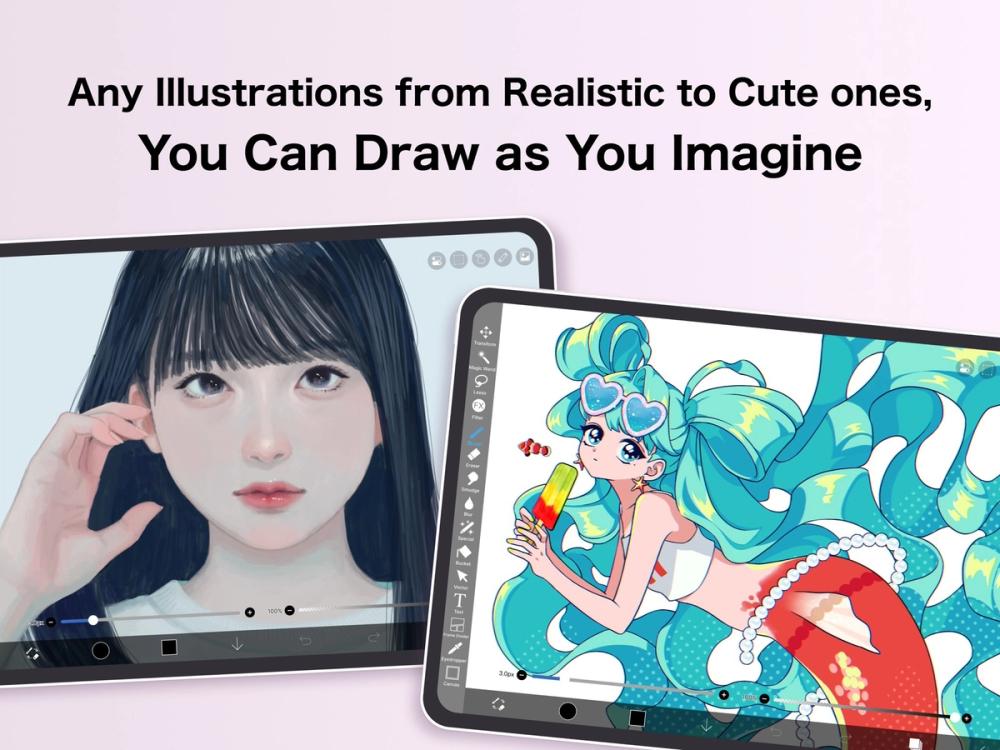
Caption: Capture ibisPaint X on tablet/phone with a finished illustration and layer bar. Suggested file: ibispaint-mobile-artwork.png.
ibisPaint X (free mobile) is the freemium illustration app many beginners actually finish pieces in: deep layer/brush toolset, manga helpers, community tutorials, and unlimited usage time on iPhone/iPad/Android free tiers. Ads and feature gates exist; Premium Membership removes ads and unlocks vector time caps, cloud capacity, and pro filters. Important platform split: on Windows, the free path is Demo Mode limited to one hour per day unless you buy Pro Upgrade or Premium—do not assume the mobile free rules apply to PC.
Mobile (ibisPaint X) — features table as of August 2026 on official lecture page:
Windows Demo Mode — official productWin table (features as of August 2026):
Best for: Phone/tablet illustrators who want the best free drawing software experience without a PC.
Skip if: You need unlimited free desktop hours—use Krita/FireAlpaca instead of ibisPaint’s Windows Demo.
ibisPaint publishes one of the clearest freemium matrices in this category. That transparency is why it makes the shortlist—and why we label it mobile-first. For US desktop intent behind the best free drawing software query, treat ibisPaint as the strong phone companion, not the default PC install.
Limits decide whether a title stays in your “best free drawing software” bookmarks or gets uninstalled after week two.
| App | Cost to start | Watermark on still exports? | Account required? | Notable free ceiling | Paid upsell |
|---|---|---|---|---|---|
| Krita | $0 (krita.org) | No | No for core local use | Full painting feature set | Optional store supporter builds |
| FireAlpaca | $0 standard | No (artwork is yours) | No | Full standard painter; ads contrast vs SE | SE $39.99 one-time |
| MediBang Paint | $0 | No standard logo on your stills (ads may appear in UI) | For cloud features | 3GB cloud; 3 teams; 3 version recalls | Premium storage/brushes/ad block |
| Inkscape | $0 | No | No | Full vector editor | Donations optional |
| GIMP | $0 | No | No | Full raster editor | Donations / third-party training only |
| Adobe Fresco | $0 app | No Adobe logo on typical still exports of your art | Adobe ID / online services for full cloud workflow | 5GB cloud; device requirements | 100GB + premium fonts via paid plan |
| ibisPaint X (mobile) | $0 | Ads; video watermark hide is Premium | For cloud | Unlimited time; 64MB cloud; vector 1 hr/day | Premium / Ad Removal |
| ibisPaint (Windows Demo) | $0 Demo | Same family rules | Store account | 1 hour/day | Pro $62.99 or Premium sub |
These tools appeared in competitor roundups or reader suggestions. They are useful in niches, but they failed our bar for a primary best free drawing software recommendation in 2026 (forever-free desktop painting path, or a clearly labeled free mobile exception).
| Tool | Why it didn’t make the main 7 | Notes (as of Oct 19, 2026) |
|---|---|---|
| Sketchbook (Sketchbook, Inc.) | Desktop is paid | Autodesk discontinued SketchBook; current Sketchbook Pro is about $24.99 one-time on Microsoft/Mac stores. Mobile has a free base + optional Premium—not a clean “free desktop” win. |
| Clip Studio Paint | Trial / time-boxed free, not forever-free desktop | Excellent comic app, but free paths are 30-day trials, smartphone 30 hours/month, or promo windows—not a perpetual free painter. |
| Pencil2D | Niche (animation) | Fully free OSS 2D hand-drawn animation—great companion, weak as general drawing shortlist #1. |
| MyPaint | Quieter maintenance signal vs Krita | Still respected minimal painter; most readers are better served by Krita in 2026. |
| Photopea | Browser editor, not paint-first | Fantastic free PSD tool in a browser; ads; not a dedicated drawing tablet app. |
| Paint.NET | Windows-only; limited painting depth | Fine simple editor; not a digital-painting suite. |
| Artweaver Free | License / depth caveats | Appears in older roundups; check current noncommercial terms before client work. |
| Affinity | Not free | One-time paid; excluded by brief. |
| Procreate | Paid iPad | Industry favorite; not free. |
Use this decision path:
Many working hobbyists run two free apps: Krita (paint) + Inkscape (vector), or MediBang (comics) + Krita (covers). That combo still costs $0 and often beats a single paid suite when you define “best free drawing software” as finished work shipped, not feature-count bragging.
For most US desktop illustrators, Krita is the best free drawing software overall: painting-first tools, active 2026 releases, and no subscription on the krita.org build. Pick something else when your job is vector (Inkscape), ultra-light freeware (FireAlpaca), or mobile-first (ibisPaint X / Fresco).
Yes, with honesty. GIMP can paint and is fully free, but it is primarily a raster image editor. If drawing/painting is 90% of your time, start with Krita; keep GIMP for photo cleanup and composites.
Not as a simple free desktop download from Autodesk. Autodesk discontinued SketchBook; the current Sketchbook, Inc. desktop Pro editions are paid (commonly listed around $24.99 one-time on major stores—confirm live pricing). Mobile apps offer free bases with optional paid bundles. We excluded it from the main free-desktop shortlist for that reason.
Krita, Inkscape, GIMP, and Pencil2D are open-source—your artwork rights are yours; respect third-party brush/asset licenses. FireAlpaca’s official FAQ states the standard edition allows commercial use of your illustrations. MediBang, Fresco, and ibisPaint allow creating art on free tiers, but read each vendor’s terms for materials, fonts, AI features, and cloud assets before client deliverables. This article is not legal advice.
Clip Studio is outstanding, but its free paths are mainly trials, smartphone monthly hour caps, or device promos (for example Galaxy offers historically). It is a paid product for ongoing desktop comic work—not a forever-free peer to Krita.
For anything beyond casual doodling, yes—a pressure-sensitive pen tablet or display tablet dramatically improves every app here except pure mouse-vector work in Inkscape. Fresco especially expects a modern stylus-class device.
Adobe markets Fresco as free for all, with free-tier access to a large brush set and 5 GB cloud storage. Paid upgrades expand storage and premium fonts. Device eligibility still applies.
If you want maximum headroom, install Krita. If your PC is old or the UI anxiety is real, install FireAlpaca first, finish a few pieces, then graduate to Krita. Both can be free.
Changelog — October 19, 2026 (Asia/Shanghai): Initial publish-ready DirHunt AI roundup of the best free drawing software; seven-tool shortlist; docs verification log; sister link to video-editing guide.