
Best Business Management Software in 2026 (SMB & Startup Picks)
Author / Publisher: Yang Dan · Desk: Software Reviews Desk · Brand: DirHunt AI
Contact: reviews@dirhuntai.com · About: /about · Methodology: /methodology
Disclosure: No affiliate links. Every product link goes to an official vendor page.
Review type: Docs-verified against official product, pricing, FAQ, and legal catalog pages. Hands-on lab is limited this pass (no multi-week implementation diary).
Last updated: October 20, 2026 (Asia/Shanghai)
Looking for business management software that actually helps a US small business or startup run day-to-day work—without an enterprise ERP RFP? In 2026 that phrase usually means a practical stack for customers, projects, money, and team workflows—not a 200-page SAP procurement brief.
We compared seven contenders against official product and pricing pages as of October 20, 2026, focusing on SMB fit, honest free/paid models, platform coverage (web / desktop / mobile), and where each tool stops being “management software” and becomes “just another project board” or “just accounting.”
How to choose in 60 seconds
- Want one subscription for CRM + finance + HR + marketing + projects → Zoho One. - Need modular quasi-ERP (inventory, manufacturing, accounting, website) and can invest in setup → Odoo. - Growth is CRM + marketing + service first → HubSpot. - Need a visual operations workspace across teams (not your ledger) → monday.com. - Want a dense all-in-one work OS at aggressive seat pricing → ClickUp. - The bottleneck is US books, tax readiness, and getting paid → QuickBooks Online. - You sell client projects (proposals, contracts, invoices, payments) → HoneyBook.
Quick picks
| Need | Pick |
|---|---|
| Best all-in-one suite | Zoho One |
| Best modular / customizable | Odoo |
| Best CRM-led growth | HubSpot |
| Best visual operations | monday.com |
| Best value work OS | ClickUp |
| Best US financial backbone | QuickBooks Online |
| Best client-service workflow | HoneyBook |
Table of contents
- How to Choose in 60 Seconds (box above)
- What “Business Management Software” Means in 2026
- How We Evaluated
- Quick Comparison Table
-
- Zoho One
-
- Odoo
-
- HubSpot
-
- monday.com
-
- ClickUp
-
- QuickBooks Online
-
- HoneyBook
- Comparison Table (Pricing & Limits)
- Also Considered
- Which Tool Should You Choose?
- FAQ
- Methodology & Update Notes
- Related Reading
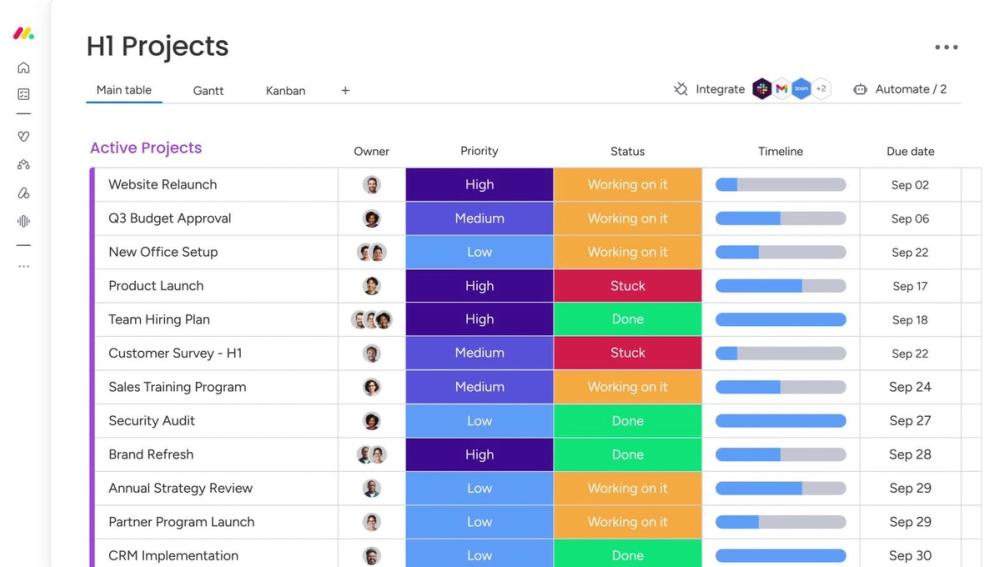
Caption: Real monday.com work board UI (official product marketing asset). Used as list hero — not a logo collage.
What “Business Management Software” Means in 2026
Business management software (BMS) is an umbrella label for tools that centralize how you run the business: customers, work, money, and often people. It overlaps with:
| Category | Typical focus | Overlap with BMS |
|---|---|---|
| CRM | Pipeline, contacts, outreach | High (HubSpot, Zoho CRM inside Zoho One) |
| Project / work management | Tasks, boards, timelines | Partial (monday.com, ClickUp)—great ops, weak ledgers |
| Accounting | Books, invoices, tax | Backbone for US SMBs (QuickBooks Online) |
| ERP | Finance + inventory + manufacturing + multi-entity | Only when you outgrow lightweight suites (Odoo path; NetSuite/Business Central later) |
Editorial boundary for this guide: we shortlisted tools that can support daily operations for SMBs/startups, not pure kanban toys and not enterprise ERP procurement suites. That is why Asana and NetSuite appear under Also considered—not the main seven.
How We Evaluated
We ranked tools for US searchers comparing business management software for companies roughly 1–100 employees—founders, ops leads, and small finance/sales teams—not Fortune 500 ERP committees.
Criteria
- SMB practicality — Can a small team start without a six-month partner project?
- Coverage honesty — Does it manage customers, work, and/or money (not just one silo)?
- Pricing transparency (as of Oct 20, 2026) — Published list prices, free tiers, and clearly labeled promos.
- Platform fit — Web first; mobile/desktop called out when material.
- Upgrade path — What breaks when you grow (contacts, seats, AI credits, inventory)?
Honesty note (not “Tested” theatre): This pass is docs-verified. We opened official product/pricing/FAQ/legal catalog pages dated around October 20, 2026 (Asia/Shanghai) and cross-checked mainstream roundups (Software Connect, Software Advice/Capterra category noise, SaaSCompared-style ERP-for-SMB lists). We did not run multi-week implementation labs or timed performance benches. Where a dollar amount could not be confirmed on a live US pricing surface (notably some Zoho One Essentials figures rendered via JavaScript), we omit or flag rather than invent.
Quick Comparison Table
| Software | Best for | Platforms | Free path? | Paid starting point (as of Oct 20, 2026) | Main drawback |
|---|---|---|---|---|---|
| Zoho One | All-in-one suite | Web + mobile apps | Trial common; not a forever full suite | Flexible User US$90/user/mo visible on pricing page; All-Employee ~US$37/employee/mo cited in Zoho’s own licensing materials—confirm live checkout | Suite learning curve; licensing rules |
| Odoo | Modular business apps / light ERP | Web; Enterprise on Online / Odoo.sh / on-prem; mobile | One App Free | Standard ~$24.90 promo / $31.10 list per user/mo; Custom ~$49 / $61 | Implementation effort |
| HubSpot | CRM-led growth | Web + mobile | Free CRM / free tools | Starter $20/seat/mo list; new-customer promos lower (see section) | Not full accounting/ERP |
| monday.com | Visual ops | Web + iOS/Android | Free ≤2 seats | Basic $9 / Standard $12 / Pro $19 seat/mo (annual display) | Not your books |
| ClickUp | Dense work OS | Web + desktop + mobile | Free Forever (tight limits) | Unlimited ~$7 / Business ~$12 user/mo annual | Feature overload |
| QuickBooks Online | US finances | Web + mobile | Limited Free plan | Simple Start $38/mo list (+ common 50%×3 mo promo) | Not CRM/PM suite |
| HoneyBook | Client-service businesses | Web + mobile | Free trial (~30 days) | Starter $29/mo (pricing page); processing fees extra | Niche to services |
1. Zoho One — Best all-in-one suite for SMBs
Official: zoho.com/one · Pricing: zoho.com/one/pricing
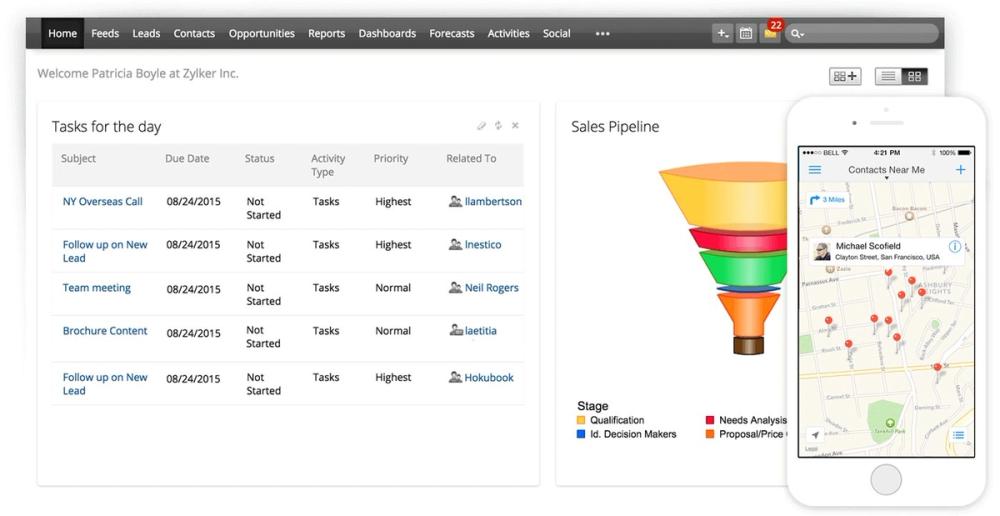
Caption: Official Zoho CRM product visualization (suite component often bundled via Zoho One).
Verdict
If you want business management software as a single operating system—CRM, desk, campaigns, books, people, projects—Zoho One is the default SMB shortlist winner in 2026 roundups for breadth-per-dollar. It is a suite, not one mega-screen: you live across apps with shared admin and one invoice.
Key features
- 45–50+ business apps under one admin (CRM, Mail, Cliq, Projects, Books, People, Desk, Campaigns, and more—edition dependent)
- Centralized user/directory controls and many mobile companions
- Platform hooks to customize and extend (stronger on Standard than Essentials)
- AI assistant capabilities marketed across the suite (Zia / related features—confirm per app)
Pricing (as of October 20, 2026)
- Flexible User pricing: US$90 / user / month was visible on Zoho’s US-facing One pricing surface during our check.
- All-Employee pricing: Zoho’s own licensing narrative (including materials hosted on zoho.com) has long cited about US$37 / employee / month when you license every employee—re-confirm on live checkout before budgeting.
- Essentials: thinner app set for earlier digitalization. Exact USD was not reliably readable from the JS-rendered price nodes on 2026-10-20; we do not invent a number—open pricing in a US browser session before you buy.
- Trials are commonly offered; All-Employee plans require licensing eligible employees per Zoho’s agreement.
Pros
- Extreme breadth on one bill vs stitching five vendors
- Real finance + HR + CRM coverage (not just boards)
- SMB-friendly positioning vs NetSuite-class ERP
Cons
- Depth and UX vary by app; training still required
- Licensing model (flexible vs all-employee) confuses buyers
- Integrations inside Zoho are the point—leaving the ecosystem later is work
Best for / Who should skip
Best for: SMBs that want one suite to replace a messy stack and will standardize on Zoho.
Skip if: You only need a CRM or only need US tax books—buy HubSpot or QuickBooks Online instead of the full suite.
Official link
2. Odoo — Best modular / customizable platform
Official: odoo.com · Pricing: odoo.com/pricing
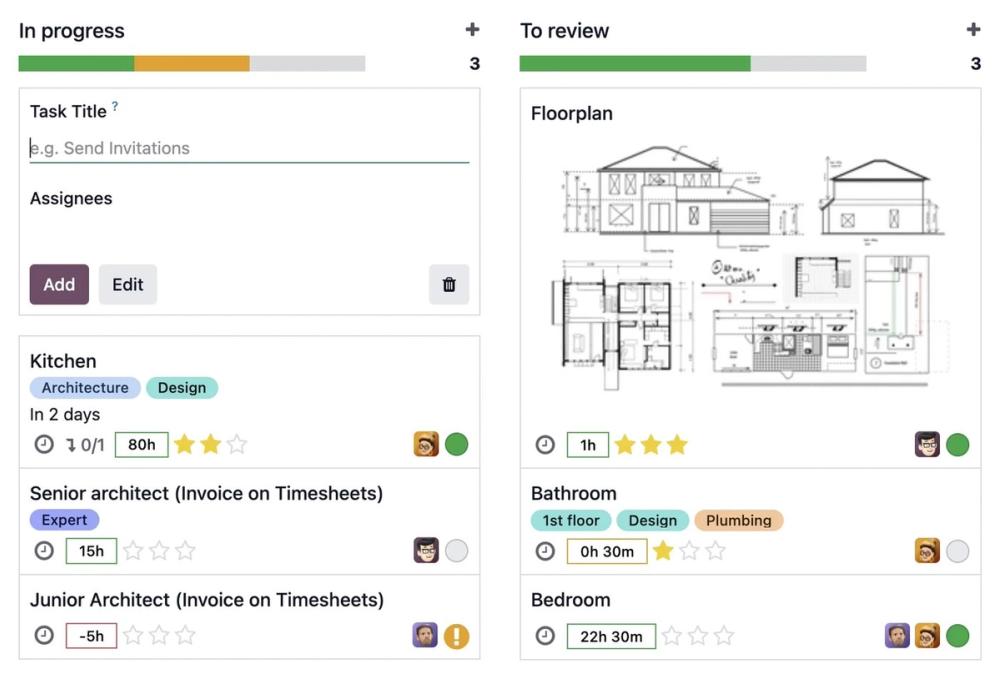
Caption: Official Odoo product UI marketing asset.
Verdict
Odoo is the pick when “business management” really means sales + inventory + accounting + website (+ manufacturing) with modular apps. The One App Free plan is a genuine on-ramp; paid Standard/Custom unlock the “all apps, one fee” model that competitors struggle to match on paper.
Key features
- Hundreds of apps (CRM, Sales, Accounting, Inventory, MRP, eCommerce, HR, POS, and more)
- One App Free on Odoo Online (unlimited users for that app path; dependencies may come free with the chosen app)
- Standard: all apps on Odoo Online; Custom adds Studio, multi-company, external API, alternate hosting
- Community edition remains a self-hosted open-source path (different feature/support tradeoffs than Enterprise Online)
Pricing (as of October 20, 2026)
From odoo.com/pricing:
- One App Free: $0
- Standard: promotional about US$24.90 vs list about US$31.10 per user / month (page shows both; discount terms noted on page)
- Custom: promotional about US$49 vs list about US$61 per user / month
- Implementation, SMS/IAP credits, and Odoo.sh hosting for custom builds are extra—budget them honestly
Pros
- Real modular depth (inventory/manufacturing) beyond “project board + CRM lite”
- Transparent published seat prices (unlike NetSuite quote theatre)
- Free single-app path to evaluate without a salesperson
Cons
- Configuration and change management are the real cost
- Support experiences vary; Community ≠ Enterprise hand-holding
- Easy to under-scope implementation for multi-app rollouts
Best for / Who should skip
Best for: Product / wholesale / light manufacturing SMBs that need operational modules and can assign an owner for setup.
Skip if: You want zero-config client invoicing only (HoneyBook / QuickBooks) or pure marketing CRM (HubSpot).
Official link
3. HubSpot — Best CRM-led growth stack
Official: hubspot.com · Starter overview: hubspot.com/products/crm/starter · Catalog: legal.hubspot.com/hubspot-product-and-services-catalog
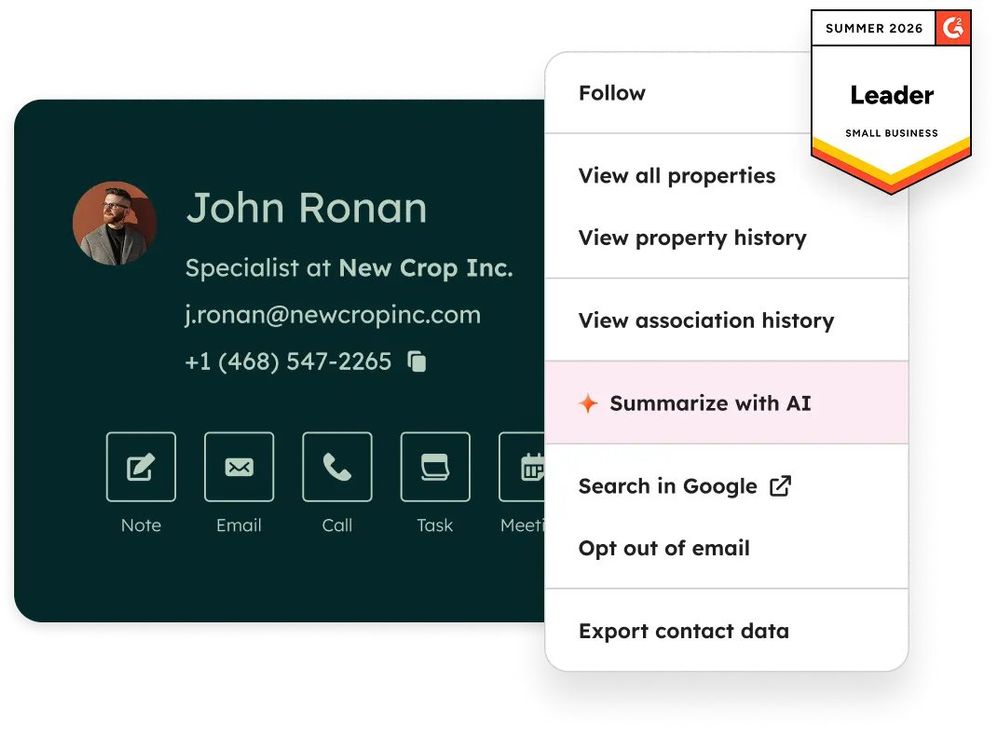
Caption: Official HubSpot CRM product visualization.
Verdict
When business management starts with winning and retaining customers, HubSpot remains the clearest US SMB path: a usable free CRM, then Starter seats that remove branding gates and raise limits. It is not a warehouse ERP—and it should not pretend to be.
Key features
- Smart CRM with marketing, sales, and service tools that share one contact graph
- Free tools that are genuinely usable (with HubSpot branding and tighter limits)
- Starter: higher limits, automation expansions, payments, AI assistants/agents powered by HubSpot Credits
- Huge integration marketplace and HubSpot Academy onboarding culture
Pricing (as of October 20, 2026)
- Free: ongoing free CRM / free tools tier
- Starter Core Seat: $20 / month per seat per HubSpot’s Product & Services Catalog
- Promotional Starter pricing on marketing pages during our check advertised new-customer deals as low as about $7/seat/mo billed annually or $10/seat/mo month-to-month—treat as limited-time promo, not evergreen list price
- Professional / Enterprise seats are substantially higher; Marketing Contacts and HubSpot Credits can raise the bill independently
Pros
- Best-in-class free → paid growth ladder for GTM teams
- Clean UX and education ecosystem
- Strong when sales + marketing + service must share data
Cons
- Not a full accounting or inventory system
- Costs climb fast past Starter
- AI/agent usage is credit-metered—budget explicitly
Best for / Who should skip
Best for: Startups and SMBs whose bottleneck is pipeline, content, and customer follow-up.
Skip if: You primarily need SKU inventory, shop-floor MRP, or deep US bookkeeping—pair HubSpot with QuickBooks or choose Zoho/Odoo instead.
Official link
4. monday.com — Best visual operations workspace
Official: monday.com · Pricing: monday.com/pricing
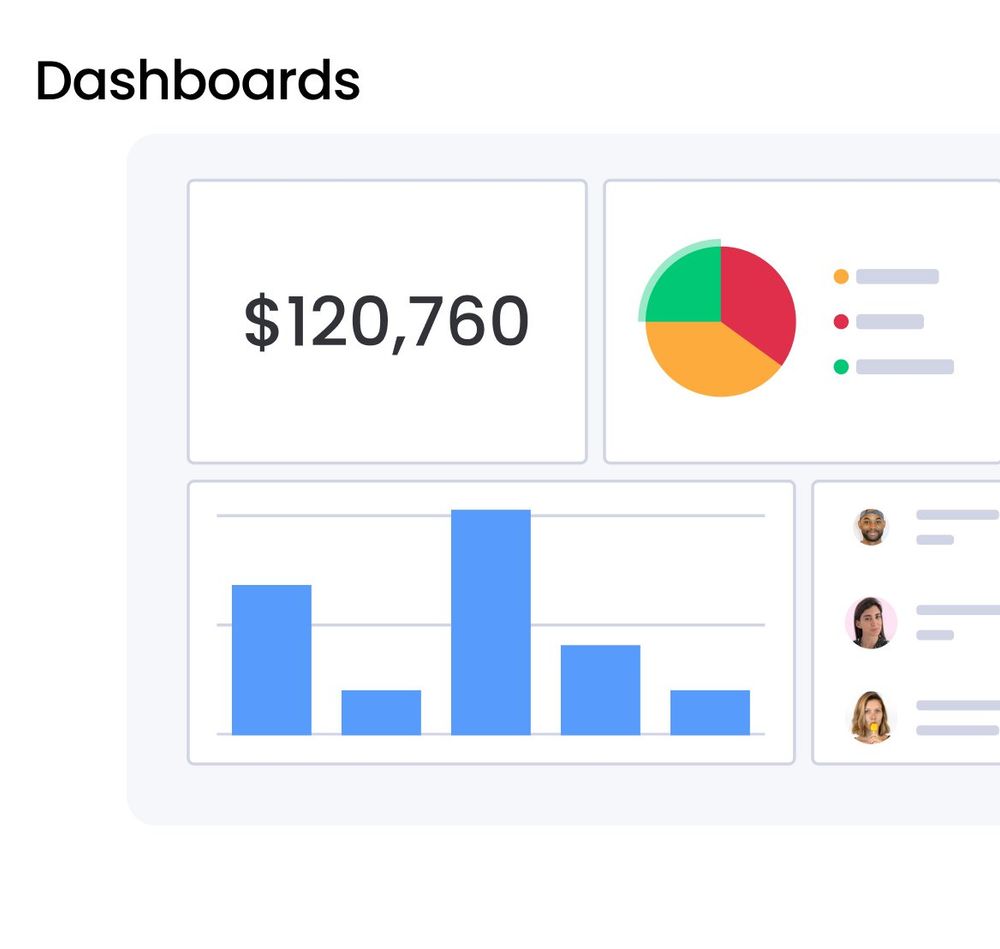
Caption: Official monday.com dashboards marketing UI.
Verdict
monday.com (Work / AI work platform) is the business management choice when the pain is cross-team execution visibility—launches, client delivery boards, internal ops—not GAAP books. Boards, automations, and optional CRM/Service products make it a flexible work OS with excellent templates.
Key features
- Boards with multiple views (table, timeline, Gantt, calendar, charts—plan dependent)
- Automations and integrations with action caps by plan
- Free viewers on paid plans; guest access from Standard upward
- Separate priced products: monday CRM, monday service, monday dev
- AI credits / agents marketed on 2026 pricing pages (confirm current credit bundles at checkout)
Pricing (as of October 20, 2026)
From monday.com/pricing (USD display during our check; annual toggle):
- Free: up to 2 seats, limited boards
- Basic $9 / Standard $12 / Pro $19 per seat / month (annual presentation)
- Paid plans typically start around a 3-seat minimum; seat “bucket” purchasing applies
- Monthly billing available without the annual discount (~18% savings called out in FAQs)
- AI credit packs / included credits vary by plan—see live pricing AI section
Pros
- Fast adoption; templates for almost every SMB workflow
- Scales from simple boards to portfolio-style Pro/Enterprise
- Clear product family if you later need CRM or service desks on the same OS
Cons
- Not accounting software
- Automation/integration ceilings punish power users on lower tiers
- Buying multiple monday products multiplies seats
Best for / Who should skip
Best for: Ops-heavy teams that already have QuickBooks (or a bookkeeper) and need a shared execution system.
Skip if: You need invoices-to-ledger as the core system of record day one.
Official link
5. ClickUp — Best value work OS
Official: clickup.com · Pricing: clickup.com/pricing
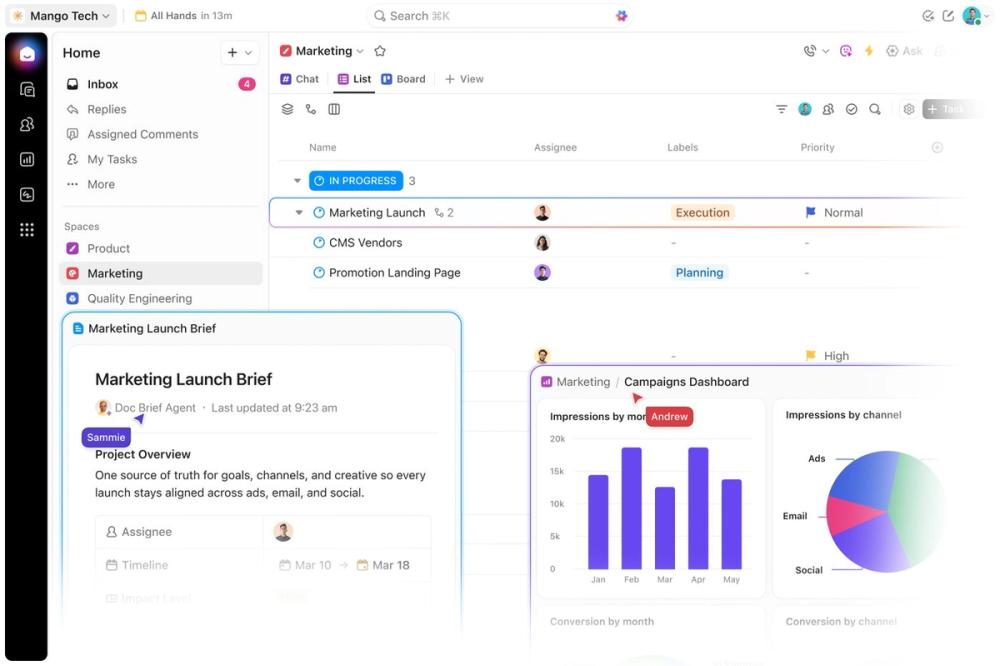
Caption: Official ClickUp product UI marketing asset.
Verdict
ClickUp competes as business management software by stuffing tasks, Docs, goals, dashboards, chat, and light CRM-style fields into one workspace at aggressive per-seat prices. It wins on density and price; it loses when buyers underestimate onboarding.
Key features
- Unlimited tasks even on Free Forever (storage and feature trials gated)
- Views: List, Board, Calendar, Gantt (paid), Workload, Dashboards
- Native time tracking, Docs, Forms, Chat, Automations (limits by plan)
- Desktop apps plus web/mobile
- AI add-ons / Brain packaging evolving on the pricing page in 2026—verify the plan names you see at checkout
Pricing (as of October 20, 2026)
From clickup.com/pricing during our check:
- Free Forever: $0 (e.g., ~60MB storage; feature trials)
- Unlimited: about $7 / user / month billed yearly ($10 monthly)
- Business: about $12 / user / month billed yearly ($19 monthly)
- Enterprise: custom
- Separate AI / Brain tiers and credit packs may appear alongside core plans—confirm live
Pros
- Outstanding feature-per-dollar for work management
- Real attempt to replace multiple collaboration tools
- Generous free member model for experimentation
Cons
- Complexity tax; teams can drown in settings
- Free storage ceiling forces upgrades quickly
- Weak substitute for QuickBooks-grade accounting
Best for / Who should skip
Best for: Product/ops teams consolidating Asana + Docs + lightweight CRM fields on a budget.
Skip if: You need client contracts + payments in one branded portal (HoneyBook) or full US books (QBO).
Official link
6. QuickBooks Online — Best US financial backbone
Official: quickbooks.intuit.com · Pricing: quickbooks.intuit.com/pricing
Verdict
If “managing the business” means knowing whether you are profitable and tax-ready, QuickBooks Online is still the US SMB default. It is business management software in the financial sense—not a project OS. Pair it with HubSpot/monday/ClickUp when you also need CRM or boards.
Key features
- Income/expense tracking, invoicing, bank feeds, reports (P&L, balance sheet)
- Payments, bill pay, inventory (higher plans), project profitability (Plus+)
- Accountant access on paid plans; mobile apps on Lite/paid paths
- Expanding Intuit Intelligence AI features marketed on 2026 pricing pages (plan-dependent)
Pricing (as of October 20, 2026)
From quickbooks.intuit.com/pricing:
| Plan | List price / mo | Common promo called out on page |
|---|---|---|
| Free | $0 | Heavily limited (e.g., invoice/bank caps) |
| Simple Start | $38 | Often 50% off for 3 months (e.g., $19) |
| Essentials | $85 | Matching short promo windows |
| Plus | $140 | Matching short promo windows |
| Advanced | $340 | Matching short promo windows; more users |
Always separate list price from intro promo. Payment processing and payroll add-ons are extra.
Pros
- Deep US accountant/tax ecosystem
- Clear plan ladder from solopreneur to Advanced
- System of record for cash and compliance
Cons
- Not a CRM or work OS
- Advanced pricing is steep vs ClickUp-class seats
- International / multi-entity needs may outgrow QBO → ERP territory
Best for / Who should skip
Best for: US SMBs that need trustworthy books first.
Skip if: You are a non-US entity standardized on Xero/local GAAP tools, or you only needed a client proposal tool (HoneyBook).
Official link
https://quickbooks.intuit.com/
7. HoneyBook — Best for client-based service businesses
Official: honeybook.com · Pricing: honeybook.com/pricing
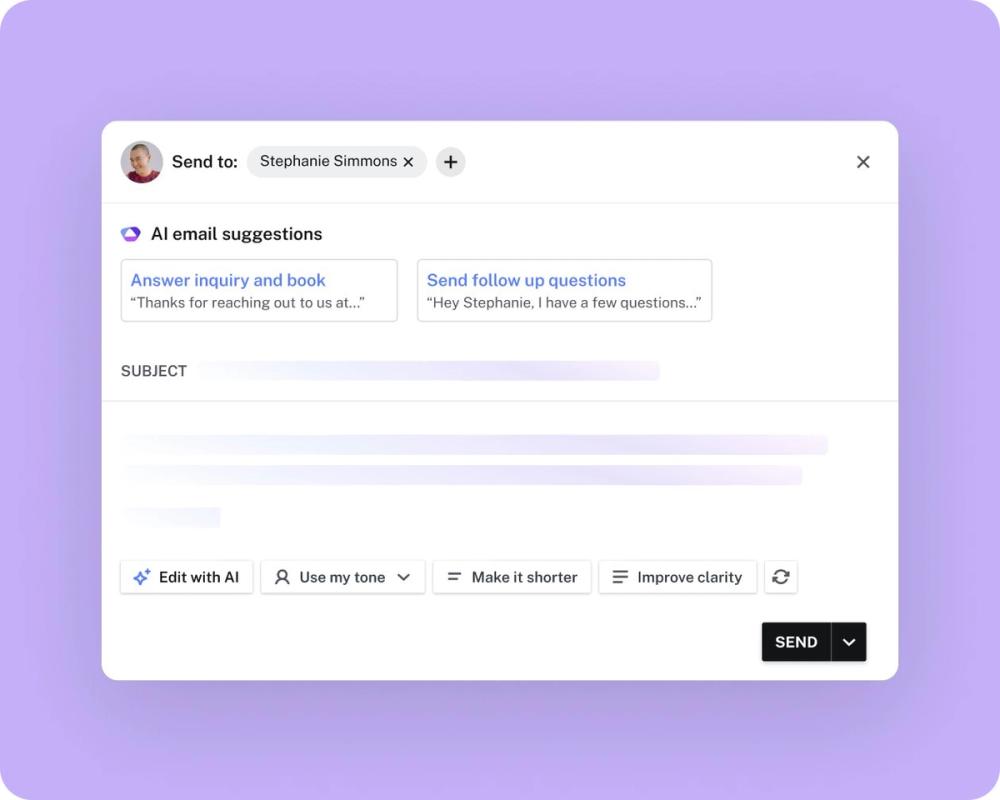
Caption: Official HoneyBook product UI marketing asset.
Verdict
HoneyBook is business management for service businesses that sell projects: lead capture → proposals/contracts → invoices → payments → client portal. It replaces a brittle stack of form + DocuSign + Stripe + calendar tools for creatives, consultants, coaches, and event pros.
Key features
- Unlimited clients/projects on published plans
- Interactive files (proposals, contracts, invoices)
- Scheduling, automations, lead forms (limits by plan)
- QuickBooks Online integration on Essentials+
- HoneyBook AI features marketed across plans
- Payment processing with published card/ACH fee schedules
Pricing (as of October 20, 2026)
From honeybook.com/pricing (annual-style display during our check; monthly is typically higher—confirm Help Center / checkout):
- Starter: $29 / month
- Essentials: $49 / month (team member limits, automations, QBO integration)
- Premium: $109 / month (unlimited team members, advanced reports, etc.)
- Trial: about 30 days (page FAQ); 60-day money-back marketed for first membership period
- Processing: card fees start around 2.7% + 10¢; ACH around 1.5% (confirm live fee table)
Pros
- End-to-end client journey in one product
- Strong fit for solo-to-small service teams
- Clear “replace five tools” ROI story
Cons
- Wrong tool for inventory/manufacturing
- Team/reporting depth concentrates in higher tiers
- Payment fees stack on top of subscription
Best for / Who should skip
Best for: Photographers, agencies, consultants, planners—anyone whose CRM is really a project pipeline with contracts.
Skip if: You sell physical SKUs at scale or need full ERP manufacturing.
Official link
Comparison Table (Pricing & Limits Detail)
All figures as of October 20, 2026 (Asia/Shanghai) from official pages unless noted. Promos change—re-check before purchase.
| Product | Free / trial | Entry paid (list) | Watch-outs |
|---|---|---|---|
| Zoho One | Trial common | Flexible $90/user/mo; All-Employee ~$37/employee/mo (confirm) | Essentials USD not asserted here; JS pricing |
| Odoo | One App Free | Standard ~$31.10/user/mo list | Implementation + IAP extras |
| HubSpot | Free CRM | Starter $20/seat/mo | Promo ≠ list; Credits + contacts |
| monday.com | Free 2 seats | Basic $9/seat/mo annual | Min seats; AI credits; not accounting |
| ClickUp | Free Forever | Unlimited ~$7/user/mo annual | Storage; AI add-ons; plan rename risk |
| QuickBooks Online | Limited Free | Simple Start $38/mo | 3-month promos; payments extra |
| HoneyBook | ~30-day trial | Starter $29/mo | Processing fees; service niche |
Also Considered (Not in the Main List)
| Tool | Why it is out of the main 7 | Notes (as of Oct 20, 2026) |
|---|---|---|
| Oracle NetSuite | Mid-market+ ERP economics | Quote-led; implementation heavy—wrong default for early SMB guides |
| Salesforce | Enterprise CRM platform gravity | Powerful, but overlaps HubSpot’s slot and overshoots “startup BMS” |
| Dynamics 365 Business Central | Microsoft SMB ERP | Official Essentials $80 / Premium $110 user/mo (yearly)—excellent later, heavy now |
| Asana | Project management first | Excellent PM; category lists often miscategorize it as full BMS—we already cover ops via monday/ClickUp |
Vertical tools (Paycor for payroll HCM, Sage Intacct for multi-entity finance) can be right later—just not this shortlist’s job.
Which Tool Should You Choose?
- Service business selling projects with contracts → HoneyBook (+ QuickBooks if you need deeper books).
- US books / tax readiness is the fire → QuickBooks Online.
- Pipeline + marketing + service → HubSpot (free → Starter).
- Replace five SaaS apps with one suite → Zoho One.
- Inventory / light manufacturing / modular ERP → Odoo.
- Execution boards across teams → monday.com or ClickUp (prefer monday for template polish; ClickUp for seat economics / density).
- Already deep in Microsoft + outgrowing QuickBooks → evaluate Business Central (see Also considered)—not the day-one default here.
Many healthy SMBs run two systems: QuickBooks Online + HubSpot or QuickBooks Online + monday.com. That combo often beats forcing one tool to be everything.
FAQ
What is the best business management software for small businesses in 2026?
For most US SMBs that want one suite, start with Zoho One. If your pain is growth CRM, start with HubSpot. If your pain is money, start with QuickBooks Online. There is no universal #1 once you name the bottleneck.
Is business management software the same as ERP?
Not usually. ERP implies deeper finance, inventory, and often manufacturing/multi-entity controls. Odoo can grow toward ERP; NetSuite and Business Central are ERP-class. HubSpot, monday.com, ClickUp, and HoneyBook are not ERPs.
Can I run my business on free plans alone?
Partially. HubSpot Free, monday Free (2 seats), ClickUp Free Forever, Odoo One App Free, and QuickBooks Free each help—but full “run the company” coverage almost always needs paid seats or will hit hard limits (storage, boards, invoices, branding).
Zoho One vs Odoo — which should I pick?
Choose Zoho One for faster suite coverage with less custom development. Choose Odoo when you need modular operational depth (inventory/MRP) and accept implementation work.
When should I consider NetSuite or Business Central?
When multi-entity reporting, complex supply chain, or QuickBooks ceiling pain is real—and you have budget for implementation. They are poor first buys for a five-person startup.
Do you use affiliate links?
No. DirHunt AI product links in this article point to official vendor pages only.
Methodology & Update Notes
- Brand: DirHunt AI software reviews · Author: Yang Dan
- Keyword focus: US informational intent for business management software / best business management software for small business
- Primary sources: Official product, pricing, FAQ, and HubSpot legal catalog pages checked October 20, 2026 (Asia/Shanghai)
- Secondary consensus: Software Connect, Software Advice/Capterra category lists (used cautiously—PM noise), SaaSCompared-style SMB ERP notes
- Not performed: Multi-week implementation diaries, payroll compliance audits, pen-tests
- Affiliate status: None
- Corrections: Seat prices, AI credit bundles, and intro promos move—re-verify on vendor checkout before purchase. Zoho One Essentials USD intentionally omitted when not verifiable from live rendered pricing nodes.
Changelog — October 20, 2026 (Asia/Shanghai): Initial DirHunt AI publish-ready roundup of seven SMB business management tools; Also considered for NetSuite, Salesforce, Business Central, Asana.
Related Reading
More DirHunt AI software comparisons (different categories—not video or drawing tutorials):