Best AI Apps for iPhone in 2026 (ChatGPT, Claude & More)
Author / Publisher: Yang Dan · Desk: Software Reviews Desk · Brand: DirHunt AI
Contact: reviews@dirhuntai.com · About: /about · Methodology: /methodology
Disclosure: No affiliate links. Every product link goes to an official vendor page or the Apple App Store.
Review type: Docs-verified against App Store listings and official product / pricing / help pages. Hands-on lab is limited this pass (no multi-week daily-driver diary on a personal iPhone).
Last updated: October 21, 2026 (Asia/Shanghai)
Looking for the best AI apps for iPhone that are actually on the US App Store—not a wishlist of Android-only tools or system features dressed up as downloads? In 2026 that search usually means a chat assistant you can talk to on the commute, a research app that cites sources, a Google- or Microsoft-tied helper, and maybe a keyboard that polishes what you type.
We shortlisted six App Store AI apps after checking live US listings and official pricing pages as of October 21, 2026. For a catalog-style overview of ChatGPT on DirHunt, see our ChatGPT tool page.
How to choose in 60 seconds
- Want one all-around assistant (chat, voice, images, files) → ChatGPT. - Need careful writing, long PDFs, or code-ish reasoning → Claude. - Need answers with clickable citations → Perplexity. - Live in Gmail / Docs / Google Photos → Google Gemini. - Live in Word / Excel / Outlook / OneDrive → Microsoft Copilot. - Want grammar, tone, and rewrites while typing anywhere → Grammarly.
Quick picks
| Need | Pick |
|---|---|
| Best overall AI app for iPhone | ChatGPT |
| Best for writing & long documents | Claude |
| Best for cited research | Perplexity |
| Best for Google users | Google Gemini |
| Best for Microsoft 365 | Microsoft Copilot |
| Best AI writing keyboard | Grammarly |
Table of contents
- How to Choose in 60 Seconds (box above)
- What “AI Apps for iPhone” Means in 2026
- How We Evaluated
- Quick Comparison Table
-
- ChatGPT
-
- Claude
-
- Perplexity
-
- Google Gemini
-
- Microsoft Copilot
-
- Grammarly
- Comparison Table (Pricing & Limits)
- Also Considered
- Which App Should You Choose?
- FAQ
- Methodology & Update Notes
- Related Reading
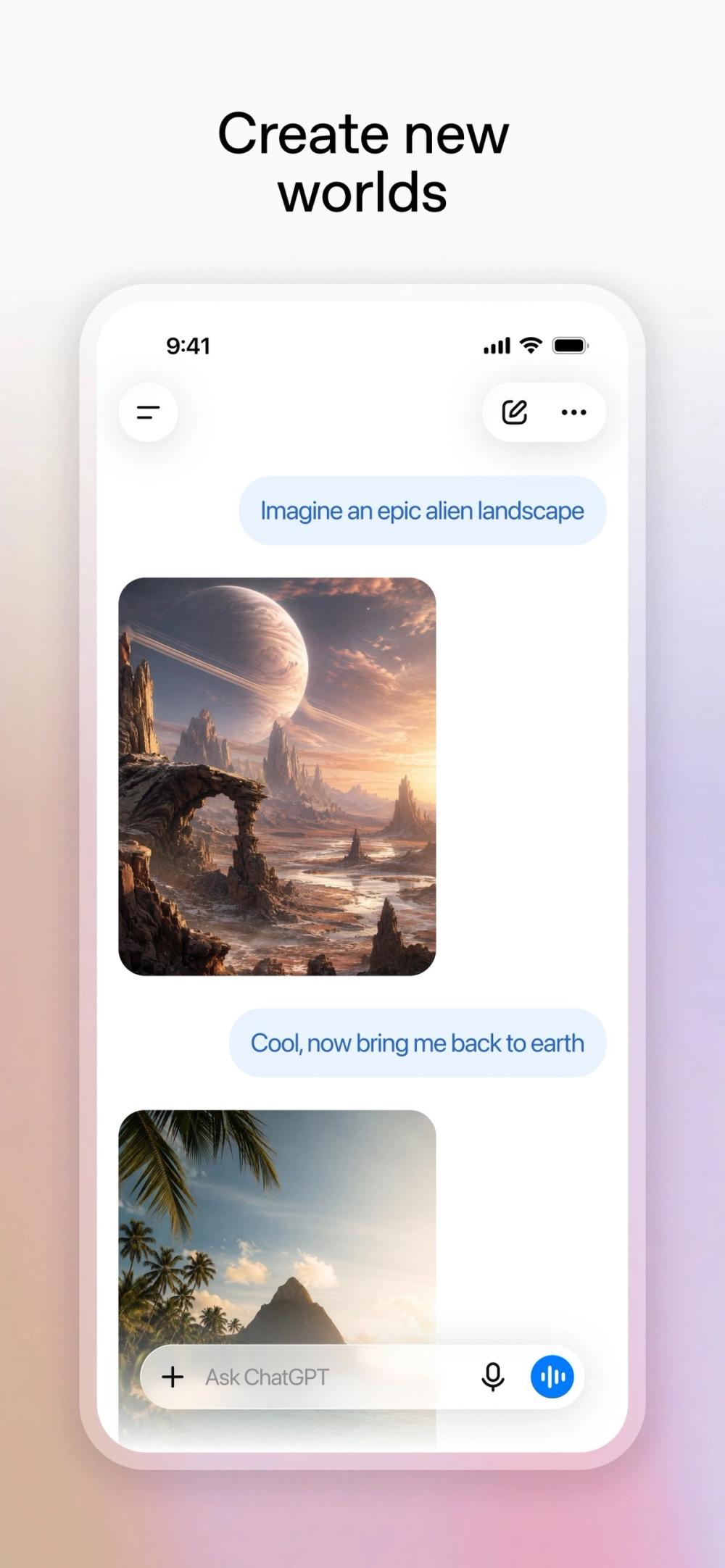
Caption: ChatGPT iPhone App Store product screenshot (Apple App Store marketing asset for ChatGPT by OpenAI, as of Oct 21, 2026). Used as list hero — real product UI, not a logo collage.
What “AI Apps for iPhone” Means in 2026
Best AI apps for iPhone is an umbrella for mobile apps that put generative AI (chat, multimodal vision, voice, search-with-citations, or on-keyboard rewrite) in your pocket. It overlaps with:
| Category | Typical focus | In this shortlist? |
|---|---|---|
| General assistants | Chat, voice, images, files | ChatGPT, Claude, Gemini, Copilot |
| AI search | Live web answers + citations | Perplexity |
| Writing keyboards | Grammar / tone / rewrite in any app | Grammarly |
| System AI | On-device Writing Tools, Image Playground, Siri upgrades | Apple Intelligence — covered under Also considered (not a separate App Store AI chat download) |
| Multi-model hubs | One UI over many models | Poe (Also considered) |
Editorial boundary: every main pick has a live US App Store page we could open (HTTP 200) on Oct 21, 2026. We did not rank Android-only packages, browser bookmarks, or “use Safari to open the website” workarounds as primary apps.
How We Evaluated
We ranked apps for US iPhone owners comparing the best AI apps for iPhone for everyday personal and light professional use—not enterprise MDM procurement.
Criteria
- Real App Store presence — Live US listing, developer identity, and update recency.
- Job fit — Assistant, research, Google stack, Microsoft stack, or keyboard layer.
- Honest free / paid model — Published list prices and free-tier limits (as of Oct 21, 2026).
- Mobile-first features — Voice, camera / photo input, keyboard extension, offline caveats called out when material.
- Trust signals — Official pricing / help pages we could verify; no invented feature claims.
Honesty note (not “Tested” theatre): This pass is docs-verified. We checked US App Store listings via Apple’s public catalog, plus official product, pricing, and help pages dated around October 21, 2026 (Asia/Shanghai), and cross-checked mainstream 2026 roundups. We did not run a multi-week personal-device diary or timed voice-mode latency benchmarks. Where App Store IAP prices differ slightly from web checkout (for example ChatGPT Plus $19.99 on App Store vs $20 on web), we note both.
Quick Comparison Table
| App | Best for | Free path? | Paid starting point (as of Oct 21, 2026) | Main drawback |
|---|---|---|---|---|
| ChatGPT | All-around assistant | Yes (limits) | Go ~$8/mo; Plus ~$20/mo (web) / $19.99 (App Store) | Peak-hour free limits; answers can sound sure when wrong |
| Claude | Writing & long docs | Yes (limits) | Pro $20/mo or $17/mo annual | Free usage can tighten at peak times |
| Perplexity | Cited research | Yes (daily Pro Search caps) | Pro commonly ~$20/mo (confirm in-app) | Weaker as a creative rewrite partner |
| Google Gemini | Google ecosystem | Yes | Google AI Pro $19.99/mo (5 TB tier on App Store IAP) | Needs Google account; iOS feature parity ≠ Android |
| Microsoft Copilot | Microsoft 365 work | Yes (limited) | Microsoft 365 Premium $19.99/mo (App Store IAP) | Deepest value if you already pay for M365 |
| Grammarly | Keyboard writing polish | Yes (basic checks) | Pro from about $12/mo (plans page) | Not a full chat research assistant |
1. ChatGPT — Best overall AI app for iPhone
Official: chatgpt.com · App Store: ChatGPT · Pricing: openai.com/chatgpt/pricing · DirHunt: ChatGPT item
Verdict
If you install one of the best AI apps for iPhone and want chat, voice, photo questions, light image generation, and file uploads in a single icon, ChatGPT is still the default. The free tier is usable for everyday text; paid plans raise limits and unlock stronger models.
Key features / Pricing
- Multimodal chat (text, images, files) and voice conversations on iOS.
- Free plan with unlimited everyday text chats subject to abuse guardrails; paid Go, Plus, and Pro tiers expand tools and models (official pricing page, Oct 21, 2026).
- US consumer list prices commonly cited: Go ~$8/mo, Plus $20/mo on web / $19.99 App Store IAP, Pro higher tiers (OpenAI Help + App Store observations Oct 21, 2026).
Free plan limits
Expect throttling on advanced models, image generation, voice, and deep research versus paid. Exact message caps vary and are not always a single published number—treat the Free column on the official pricing page as the source of truth.
Pros & cons
Pros
- Broadest “do everything” feature set on iPhone among mainstream assistants.
- Mature voice mode for hands-free use.
- Clear App Store presence with frequent updates (catalog version checked Oct 21, 2026).
Cons
- Can answer confidently when incorrect—verify important facts.
- Free limits bite during peak hours.
- App Store IAP pricing can differ by a penny from web billing.
Best for / Who should skip
Best for: Generalists who want one AI icon for brainstorming, travel questions, photo explainers, and drafts.
Skip if: You mainly need cited research (prefer Perplexity) or keyboard-only polish (prefer Grammarly).
What we noticed (docs-verified)
App Store listing ChatGPT by OpenAI returned HTTP 200; iTunes catalog reported Free with IAPs and recent 2026 version string. Pricing cross-check: OpenAI Help Center still documents Plus at $20/month; US App Store observations the same day show $19.99 for Plus IAP. Docs-checked Oct 21, 2026 (Asia/Shanghai).
2. Claude — Best for writing and long documents on iPhone
Official: claude.ai · App Store: Claude by Anthropic · Pricing: anthropic.com/pricing · DirHunt: Claude item
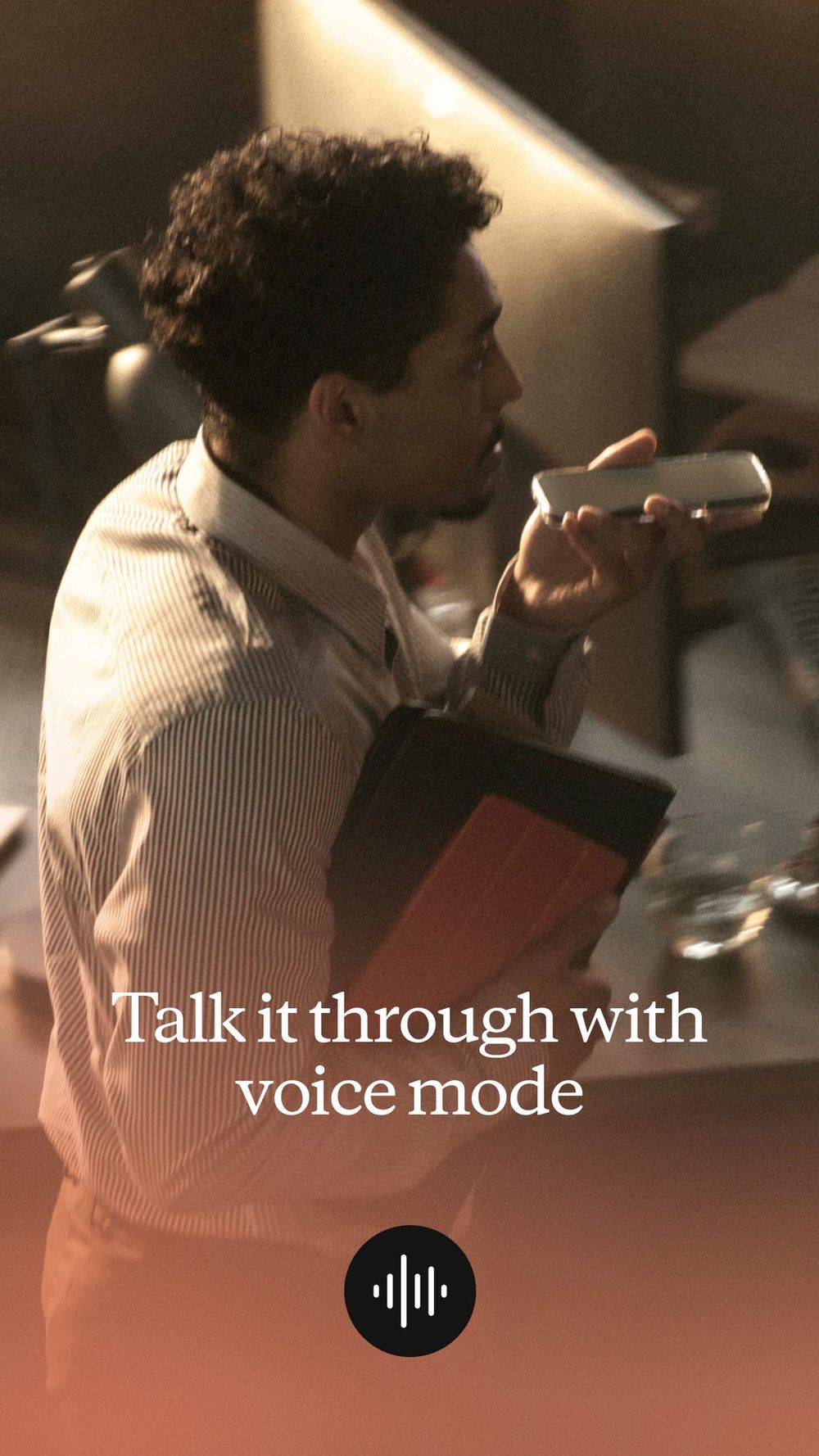
Caption: Claude by Anthropic iPhone App Store product screenshot (Voice Mode marketing frame). Docs-verified Oct 21, 2026.
Verdict
Claude is the pick when the writing has to sound careful—emails, essays, long PDF uploads, and “edit this paragraph, don’t rewrite my voice.” On iPhone it mirrors the web product’s strengths: long context, measured tone, and mobile chat with voice.
Key features / Pricing
- Chat on iOS with web search, file creation helpers, Artifacts-style outputs, Projects, and voice (feature matrix on Anthropic pricing, Oct 21, 2026).
- Free $0; Pro $20/mo monthly or $17/mo when billed annually ($200 up front); Max from $100/mo for heavy users (anthropic.com/pricing).
Free plan limits
Usage limits reset on rolling windows; Free covers everyday questions but is thinner than Pro. Anthropic documents that Pro offers substantially more usage per session than Free—exact message counts are not a single fixed number.
Pros & cons
Pros
- Strong editorial / analytical writing feel.
- Large context for long documents on supported models.
- Transparent consumer pricing on the official site.
Cons
- Free tier can feel tight if you paste long docs all day.
- Not citation-first like Perplexity.
- Some desktop-centric features (for example deep Claude Code workflows) matter less on pure phone use.
Best for / Who should skip
Best for: Writers, students, and analysts who revise long text on the go.
Skip if: You only want source-backed news/research answers.
What we noticed (docs-verified)
US App Store listing Claude by Anthropic HTTP 200; official pricing page confirms Free / Pro ($20 mo or $17 annual) / Max. Docs-checked Oct 21, 2026.
3. Perplexity — Best AI research app for iPhone
Official: perplexity.ai · App Store: Perplexity - AI Search & Chat · DirHunt: Perplexity item
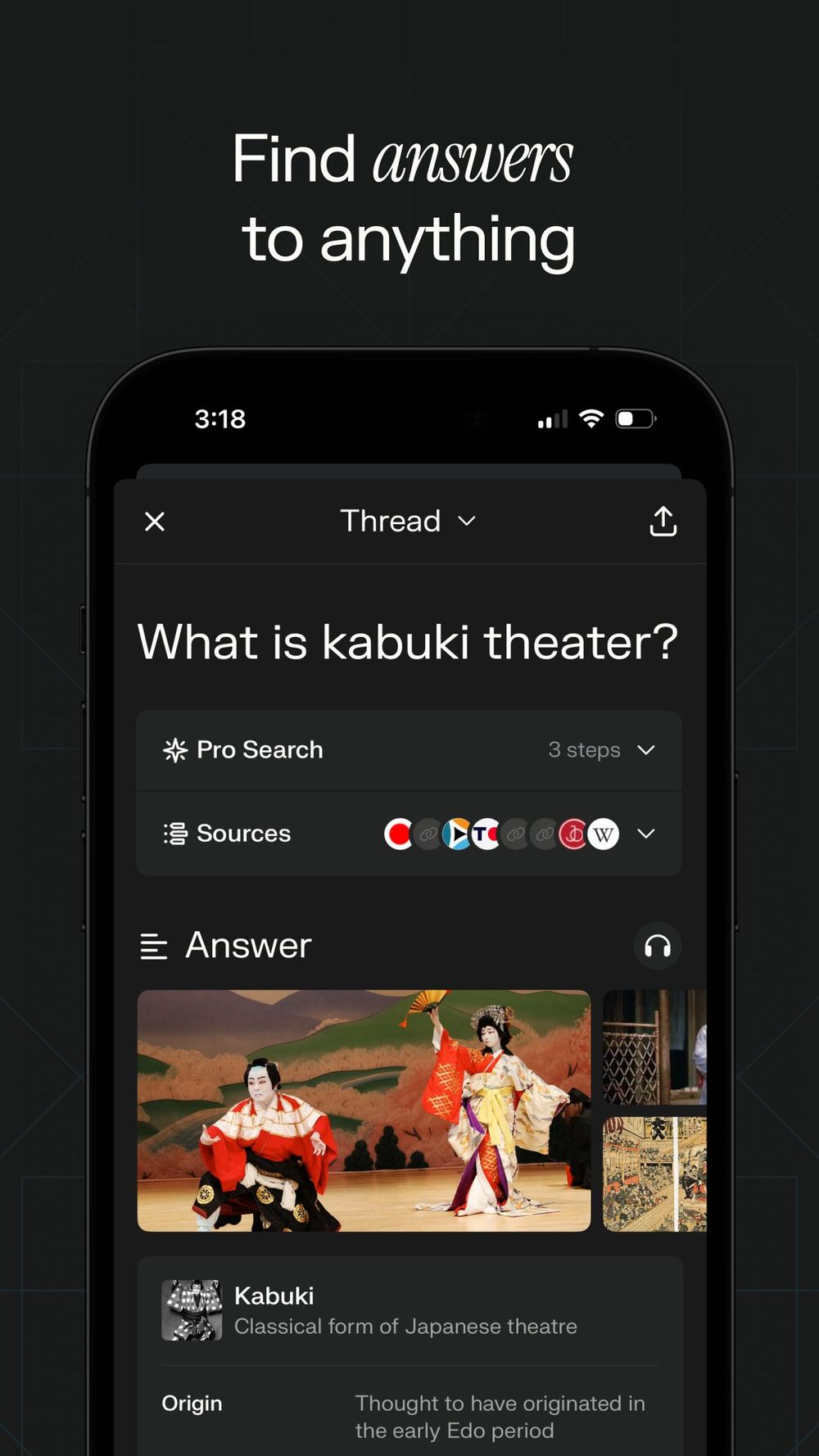
Caption: Perplexity iPhone App Store product screenshot (AI search / chat marketing frame). Docs-verified Oct 21, 2026.
Verdict
Perplexity is built as AI search, not a free-form creative novelist. Ask a question, get a synthesized answer with numbered sources you can open—ideal when “sounds right” is not enough.
Key features / Pricing
- Cited answers, follow-up threads, voice, Discover feed, and Pro Search / Deep Research style modes (App Store description, Oct 21, 2026).
- Free tier with daily limits on Pro-style searches; Perplexity Pro is commonly sold around $20/month via web/IAP—confirm the live App Store subscription price at checkout (JS/IAP surfaces vary; we do not invent a stale SKU).
Free plan limits
Casual use is workable; heavier Pro Search usage hits daily caps (third-party roundups often cite roughly several Pro searches/day—treat that as approximate and verify in-app).
Pros & cons
Pros
- Citations by default—easier fact-checking.
- Fast “what’s the current answer” workflow on mobile.
- Clean research-oriented UI.
Cons
- Less ideal for long creative drafting than Claude or ChatGPT.
- Pro pricing should be confirmed in-app (dynamic IAP).
- Not a systemwide keyboard.
Best for / Who should skip
Best for: Students, journalists, shoppers comparing products, anyone who needs sources.
Skip if: You want pure brainstorming voice chat with image generation as the main job.
What we noticed (docs-verified)
App Store listing HTTP 200; 4.8-star-class rating volume in public listing metadata. Official marketing emphasizes citations on every answer. Docs-checked Oct 21, 2026.
4. Google Gemini — Best AI app for Google ecosystem users
Official: gemini.google.com · App Store: Google Gemini · Plans: Google AI plans
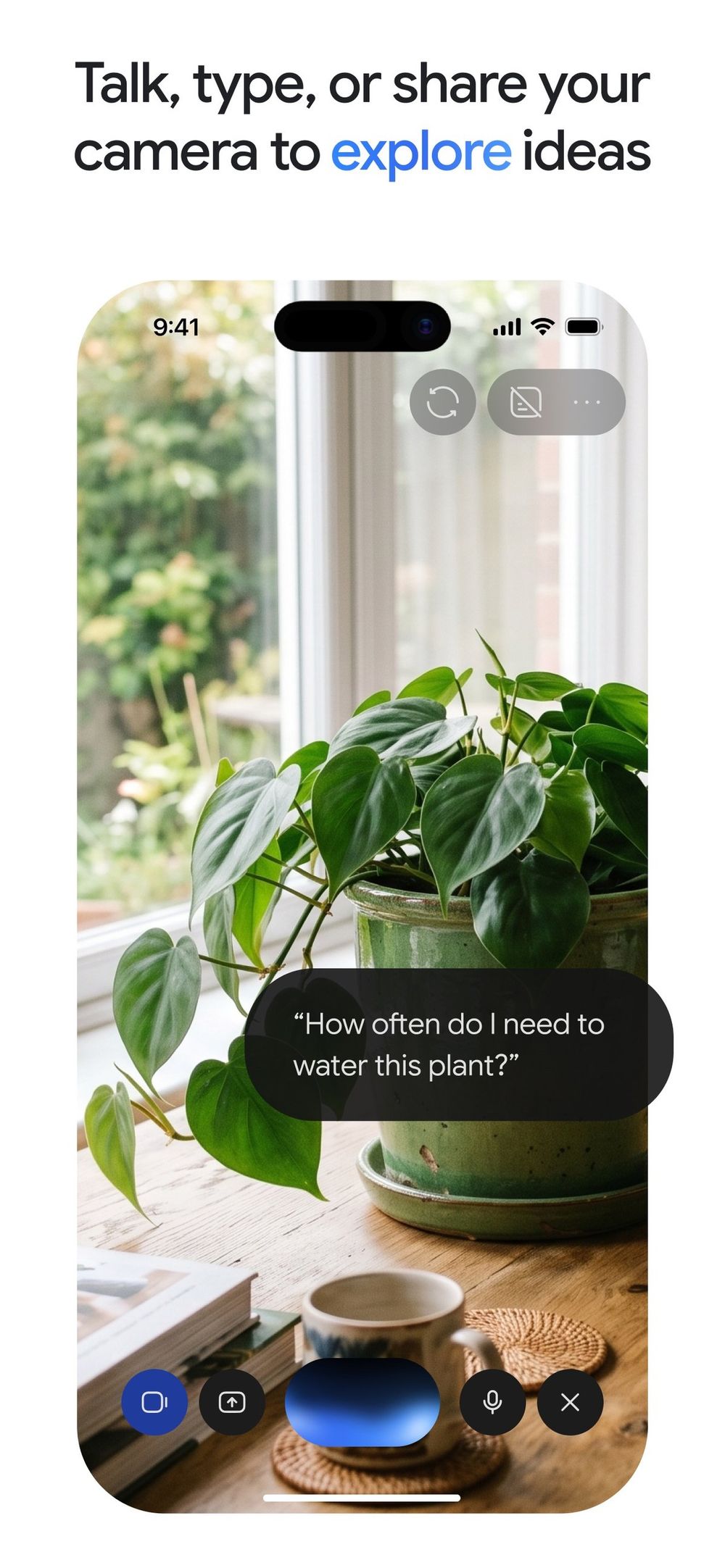
Caption: Google Gemini iPhone App Store product screenshot. Docs-verified Oct 21, 2026.
Verdict
If your life already runs on Gmail, Docs, Drive, and Photos, Gemini is the AI app that meets you there. The free Gemini app is capable; Google AI Pro expands models, limits, and Google One storage.
Key features / Pricing
- Gemini app on iPhone (requires recent iOS per App Store compatibility line).
- Free tier; paid Google AI Plus ~$4.99/mo, Google AI Pro $19.99/mo (5 TB IAP listed on App Store), Ultra much higher (App Store IAP list + Google One plans, Oct 21, 2026).
Free plan limits
Lower model/feature caps than Pro; some advanced agentic / Deep Research style features sit behind paid Google AI plans.
Pros & cons
Pros
- Natural fit for Google Account holders.
- Strong multimodal help for everyday questions.
- Transparent App Store IAP price points for AI Pro.
Cons
- iPhone feature set is not always a 1:1 clone of Android Gemini experiences.
- Value is highest if you also want Google One storage.
- Requires Google sign-in.
Best for / Who should skip
Best for: People who already live in Google Workspace consumer apps.
Skip if: Your documents and email are all Microsoft 365—start with Copilot instead.
What we noticed (docs-verified)
Correct App Store ID 6477489729 (bundle com.google.gemini); listing shows Google AI Pro IAP at $19.99. Docs-checked Oct 21, 2026.
5. Microsoft Copilot — Best AI app for Microsoft 365 on iPhone
Official: microsoft.com/copilot · App Store: Microsoft Copilot · Individual pricing: Copilot plans
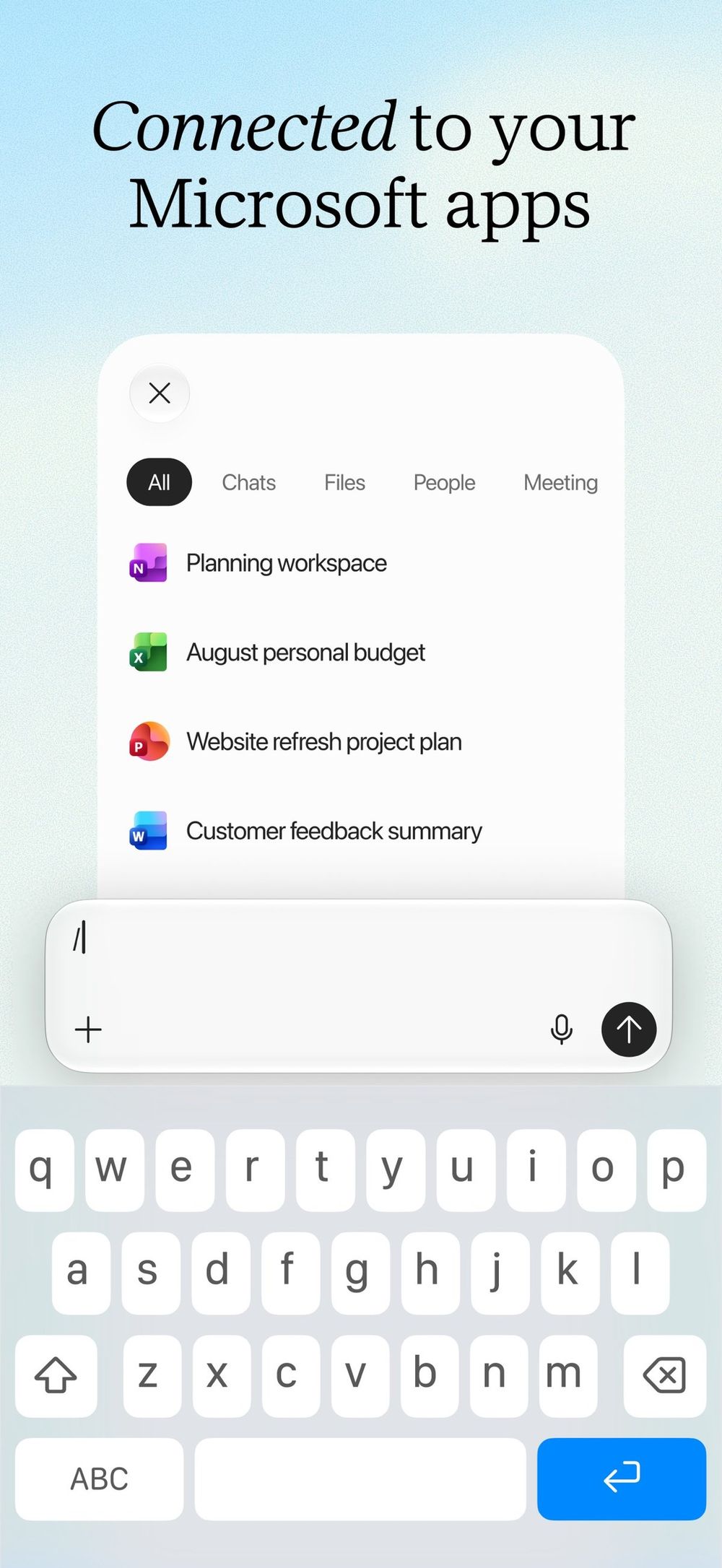
Caption: Microsoft Copilot iPhone App Store product screenshot. Docs-verified Oct 21, 2026.
Verdict
Copilot is the mobile AI front door for Microsoft’s productivity stack. Free chat exists; the paid upside is bundled into Microsoft 365 plans (Personal / Family / Premium) rather than a standalone “Copilot-only” story for new customers.
Key features / Pricing
- AI chat plus pathways into Word / Excel / PowerPoint / Outlook workflows on mobile (App Store + Microsoft support docs).
- App Store IAPs observed: Microsoft 365 Personal $9.99, Family $12.99, Premium Monthly $19.99 (listing Oct 21, 2026). Microsoft’s 2025–2026 consumer messaging folded former Copilot Pro-style benefits into Microsoft 365 Premium.
Free plan limits
Limited Copilot usage without a qualifying Microsoft 365 subscription; higher limits and exclusive agent features sit on Premium.
Pros & cons
Pros
- Best choice if you already pay for Microsoft 365.
- Familiar work document workflows on phone.
- Clear IAP ladder on the App Store listing.
Cons
- Weaker “standalone AI hobby” value if you never open Office files.
- Plan names shifted (Copilot Pro → M365 Premium)—read the current card carefully.
- Requires Microsoft account.
Best for / Who should skip
Best for: Students and professionals drafting in Word/Excel/Outlook on iPhone.
Skip if: You only want a citation research tool or a keyboard.
What we noticed (docs-verified)
App Store track Microsoft Copilot (ID 541164041, bundle historically tied to Microsoft’s mobile Office family) returned HTTP 200 with M365 IAPs. Docs-checked Oct 21, 2026.
6. Grammarly — Best AI writing keyboard for iPhone
Official: grammarly.com · App Store: Grammarly: AI Keyboard & Voice · Plans: grammarly.com/plans
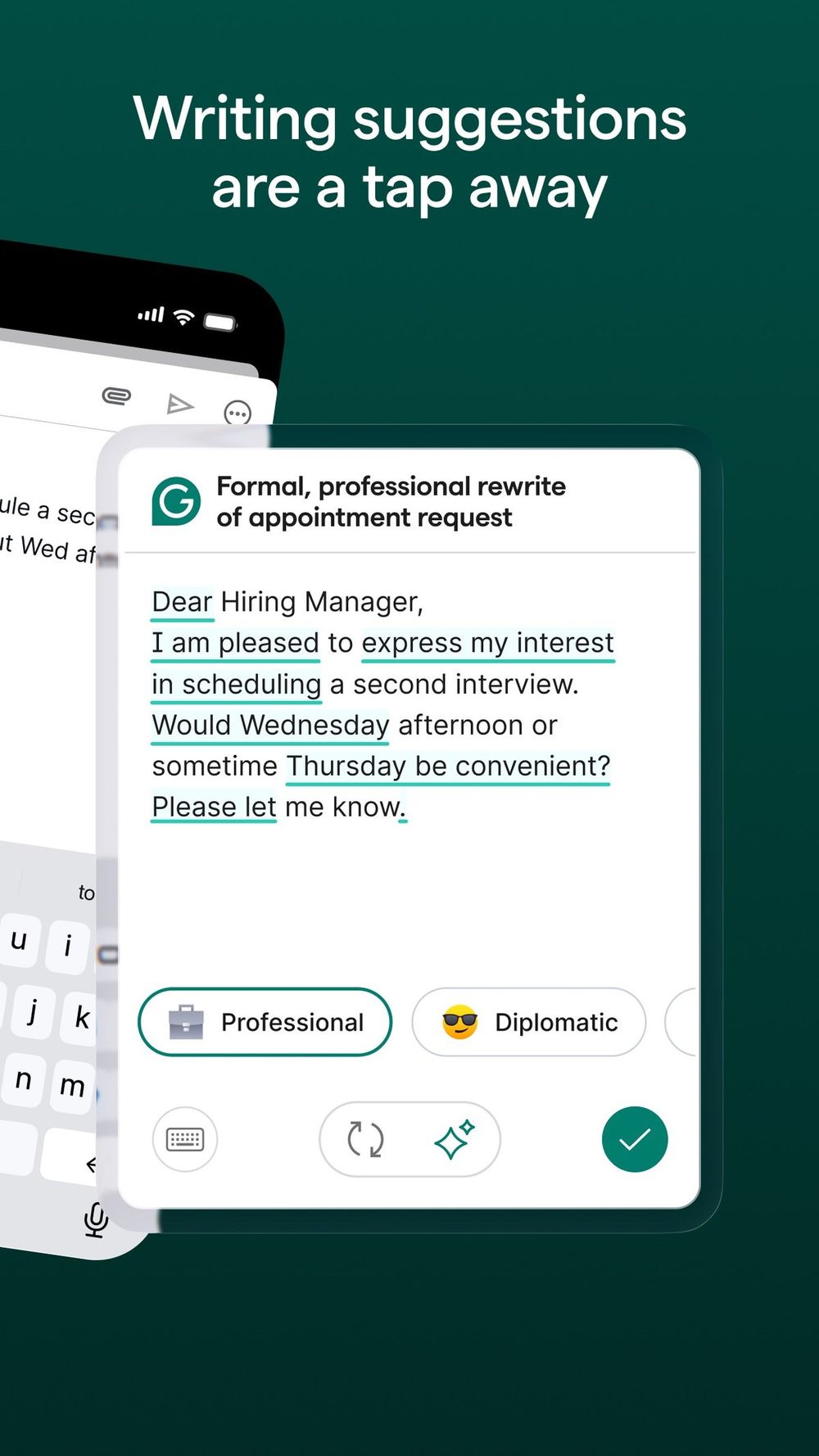
Caption: Grammarly iPhone App Store product screenshot (AI keyboard / voice marketing frame). Docs-verified Oct 21, 2026.
Verdict
Grammarly is not trying to replace ChatGPT as your research buddy. It wins as a systemwide writing layer: enable the keyboard (or share sheet / app) and get grammar, tone, and rewrite help inside Mail, Slack, Notes, and browsers.
Key features / Pricing
- AI keyboard & voice writing help on iPhone.
- Free $0 basic checks; Pro from about $12/mo on the official plans page (Oct 21, 2026), with generative prompt allowances higher on Pro than Free (100 vs 2,000 prompts/month on the compare table).
Free plan limits
Core spelling/grammar without the full rewrite / tone / plagiarism / high prompt caps of Pro.
Pros & cons
Pros
- Works across apps via keyboard—unique among this shortlist.
- Clear Free vs Pro story on grammarly.com/plans.
- Complements chatbots instead of competing head-on.
Cons
- Not an AI search engine.
- Keyboard permission is a trust decision—review Apple’s keyboard privacy prompts.
- Generative prompts are capped even on Pro.
Best for / Who should skip
Best for: Anyone who writes in many iPhone apps and wants continuous polish. Pair with our best writing software guide if you also need a desktop drafting stack.
Skip if: You only want voice chat Q&A.
What we noticed (docs-verified)
App Store listing HTTP 200; plans page shows Free $0 and Pro $12 USD starting point with trial messaging. Docs-checked Oct 21, 2026.
Comparison Table (Pricing & Limits)
| App | App Store | Free? | Headline paid price (as of Oct 21, 2026) | Standout mobile angle |
|---|---|---|---|---|
| ChatGPT | Link | Yes | Plus ~$20/mo (web) / $19.99 IAP | Voice + multimodal default |
| Claude | Link | Yes | Pro $20/mo or $17/mo annual | Long-doc writing quality |
| Perplexity | Link | Yes | Pro ~$20/mo (confirm IAP) | Citations on answers |
| Gemini | Link | Yes | AI Pro $19.99/mo | Google apps tie-in |
| Copilot | Link | Yes | M365 Premium $19.99/mo | Office documents on phone |
| Grammarly | Link | Yes | Pro ~$12/mo | System keyboard |
Also Considered
| App / feature | Why it didn’t make the main six |
|---|---|
| Apple Intelligence | Powerful on supported iPhone models, but it is a system feature set (Writing Tools, cleaner Siri, Image Playground, etc.), not a single App Store “AI chat” download you rank like ChatGPT. Still worth enabling if your device supports it. |
| Grok (xAI) | Real-time X-oriented assistant; App Store presence confirmed, but narrower mainstream “everyday productivity” fit than ChatGPT/Claude for this guide’s US intent. |
| Poe | Excellent multi-model switcher; we kept the shortlist to first-party assistants + one keyboard to avoid a 10-app dump. |
| Meta AI | Useful inside Meta apps; less compelling as a standalone iPhone AI daily driver for this comparison. |
Which App Should You Choose?
| Your situation | Start here | Add-on |
|---|---|---|
| One icon for almost everything | ChatGPT | Grammarly keyboard |
| Essays, emails, long PDFs | Claude | Perplexity for citations |
| School / journalism research | Perplexity | ChatGPT for drafts |
| Heavy Gmail / Docs | Gemini | Grammarly |
| Heavy Word / Excel / Outlook | Copilot | ChatGPT for brainstorming |
| Writing polish in every app | Grammarly | Claude for long rewrites |
Practical stack many US users end on: ChatGPT or Claude for chat + Perplexity for research + Grammarly keyboard.
FAQ
What are the best AI apps for iPhone in 2026?
For most people: ChatGPT (overall), Claude (writing), Perplexity (cited research), Gemini (Google), Copilot (Microsoft 365), and Grammarly (keyboard). That six-app shortlist matches live US App Store listings as of October 21, 2026.
Is ChatGPT free on iPhone?
Yes—there is a Free plan with limits. Paid Go / Plus / Pro unlock higher limits and stronger models. Plus is about $20/month on OpenAI’s web pricing and $19.99 in common US App Store IAP observations (Oct 21, 2026).
Do I need Apple Intelligence too?
If your iPhone supports it, yes as a system layer—but it does not replace downloading ChatGPT or Perplexity when you want those specific apps’ models and features.
ChatGPT vs Claude vs Perplexity—which one?
ChatGPT for breadth, Claude for careful long writing, Perplexity when you need sources. Many people keep two.
Are these apps safe for work documents?
Follow your employer’s AI policy. Prefer enterprise plans when required, and never paste secrets into consumer free tiers.
Will prices change?
Likely. All dollar figures are as of October 21, 2026 (Asia/Shanghai) from official pages / App Store IAP lists. Always confirm checkout.
Methodology & Update Notes
- Review type: Docs-verified (US App Store listings via Apple public catalog + official product / pricing / help pages) + cross-check of 2026 editorial roundups. Not a multi-week hands-on iPhone lab diary.
- Verification date: October 21, 2026 (Asia/Shanghai).
- App Store IDs checked: ChatGPT 6448311069, Claude 6473753684, Perplexity 1668000334, Gemini 6477489729, Copilot 541164041, Grammarly 1158877342.
- Screenshots: Apple App Store product screenshots downloaded from Apple’s public mzstatic CDN for each listing; hero is ChatGPT. Captions disclose source type.
- No affiliates. Links point to official sites and apps.apple.com.
- Changelog: 2026-10-21 — Initial docs-verified shortlist published.
Related Reading
- Best Writing Software in 2026 — desktop / long-form writing stack that pairs with Grammarly and Claude on iPhone.
- More assistant-style tools live under DirHunt’s Life Assistant category when you want to explore beyond this shortlist.