By Yang Dan, DirHunt AI Software Reviews Desk. Yang reviews B2B productivity and operations software for DirHunt AI, reading vendor pricing pages, help-center docs and plan limits side by side before ranking anything. This guide uses the same docs-verified method as the rest of our comparison series. Disclosure: no affiliate links. Last updated: October 31, 2026 (Asia/Shanghai).
"Management software" is a broad search, but most people who type it want one thing: a shared place to plan work, assign owners, track deadlines and see progress without chasing updates in chat. That is work and project management software, and this guide ranks the best management software for that job.
If you need a full back office instead (CRM, invoicing, accounting, HR in one suite), read our business management software guide, which covers Zoho One, Odoo, HubSpot and others. This page focuses on managing projects, tasks and team workflows.
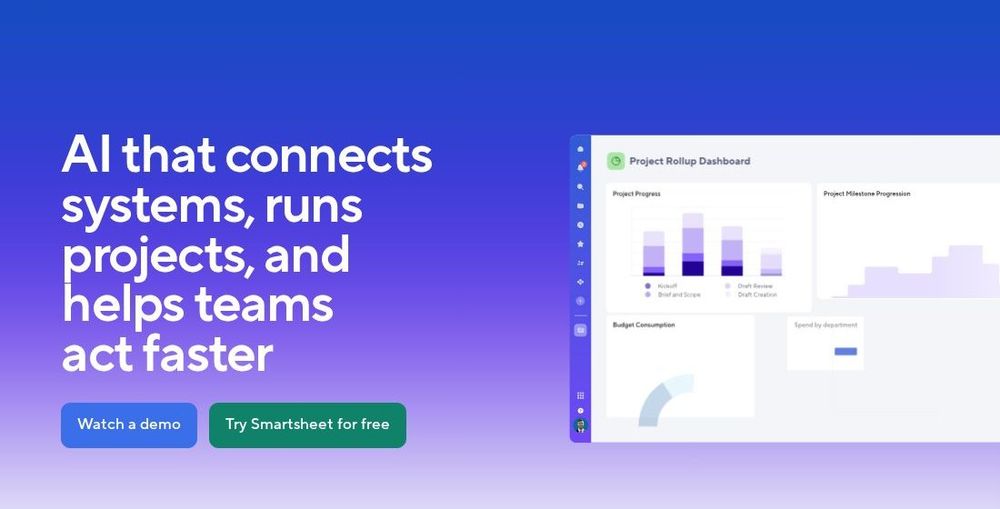
Caption: Smartsheet homepage showing a project rollup dashboard. Official smartsheet.com page, captured October 31, 2026.
Quick picks: the best management software in 60 seconds
| Tool | Best for | Free plan (as of Oct 31, 2026) | Paid from (billed annually) |
|---|---|---|---|
| Asana | Cross-team goals, portfolios and repeatable workflows | Personal: up to 2 people | Starter $10.99/user/mo |
| monday.com Work Management | Visual boards for non-technical teams | Up to 2 seats | Basic $9/seat/mo (3-seat minimum) |
| ClickUp | Teams that want tasks, docs, chat and AI in one app | Free forever (60MB storage, 5 Spaces) | Core $9/user/mo |
| Smartsheet | Spreadsheet-minded PMOs and portfolio reporting | No ongoing free plan listed; trial available | Pro and Business per member (see pricing page) |
| Wrike | Professional services and marketing teams with complex approvals | Free plan | Team $10/user/mo |
| Notion | Docs-first teams that want projects next to their wiki | Free | Plus $10/member/mo |
| Jira | Software and IT teams running sprints | Free for up to 10 users | Standard (per-user, tiered) |
How to choose fast
- Many teams, shared goals, leadership wants portfolio views: Asana or Smartsheet. - Operations or marketing team that wants something visual and quick: monday.com. - Budget-conscious team that wants one app for everything: ClickUp. - Agency or services firm with proofing and approvals: Wrike. - Your team already lives in docs: Notion. - Engineering sprints and bug tracking: Jira.
How we evaluated
This is a docs-verified comparison. Between October 30 and 31, 2026 we read each vendor's pricing page, plan comparison and help-center articles, captured screenshots from official pages, and compared our list with top-ranking roundups to find gaps. We did not run a multi-week team pilot for this edition, so we do not claim lab benchmarks.
We scored each tool on five criteria:
- Planning views: list, board, timeline/Gantt, calendar, workload.
- Cross-team visibility: portfolios, dashboards, goals.
- Automation and AI: rule builders, AI agents, limits by plan.
- Free plan and pricing honesty: seat minimums, annual-only plans, add-on credits.
- Learning curve: how fast a non-technical team can get going.
What "management software" means here (and what it does not)
- In scope: work management, project management and team collaboration platforms.
- Out of scope: ERPs, accounting suites and CRMs (see the small business management software guide for those), plus vertical tools like property management.
1. Asana: best overall for cross-team work management
Verdict: The most balanced pick for companies where several teams share goals, deadlines and a leadership audience. It is not the cheapest.
Key features: Lists, boards, timelines and calendars; portfolios and goals; rules-based automation; Asana AI with agentic workflows on paid plans.
Pricing (as of October 31, 2026, per asana.com/pricing): Personal is free for up to two people. Starter is $10.99 per user per month billed annually. Advanced is $24.99 per user per month billed annually. Enterprise is quote-based. Asana also lists pay-as-you-go AI requests (prepaid packs at $0.50 per request).
Pros: Clean UI; strong portfolio and goal tracking; mature integrations.
Cons: Portfolios and advanced reporting sit on higher tiers; per-request AI pricing adds a variable cost.
Best for: Mid-size companies coordinating marketing, ops and product. Skip if: you are a two-person team on a tight budget.
What we noticed (docs-verified, Oct 31, 2026): Asana's free tier is now called Personal and is framed for "two people managing personal projects." Teams of three or more should plan for Starter from day one.
Official site: asana.com
2. monday.com Work Management: best visual workspace for non-technical teams
Verdict: Fast to adopt, with colorful boards and dashboards that make status obvious.
Key features: Boards with many column types, dashboards, automations and integrations, plus AI credits included on paid plans.
Pricing (as of October 31, 2026, per monday.com/pricing): Free forever for up to 2 seats. Basic is $9 per seat per month and Pro is $19 per seat per month, billed annually. Standard sits between them. Paid plans are sold in seat buckets starting at 3 seats.
Pros: Short learning curve; good-looking dashboards; flexible boards.
Cons: Seat buckets mean paying for unused seats; Gantt, time tracking and higher automation limits require upper tiers.
Best for: Marketing, operations and HR teams. Skip if: you need deep software-sprint tooling.
What we noticed (docs-verified, Oct 31, 2026): The pricing calculator shows Basic at "$9 x 10 seats = $90" with 1,000 AI credits, and Pro with 3,000 credits. AI usage is metered by credits, not unlimited.
Official site: monday.com/work-management
3. ClickUp: best all-in-one value
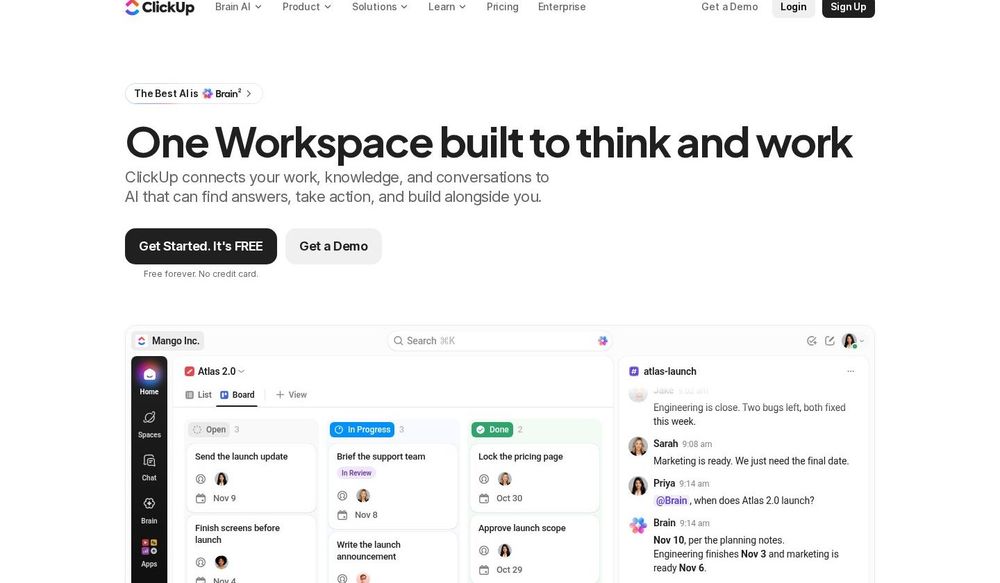
Caption: ClickUp homepage showing a board view next to a chat thread with ClickUp Brain. Official clickup.com page, captured October 31, 2026.
Verdict: The most features per dollar: tasks, docs, chat, dashboards and AI in one workspace. It can feel busy.
Key features: List, Table, Calendar, Board and Gantt views; Docs; Chat; automations; ClickUp Brain AI.
Pricing (as of October 31, 2026, per clickup.com/pricing): Free at $0, Core at $9 per user per month, Business at $17 per user per month, Enterprise custom, and a Max tier at $100 per user per month. The Free plan includes 5 Spaces and 60MB of file storage.
Pros: Generous free plan; huge feature set; strong value on Core.
Cons: Steeper learning curve; the feature density can overwhelm small teams.
Best for: Startups and agencies that want to replace several tools. Skip if: your team wants a minimal interface.
What we noticed (docs-verified, Oct 31, 2026): ClickUp's plan lineup changed in 2026. The pricing page now lists Core and Max instead of the older Unlimited tier, so older reviews quoting "Unlimited at $7" are out of date.
Official site: clickup.com
4. Smartsheet: best for spreadsheet-minded PMOs
Verdict: The natural choice for teams that think in grids and need portfolio rollups for leadership.
Key features: Grid, Gantt, board and calendar views; dashboards and reports across sheets; automated workflows; Smartsheet AI.
Pricing (as of October 31, 2026): Pro and Business per-member plans, with Enterprise and Advanced Work Management quoted by sales. The pricing page loads dynamically and we could not read exact figures reliably, so check smartsheet.com/pricing before you budget.
Pros: Familiar spreadsheet feel; strong reporting and rollups; enterprise governance.
Cons: Less intuitive for casual users; the best features sit on higher tiers.
Best for: PMOs, construction and operations teams. Skip if: you want chat-style collaboration.
What we noticed (docs-verified, Oct 31, 2026): The homepage leads with a project rollup dashboard (screenshot above), which matches its strongest use case: reporting across many projects.
Official site: smartsheet.com
5. Wrike: best for agencies and professional services
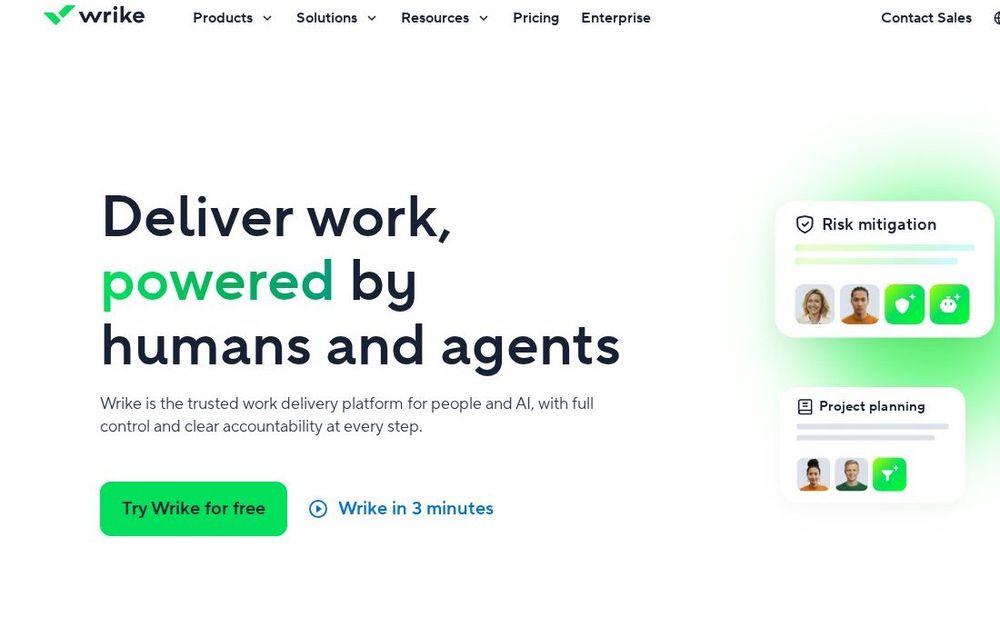
Caption: Wrike homepage, "Deliver work, powered by humans and agents." Official wrike.com page, captured October 31, 2026.
Verdict: Strong for teams that juggle client requests, approvals and resource planning.
Key features: Request forms, proofing and approvals, workload and resource management, custom item types, AI risk prediction.
Pricing (as of October 31, 2026, per wrike.com/price): Free at $0. Team at $10 per user per month. Business at $25 per user per month. Higher enterprise tiers are quote-based.
Pros: Excellent approvals and proofing; strong resource management; scales to large teams.
Cons: Dated in places; advanced features need Business or higher.
Best for: Marketing agencies, creative teams and PS firms. Skip if: you need a lightweight to-do app.
What we noticed (docs-verified, Oct 31, 2026): Wrike's help center says Team is for 2 to 15 users, so growing teams will hit the Business tier sooner than per-user math suggests.
Official site: wrike.com
6. Notion: best for docs-first teams
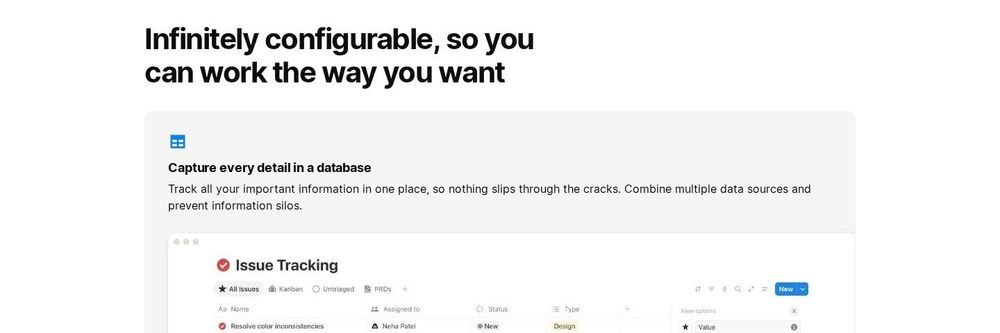
Caption: Notion Projects page showing an Issue Tracking database. Official notion.com page, captured October 31, 2026.
Verdict: The best pick when projects should live next to specs, wikis and meeting notes.
Key features: Databases with board, timeline, calendar and table views; project templates; Notion Agent and AI Meeting Notes on Business.
Pricing (as of October 31, 2026, per notion.com/pricing): Free. Plus at $10 per member per month. Business at $20 per member per month. Enterprise custom. Custom Agents use Notion credits ($10 per 1,000 credits).
Pros: Flexible; great for documentation; strong templates.
Cons: Fewer native workload and resource features than dedicated PM tools; needs someone to design the setup.
Best for: Startups, product teams and writers. Skip if: you need strict PM governance.
Official site: notion.com/product/projects
7. Jira: best for software and IT teams
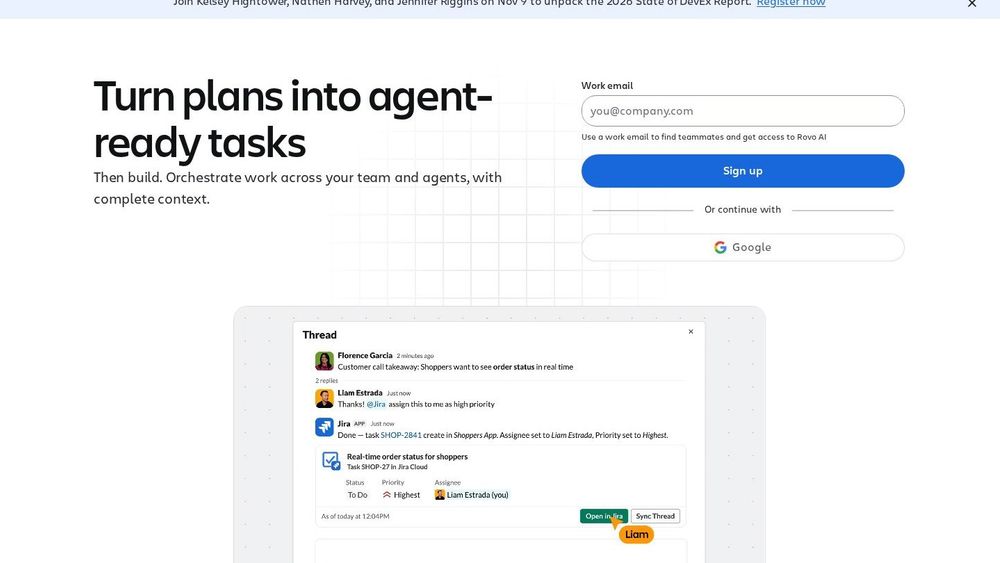
Caption: Jira product page, "Turn plans into agent-ready tasks." Official atlassian.com page, captured October 31, 2026.
Verdict: The standard for engineering teams running sprints, backlogs and releases.
Key features: Scrum and Kanban boards, backlogs, roadmaps, workflows, and integrations with AI coding agents (Atlassian lists Claude, Cursor, Codex and GitHub Copilot on the Jira page).
Pricing (as of October 31, 2026): Free for up to 10 users. Standard, Premium and Enterprise are per-user plans whose price falls in larger user bands; check Atlassian's pricing page for your team size.
Pros: Deep agile tooling; huge marketplace; scales to enterprises.
Cons: Complex for non-technical teams; administration overhead.
Best for: Software, DevOps and IT teams. Skip if: you run marketing or ops work only.
Official site: atlassian.com/software/jira
Comparison table
| Feature (docs-verified Oct 31, 2026) | Asana | monday.com | ClickUp | Smartsheet | Wrike | Notion | Jira |
|---|---|---|---|---|---|---|---|
| Free plan | Yes (2 people) | Yes (2 seats) | Yes | Trial | Yes | Yes | Yes (10 users) |
| Gantt / timeline | Paid | Upper tiers | Yes | Yes | Yes | Timeline view | Timeline |
| Portfolios / rollups | Advanced | Pro+ | Business+ | Yes | Business+ | Manual | Premium |
| Built-in AI | Yes (metered) | Yes (credits) | Yes | Yes | Yes | Yes (Business) | Yes |
| Learning curve | Low | Low | Medium–high | Medium | Medium | Medium | High |
Scorecard
| Tool | Planning views (25) | Visibility (25) | Automation & AI (20) | Pricing honesty (15) | Learning curve (15) | Total |
|---|---|---|---|---|---|---|
| Asana | 23 | 23 | 17 | 11 | 13 | 87 |
| monday.com | 21 | 21 | 16 | 10 | 14 | 82 |
| ClickUp | 24 | 20 | 18 | 13 | 9 | 84 |
| Smartsheet | 22 | 24 | 16 | 9 | 10 | 81 |
| Wrike | 22 | 22 | 17 | 11 | 10 | 82 |
| Notion | 18 | 16 | 16 | 13 | 11 | 74 |
| Jira | 21 | 20 | 17 | 12 | 7 | 77 |
Scores are our editorial judgment from documentation, not lab benchmarks. The ranking order reflects general fit for most teams, not just the total.
Also considered
- Basecamp: simple flat pricing and calm communication, but lighter planning views.
- Trello: great for personal Kanban; outgrown by multi-team work.
- Teamwork.com: strong for client billing at agencies.
- Zoho Projects: good value if you already use Zoho apps.
- Microsoft Planner: sensible if you are fully on Microsoft 365.
Which management software should you choose?
- Small team, tight budget: ClickUp Free or Notion Free.
- Growing company with several departments: Asana or monday.com.
- PMO reporting to executives: Smartsheet.
- Client services: Wrike.
- Engineering: Jira, often paired with Confluence or Notion for docs.
- Need CRM and accounting too: add a suite from our business management software guide.
FAQ
What is the best management software overall?
For most teams, Asana is the best all-round management software in 2026. ClickUp offers the most features per dollar, and monday.com is the easiest for non-technical teams.
What is the best free management software?
ClickUp Free, Notion Free and Jira Free (up to 10 users) are the most generous as of October 31, 2026. Asana Personal and monday.com Free are limited to two people or seats.
Is project management software the same as business management software?
No. Project and work management tools organize tasks and projects. Business management suites add CRM, finance and HR.
Which management software has the best AI?
All seven ship AI features, but most meter usage through credits or per-request pricing. Compare included AI credits per plan, not just headline features.
Methodology and changelog
- Method: docs-verified review of official pricing, plan and help-center pages; screenshots captured from official sites on October 31, 2026; no paid pilots.
- Re-check cadence: quarterly. Pricing in this category changes often.
- Changelog: October 31, 2026, first publication.