Best AI for School Work in 2026 (Study Assist, Not Ghostwriting)
Author / Publisher: Yang Dan · Desk: Software Reviews Desk · Brand: DirHunt AI
Contact: reviews@dirhuntai.com · About: /about · Methodology: /methodology
Disclosure: No affiliate links. Every product link goes to an official vendor page.
Review type: Docs-verified against official product, pricing, education-offer, and FAQ pages. Hands-on lab is limited this pass (no semester-long classroom diary).
Last updated: October 21, 2026 (Asia/Shanghai)
Looking for the best AI for school work that helps you learn faster—not a ghostwriter that risks your grade and your integrity? In 2026 that search usually means a practical student stack: a tutor-style chatbot for explanations, a citation-aware research tool, a grammar polish layer on writing you already drafted, and (optionally) a Socratic tutor or notebook that stays grounded in your readings.
We compared seven tools against official pages as of October 21, 2026, for US high-school and college workflows—homework help, exam prep, research, and writing support—while calling out academic integrity boundaries up front. Spoiler: the best AI for school work stack is usually two tools, not one.
Academic integrity (read this first)
- Allowed in most courses when disclosed or permitted: explanations, study guides, practice quizzes, outlining your ideas, grammar/clarity checks, finding sources you then read yourself. - Usually prohibited: submitting AI-written essays, solving graded problem sets for you, fabricating citations, or pasting AI text without attribution when your syllabus bans it. - Always check: your syllabus, honor code, and department AI policy. When in doubt, ask the instructor before you use a tool on graded work. - Our editorial stance: these tools are study assistants. Using them to skip learning is cheating—and often detectable.
How to choose in 60 seconds
- Need a general tutor / Study Mode → ChatGPT. - Working with long PDFs, dense readings, careful feedback → Claude. - Need research with clickable citations → Perplexity. - Live in Google Docs / Drive / Gmail → Google Gemini. - Want to polish a draft you wrote → Grammarly. - Want quizzes/audio from your uploaded notes → NotebookLM. - Want a Socratic tutor that withholds answers (math/science) → Khanmigo.
Quick picks
| Need | Pick |
|---|---|
| Best overall starter | ChatGPT |
| Best for long readings / writing feedback | Claude |
| Best cited research | Perplexity |
| Best Google Workspace fit | Gemini |
| Best grammar polish (your words) | Grammarly |
| Best grounded-in-your-sources study | NotebookLM |
| Best Socratic tutoring | Khanmigo |
Table of contents
- How to Choose in 60 Seconds (box above)
- Academic Integrity Boundaries
- What “AI for School Work” Means in 2026
- How We Evaluated
- Quick Comparison Table
-
- ChatGPT
-
- Claude
-
- Perplexity
-
- Google Gemini
-
- Grammarly
-
- NotebookLM
-
- Khanmigo
- Comparison Table (Pricing & Student Offers)
- Also Considered
- Which Tool Should You Choose?
- FAQ
- Methodology & Update Notes
- Related Reading
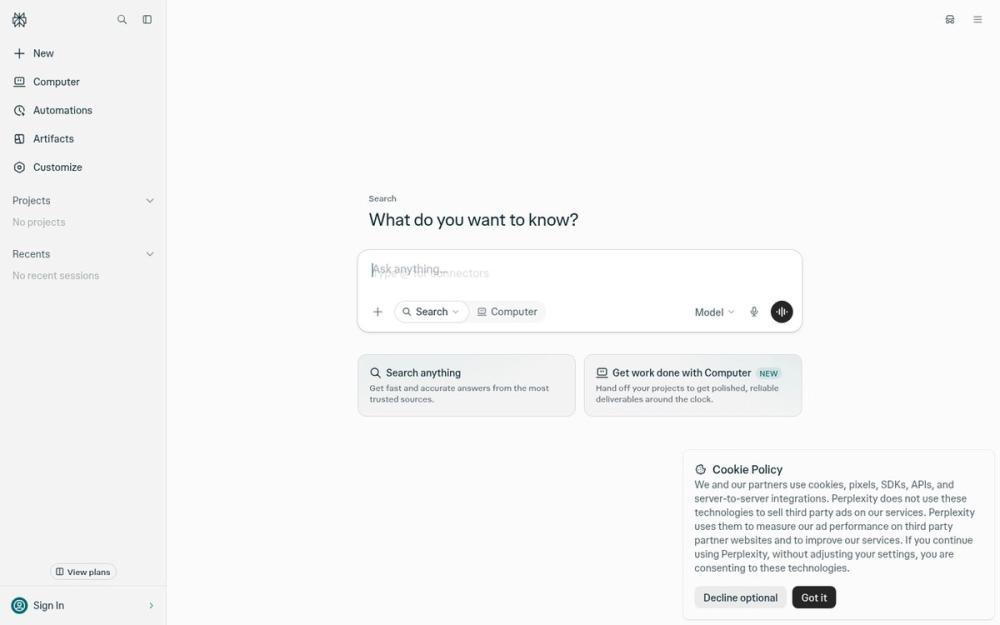
Caption: Perplexity web UI (“What do you want to know?”) — live product screenshot for research-with-sources workflows. Captured Oct 21, 2026. Used as list hero — not a logo collage.
Academic Integrity Boundaries
US schools increasingly publish AI policies. Patterns we see across university guidance (e.g., USC-style AI hubs and syllabus language):
| Use case | Safer framing | Risky / often banned |
|---|---|---|
| Concept explanation | “Explain photosynthesis like I’m in Bio 101, then quiz me.” | “Write my lab report.” |
| Research | Find sources → you read & cite originals | Paste AI bibliography without opening links |
| Writing | Outline your thesis; Grammarly on your draft | Full essay generation submitted as yours |
| STEM | Step-by-step method, then you solve a parallel problem | Answer key for graded homework |
| Coding | Explain an error / suggest approach | Submit AI-generated solution unchanged |
Practical rule: if you could not defend the work in office hours without the chatbot open, do not submit it.
What “AI for School Work” Means in 2026
Searchers typing best AI for school work usually want help finishing assignments and learning the material—not a single magic chatbot.
AI for school work is an umbrella for tools that help students understand, practice, research, organize, and revise—not only “chatbots that write essays.”
| Category | Typical focus | Overlap with this guide |
|---|---|---|
| General LLMs | Explanations, brainstorming, coding help | High (ChatGPT, Claude, Gemini) |
| Answer engines | Web answers with citations | High (Perplexity) |
| Writing assistants | Grammar, tone, clarity on your text | High (Grammarly) |
| Source-grounded notebooks | Quizzes/summaries from your uploads | High (NotebookLM) |
| Education tutors | Socratic tutoring tied to curricula | High (Khanmigo) |
| Essay mills / undetectable AI | Ghostwriting as a product | Out of scope — not recommended |
Editorial boundary: we shortlisted tools US students actually use for studying. Pure “undetectable AI writer” products are listed under Also considered as not recommended.
How We Evaluated
We ranked tools for US students comparing the best AI for school work for everyday studying—not enterprise LMS procurement.
Criteria
- Learning usefulness — Does it explain, quiz, or guide—or only dump finished answers?
- Integrity fit — Clear modes (Study / Learning / Socratic) and honest limits.
- Research honesty — Citations you can open and verify (critical for papers).
- Free / student pricing — Published free tiers and student offers as of Oct 21, 2026.
- Workflow fit — Works with Docs, PDFs, notes, or Khan Academy content students already use.
Honesty note (not “Tested” theatre): This pass is docs-verified. We opened official product, pricing, student-offer, and FAQ pages dated around October 21, 2026 (Asia/Shanghai) and cross-checked major 2026 student-AI roundups (university AI hubs, independent student-tool guides). We did not run a semester classroom RCT. Promo eligibility (SheerID, .edu) can fail for some schools—confirm on the vendor page before budgeting.
Quick Comparison Table
Use this table as a shortlist filter before reading deep reviews—each row is a different “best AI for school work” job, not a universal winner.
| Tool | Best for | Free path? | Paid / student note (as of Oct 21, 2026) | Integrity angle |
|---|---|---|---|---|
| ChatGPT | General learning, Study Mode | Yes (usage caps; ads in some markets) | Plus $20/mo; US college: 4 free months of Plus if claimed by Oct 31, 2026 | Use Study Mode; don’t submit raw drafts |
| Claude | Long docs, careful feedback | Yes (daily limits) | Pro $20/mo or ~$17/mo annual; no personal student discount—campus “Claude for Education” only | Strong for feedback on your draft |
| Perplexity | Cited research | Yes (limited Pro searches) | Pro $20/mo; Education Pro ~$10/mo (SheerID) | Open every citation |
| Gemini | Google Docs/Drive workflows | Yes | Google AI Pro student free-year offers (US claim by Dec 31, 2026—confirm live) | Keep school account policies in mind |
| Grammarly | Grammar/clarity on your writing | Yes (basic checks) | Pro from about $12/mo; limited-time student 50% via SheerID | Edit—don’t outsource authorship |
| NotebookLM | Study materials from your sources | Yes (Google account) | Higher limits on Google AI paid tiers | Best integrity profile for grounded study |
| Khanmigo | Socratic tutoring | Teachers free; learners paid | Learners/families $4/mo or $44/yr (US billing) | Designed to withhold direct answers |
1. ChatGPT — Best overall starter for explanations and Study Mode
Official: chatgpt.com · Students offer: chatgpt.com/students/2026 · Help: Back to School offer · DirHunt: ChatGPT tool page
Verdict: For most US students, ChatGPT is still the best AI for school work starting point—especially with Study Mode framing that pushes you to think rather than collect a finished answer. It is also the easiest tool to misuse for ghostwriting; the difference is how you prompt and what you submit.
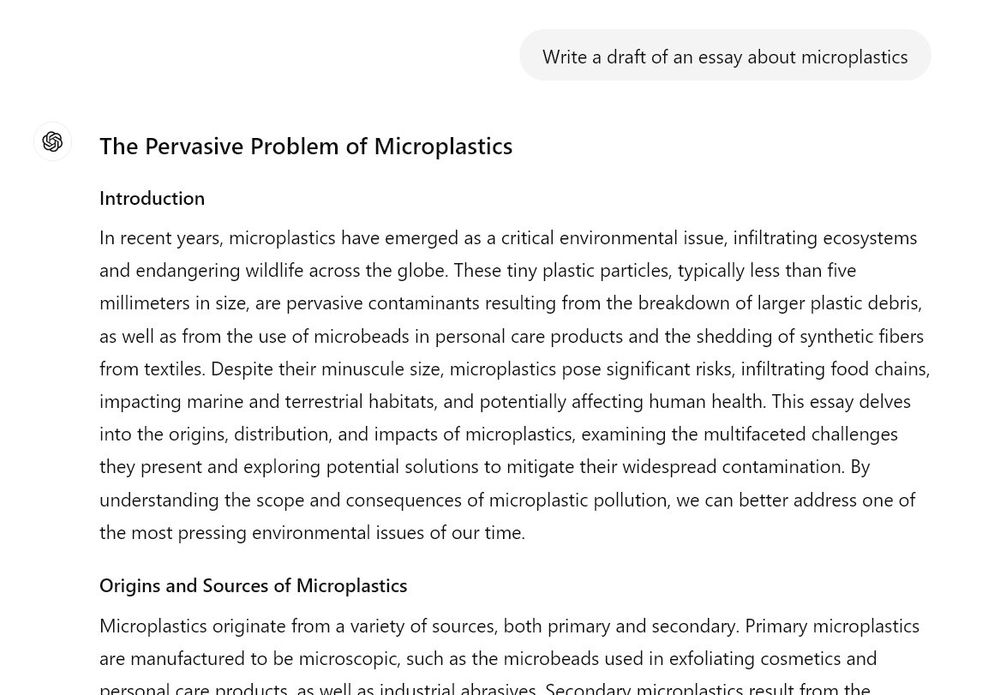
Caption: ChatGPT web conversation UI (Wikimedia Commons public screenshot). Illustrative of chat layout; models and UI change frequently. Reference as of Oct 21, 2026 review pass. Do not treat “write my essay” prompts as an integrity-safe workflow.
Key features
- Conversational explanations across subjects; coding help; study plans and practice questions.
- Study Mode (free tier availability per OpenAI’s current student messaging) — tutor-style interaction.
- File uploads, browsing, and voice (plan-dependent).
- Custom GPTs / projects for recurring class workflows (plan-dependent).
Pricing (as of Oct 21, 2026)
- Free: available with usage caps (ads reported in some markets).
- ChatGPT Plus: $20/month.
- US college Back to School 2026: eligible students can claim four free monthly billing periods of Plus by October 31, 2026 (SheerID; payment method required; renews at $20/mo unless canceled). App Store–billed subs may be ineligible—see OpenAI Help.
Docs check (Oct 21, 2026): Offer terms read from OpenAI’s student landing page and Help Center article on the Back to School offer. Eligibility is institution-dependent.
Pros
- Fast conceptual help and quiz generation.
- Huge mindshare—easy to find class-specific prompt patterns.
- Meaningful free tier for light weekly use.
Cons
- Happy to write full essays if you ask—integrity risk is on you.
- Can invent citations and confident wrong answers.
- Heavy use hits free caps; Plus is a recurring cost after promos.
Best for / Who should skip
- Best for: High-school and college students who need an always-on explainer and practice partner.
- Skip if: Your course bans generative AI entirely, or you only need citation-first research (use Perplexity).
What we noticed
The winning student habit is “teach me, then quiz me, then I write.” Ask for analogies, misconceptions, and two practice problems without answers—then solve them yourself. Pair with Grammarly only after you draft.
Official link: ChatGPT
2. Claude — Best for long readings and careful writing feedback
Official: claude.ai · Product: anthropic.com/claude · Pricing: anthropic.com/pricing · DirHunt: Claude tool page
Verdict: Claude is the better pick when school work means long PDFs, literature review notes, or peer-review-style feedback on your draft. Anthropic does not publish a personal student discount; campus access comes through Claude for Education partnerships.
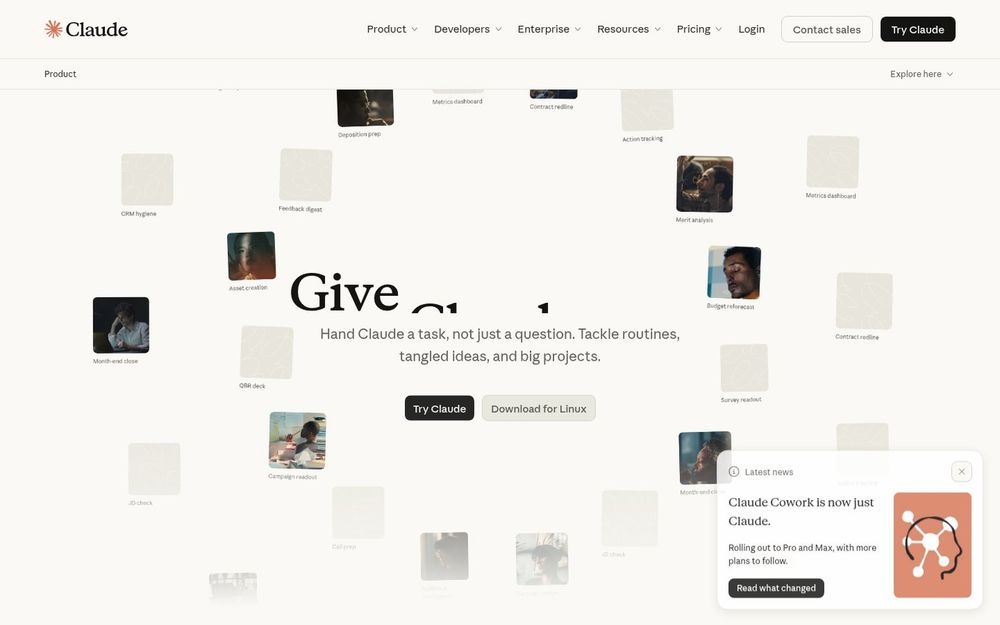
Caption: Claude product page (anthropic.com/claude) — official marketing UI. Docs-verified Oct 21, 2026.
Key features
- Strong long-context reading and structured analysis.
- Projects, Artifacts, file creation, web search (plan-dependent).
- Writing feedback that can critique argument structure without requiring you to outsource authorship—if you prompt for critique, not replacement.
- Learning-oriented modes / education campus programs (availability varies).
Pricing (as of Oct 21, 2026)
- Free: chat on web/desktop/mobile with limits.
- Pro: $20/month, or $17/month effective when billed annually ($200 up front).
- Max: from $100/month (5x/20x usage)—overkill for most undergraduates.
- No individual student price on Anthropic’s help/pricing surfaces; university-wide Education plans are institutional.
Docs check (Oct 21, 2026): Figures from Anthropic’s public pricing page. Confirm live checkout for tax.
Pros
- Excellent for dense readings and long notes.
- Thoughtful tone for essay feedback prompts.
- Large context helps with multi-chapter PDFs.
Cons
- No standard personal student discount.
- Free tier limits bite during finals week.
- Still capable of writing full papers if asked—policy still applies.
Best for / Who should skip
- Best for: Humanities and social-science students drowning in PDFs; anyone who wants structured critique.
- Skip if: You need cheap cited web research first (Perplexity) or Google-native Docs side panels (Gemini).
What we noticed
Prompt Claude like a TA: “Do not rewrite my essay. List logical gaps, weak evidence, and one sentence I should cut.” That keeps authorship yours while still using the best AI for school work job Claude actually wins.
Official link: Claude
3. Perplexity — Best research assistant with citations you can click
Official: perplexity.ai · DirHunt: Perplexity tool page
Verdict: If “school work” means papers and annotated bibliographies, Perplexity is the research specialist on this list. Treat every answer as a map to sources, not a finished Works Cited.
Caption: Perplexity web UI with “Ask anything…” composer and source-oriented search framing. Live screenshot Oct 21, 2026.
Key features
- Answer engine with numbered, clickable citations.
- Focus modes / collections for ongoing topics (feature set evolves).
- Pro models and higher advanced-search limits on paid plans.
- Education Pro discount for verified students/educators (SheerID).
Pricing (as of Oct 21, 2026)
- Free: usable with limited advanced/Pro searches.
- Pro: about $20/month (or annual equivalents on vendor checkout).
- Education Pro: about $10/month after verification (SheerID)—confirm live on Perplexity’s education/pro surfaces.
Docs check (Oct 21, 2026): Student pricing cross-checked against Perplexity education messaging and Oct 2026 third-party verification roundups; always re-check checkout.
Pros
- Fast path from question → sources.
- Better default for “what should I read?” than raw ChatGPT.
- Education pricing is among the best paid add-ons for research-heavy majors.
Cons
- Citations can still be thin, skewed, or mis-summarized—open the PDF.
- Not a full writing environment.
- Free advanced searches run out during heavy research weeks.
Best for / Who should skip
- Best for: Term papers, debate prep, current-events assignments.
- Skip if: You only need flashcards or Socratic math tutoring.
What we noticed
Best workflow: Perplexity → open 3–5 sources → take notes in Docs/Notion → draft yourself → Grammarly pass. Never paste Perplexity’s prose into a paper unchanged.
Official link: Perplexity
4. Google Gemini — Best for Google Docs / Drive students
Official: gemini.google.com · Google AI plans: one.google.com/ai · Gemini blog: blog.google/.../gemini
Verdict: If your backpack is already Docs, Drive, Gmail, and Classroom, Gemini is the lowest-friction general AI. Multimodal help (photo of handwritten notes → study guide) is a real student win—when your school account policy allows it.
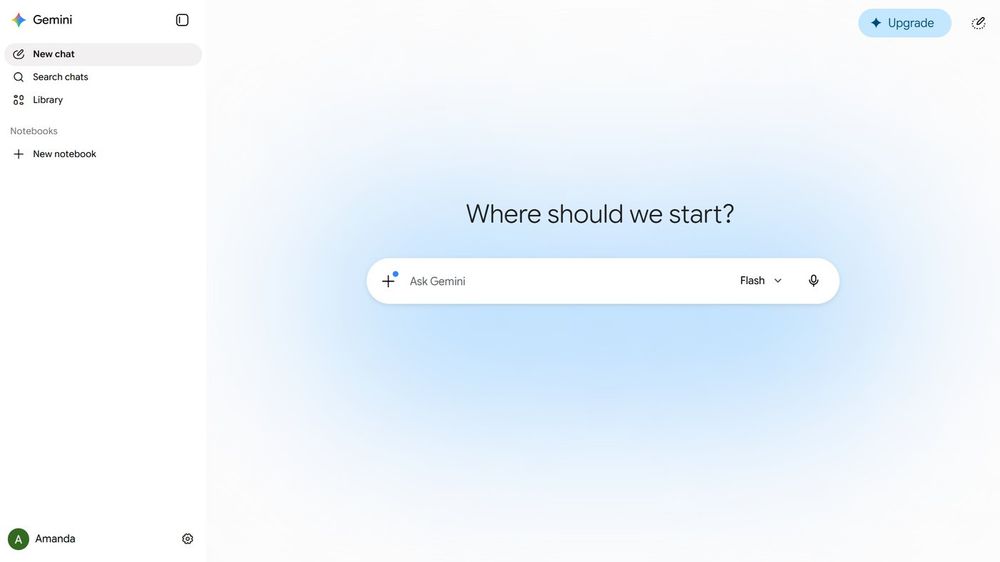
Caption: Google Gemini web chat UI (Wikimedia Commons public screenshot, 2026). Illustrative; UI and model names change. Reference as of Oct 21, 2026.
Key features
- Chat + multimodal inputs (images, docs—plan-dependent).
- Tight Google Workspace integration for many student accounts.
- Guided Learning / study-oriented features on current Google education messaging.
- Student promotional access to higher Google AI tiers (US and other markets differ).
Pricing (as of Oct 21, 2026)
- Free Gemini app tier: available with Google account (limits apply).
- Google AI Pro / Plus student offers: widely reported 12-month student promotions with claim deadlines around December 31, 2026 (US vs other markets differ; card often required; renews at standard rates). Confirm on Google One / student offer pages—JS checkout can change.
Docs check (Oct 21, 2026): We verified Gemini surfaces load; exact promo SKUs are market-specific. We flag rather than invent a single global price.
Pros
- Lives where many US students already write.
- Strong for turning notes photos into outlines.
- Generous free entry point.
Cons
- School-managed accounts may disable Gemini—IT policy wins.
- Same ghostwriting temptation as other LLMs.
- Promo fine print (renewal price, age 18+, SheerID) trips people up.
Best for / Who should skip
- Best for: Docs-centric students and group projects in Drive.
- Skip if: Your campus standardizes on Microsoft 365 Copilot instead.
What we noticed
Use Gemini to reorganize your notes and generate practice quizzes from your material. For graded essays, keep authorship in Docs with version history you can show an instructor.
Official link: Google Gemini
5. Grammarly — Best polish layer for writing you already drafted
Official: grammarly.com · Plans: grammarly.com/plans
Verdict: Grammarly is not a tutor and not a research engine—it is the best AI for school work when the job is clarity, grammar, and tone on words you wrote. Used correctly, it supports integrity; used as an invisible co-author for whole paragraphs, it drifts into gray areas your syllabus may forbid.
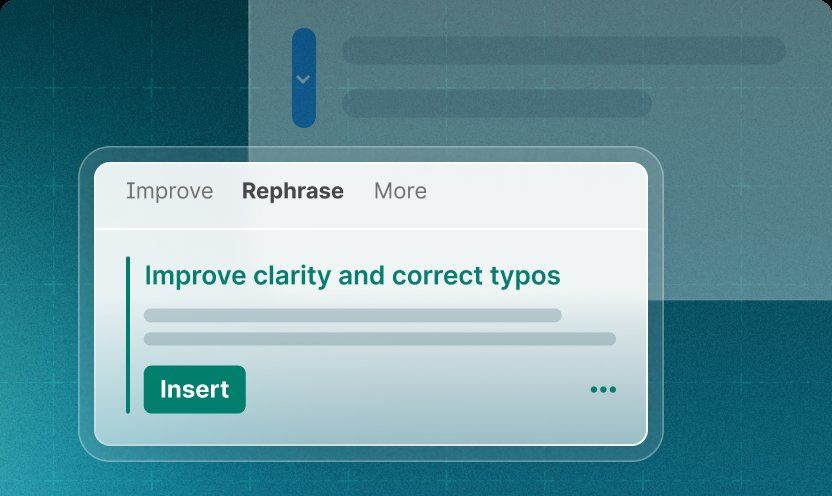
Caption: Grammarly paragraph rewrite / Improve clarity UI (official Grammarly marketing asset reused from our writing-software pack). Docs-verified Oct 21, 2026.
Key features
- Real-time grammar, spelling, clarity, and tone suggestions in browser/desktop/mobile.
- Pro: full-sentence rewrites, plagiarism / AI-text detection features, higher AI prompt caps.
- Goals (e.g., Academic) that change suggestion style.
- Works inside Docs, Word, email, and the web editor.
Pricing (as of Oct 21, 2026)
- Free: core mistake checks; limited AI prompts (plans page cites 100 prompts/month on Free).
- Pro: about $12/month on Grammarly’s plans page (trial messaging common; annual checkout may differ).
- Student: limited-time 50% off Pro via SheerID (confirm Support/Grammarly student pages—“limited time,” no fixed end date printed on all surfaces).
Docs check (Oct 21, 2026): Plan comparison and $12 Pro list price from grammarly.com/plans.
Pros
- Improves your draft without replacing research.
- Ubiquitous where students already type.
- Plagiarism/AI detection on Pro can catch accidental issues before submit (not a guarantee).
Cons
- Generative prompts can over-write your voice.
- Not a substitute for argument or evidence.
- Pro price adds up with other AI subs.
Best for / Who should skip
- Best for: Anyone submitting essays, lab narratives, or applications who already drafted the content.
- Skip if: You need concept tutoring—use ChatGPT/Claude/Khanmigo first.
What we noticed
Set Goals to Academic, accept grammar fixes liberally, and treat full-sentence rewrites as optional. If Pro’s generative box writes a new paragraph, either rewrite it in your words or don’t use it for graded work.
Official link: Grammarly
6. NotebookLM — Best for studying your uploaded sources
Official: notebooklm.google
Verdict: NotebookLM is the integrity-friendly specialist: it grounds answers in sources you upload (syllabus PDFs, lecture slides, your notes). Ideal for study guides and audio overviews—not for inventing outside facts.
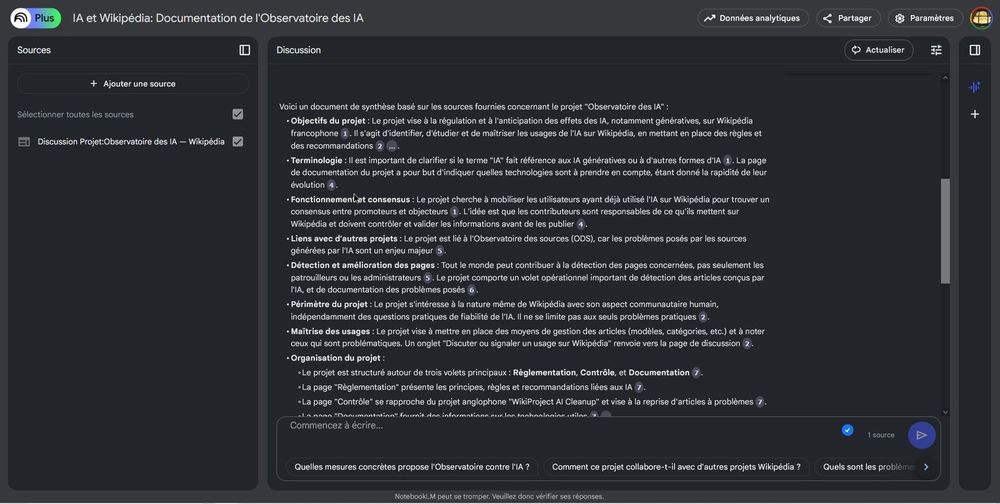
Caption: NotebookLM notebook UI with sources panel and cited synthesis (Wikimedia Commons public screenshot; UI language may vary). Illustrative of source-grounded study. Reference as of Oct 21, 2026.
Key features
- Upload readings/notes → summaries, FAQs, study guides with citations back to your files.
- Audio Overview / quiz-style study features (availability evolves).
- Free entry with a Google account; higher limits on Google AI paid tiers.
Pricing (as of Oct 21, 2026)
- Free: core NotebookLM features with a Google account (limits on notebooks/sources).
- Paid Google AI tiers: raise caps—confirm on Google One / AI plan pages.
Docs check (Oct 21, 2026): Product surface loads; treat exact quota numbers as changeable and verify in-product.
Pros
- Strong academic-integrity profile when sources are yours/assigned.
- Excellent for exam prep from a defined reading list.
- Reduces hallucinated “outside” facts vs open-web chatbots.
Cons
- Garbage-in / garbage-out if uploads are incomplete.
- Not a general web research replacement for Perplexity.
- UI and limits change with Google AI bundling.
Best for / Who should skip
- Best for: Midterms/finals where the corpus is known (lectures + textbook chapters).
- Skip if: You need open-web current events research.
What we noticed
Upload the PDF the professor assigned, ask for a study guide with citations, then close NotebookLM and write practice answers from memory. That is elite student technique—and hard to call cheating.
Official link: NotebookLM
7. Khanmigo — Best Socratic tutor for guided practice
Official: khanmigo.ai · Pricing: khanmigo.ai/pricing · Learners: khanmigo.ai/learners
Verdict: Khanmigo (Khan Academy) is purpose-built to guide without handing over the answer—the opposite of “do my homework” bots. For math/science/test prep, it is often the best AI for school work if your goal is actual mastery.
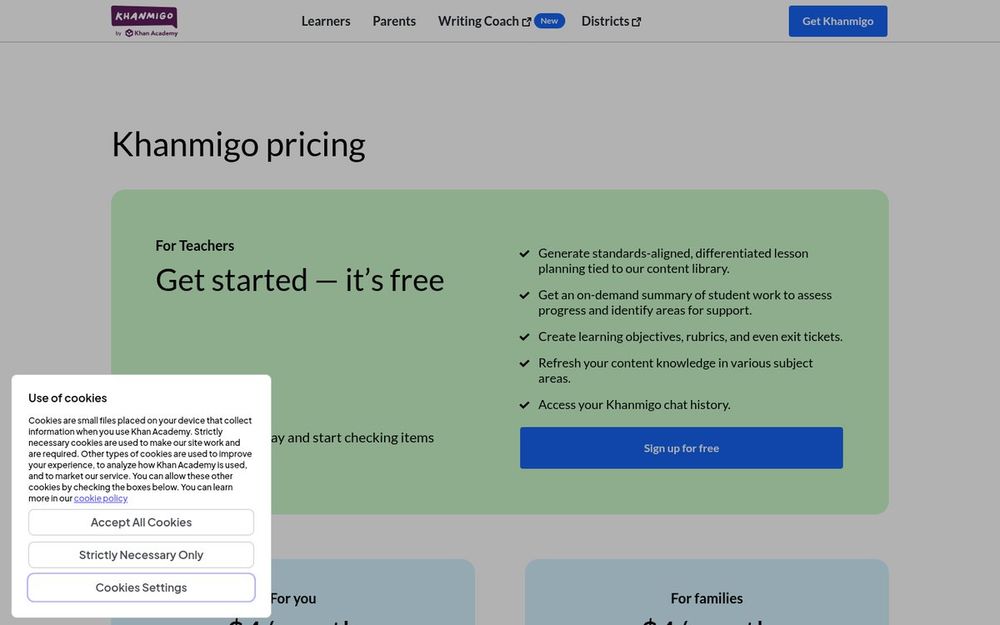
Caption: Khanmigo pricing page — teachers free; learners/families $4/month (official khanmigo.ai/pricing). Live screenshot Oct 21, 2026.
Key features
- Socratic tutoring tied to Khan Academy content.
- Writing coach / debate-style practice (product areas expanding).
- Parent plans can enable access for children under 18 (up to 10 on family messaging).
- Teacher tools free in supported countries; classroom student access via district partnerships.
Pricing (as of Oct 21, 2026)
- Teachers: free signup (eligibility by country/territory).
- Learners / families: $4/month or $44/year (sales tax extra); US billing address requirements apply for parent/learner plans.
- Under-18 learners generally need a parent/guardian subscription or district deployment.
Docs check (Oct 21, 2026): Prices confirmed on khanmigo.ai/pricing and learners/parents pages.
Pros
- Designed for learning, not answer keys.
- Low monthly cost vs Plus/Pro LLM plans.
- Backed by a known education nonprofit brand.
Cons
- Not a general research/writing suite.
- Geographic/age gating and district packaging can confuse families.
- Independent learning gains still require you to show up and practice.
Best for / Who should skip
- Best for: Math, science, SAT/ACT/AP-style practice; younger learners with parent accounts.
- Skip if: You only need citation research or Docs grammar polish.
What we noticed
If ChatGPT keeps “being too helpful,” switch the same question to Khanmigo and expect guiding questions. That friction is the feature.
Official link: Khanmigo
Comparison Table (Pricing & Student Offers)
| Tool | Model | Free limits (high level) | Entry paid / student (US, as of Oct 21, 2026) | Best school job |
|---|---|---|---|---|
| ChatGPT | Freemium LLM | Caps; Study Mode on free per current messaging | Plus $20/mo; 4 free Plus months for eligible US college (claim by Oct 31, 2026) | Explanations + practice |
| Claude | Freemium LLM | Daily limits | Pro $20/mo (~$17/mo annual); campus Education only | Long readings + feedback |
| Perplexity | Freemium answer engine | Limited advanced searches | Pro ~$20/mo; Education Pro ~$10/mo | Cited research |
| Gemini | Freemium LLM | Free app tier | Student Google AI year promos (confirm market) | Docs/Drive workflow |
| Grammarly | Freemium writing layer | Basic checks; ~100 AI prompts/mo | Pro ~$12/mo; student 50% limited-time | Polish your draft |
| NotebookLM | Free (+ Google AI caps) | Account limits | Higher limits via Google AI plans | Study your sources |
| Khanmigo | Paid learner / free teacher | Teachers free | $4/mo or $44/yr learners/families | Socratic tutoring |
Also Considered
| Tool | Why it’s notable | Why it’s not in the main seven |
|---|---|---|
| Microsoft Copilot | Strong inside Word/PowerPoint/Excel | Campus licensing varies; overlaps Gemini/ChatGPT jobs |
| GitHub Copilot Student | Free for verified student developers | Coding-narrow vs general “school work” |
| Quizlet | Flashcards + AI study modes | Memorization layer; not a full research/writing stack |
| Otter.ai | Lecture transcription | Useful add-on; privacy/recording-consent issues |
| Photomath / Wolfram Alpha | Exact STEM computation | Narrow; complementary to tutors |
| Notion AI | Notes + light AI | Education plan ≠ full AI; PKM overlap |
| “Undetectable” AI writers / essay mills | Marketed for stealth submission | Not recommended — academic misconduct risk |
Which Tool Should You Choose?
| Your situation | Start here | Add-on |
|---|---|---|
| “I don’t understand this chapter” | ChatGPT Study Mode or Khanmigo | NotebookLM on your PDF |
| Term paper research | Perplexity | Claude for synthesizing after you read sources |
| Long PDF / feedback on my draft | Claude | Grammarly |
| Everything lives in Google Docs | Gemini | Grammarly |
| Finals from lecture slides I own | NotebookLM | ChatGPT practice quiz |
| Algebra / chemistry practice | Khanmigo | Wolfram for numeric checks |
| ESL clarity on my essay | Grammarly | Human writing center |
If you only remember one line: the best AI for school work is the one that matches the assignment—tutor, research, or polish—not the one that writes the submission for you.
Practical free-first stack: ChatGPT Free or Gemini Free + Perplexity Free + NotebookLM + Grammarly Free. Add one paid seat only where you hit weekly limits (often Perplexity Education Pro or ChatGPT Plus during a heavy writing semester).
FAQ
What is the best AI for school work overall in 2026?
For most US students, ChatGPT is the best starter. The best research pick is Perplexity. The best integrity-first tutor is Khanmigo. Match the tool to the assignment.
Is using AI for homework cheating?
It depends on your syllabus. Explaining concepts and drilling practice is often allowed; submitting AI-written graded work is usually cheating. When unsure, ask your instructor and disclose.
What is the best free AI for students?
For budget-first best AI for school work setups, start free: ChatGPT Free, Gemini Free, NotebookLM, Perplexity Free, and Grammarly Free cover most study jobs. Free tiers throttle during finals—plan ahead.
ChatGPT vs Claude for essays?
Use neither to write the essay for you. Use Claude to critique structure on your draft; use ChatGPT to quiz understanding before you outline. Then write yourself and run Grammarly.
Do student discounts expire?
Yes. Notably, ChatGPT’s 2026 US college Plus promo asks you to claim by October 31, 2026. Google student AI year offers commonly cite December 31, 2026 deadlines. Always confirm vendor pages.
Will these prices change?
Likely. All figures are as of October 21, 2026 (Asia/Shanghai) from official pages or clearly flagged when checkout was JS-uncertain.
Methodology & Update Notes
- Review type: Docs-verified (official product, pricing, student-offer, FAQ pages) + cross-check of major 2026 student-AI guides and university AI hubs. Not a semester-long classroom lab.
- Market: United States student intent; USD list prices.
- Affiliate status: None. No referral parameters intentionally added.
- Screenshots: Mix of live product captures (Perplexity, Khanmigo pricing, Claude product page), official marketing UI (Grammarly), and Wikimedia Commons public screenshots (ChatGPT, Gemini, NotebookLM) clearly captioned. Hero image is Perplexity product UI.
- Integrity: This guide deliberately favors study assist over ghostwriting products.
- Changelog: Initial publication October 21, 2026. Next planned price/offer revisit: after Oct 31 / Dec 31, 2026 student-promo deadlines or sooner if major plan changes land.
Related Reading
- Best Writing Software 2026 — long-form drafting and grammar stacks that pair with the AI assistants above